


Amazon Kindle Scribe (16GB) - Your notes, documents and books, all in one place. With built-in AI notebook summarization. Includes Premium Pen - Tungsten
This is an affiliate link. Buyyyah may earn a commission if you buy through it, at no extra cost to you.
Description
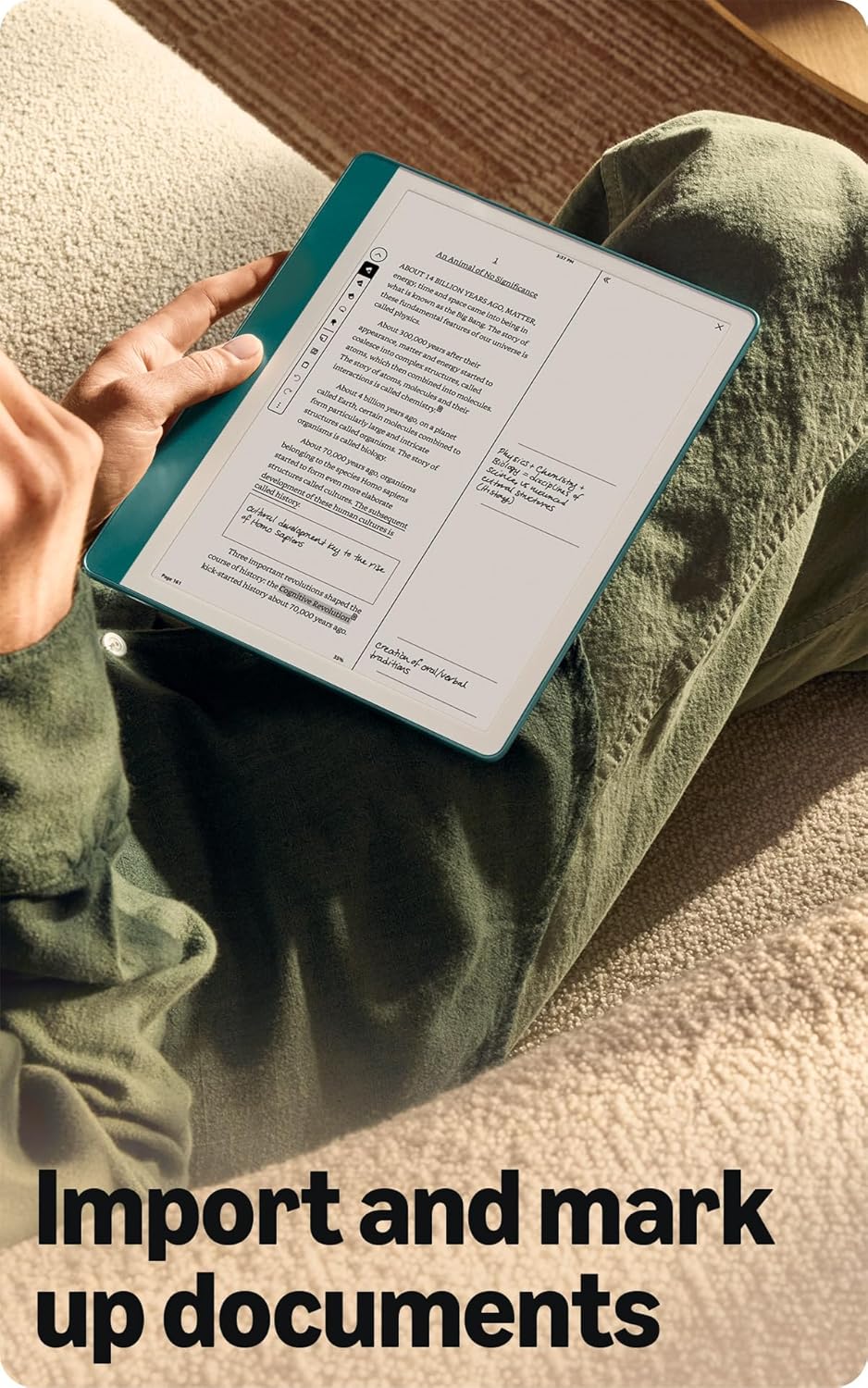
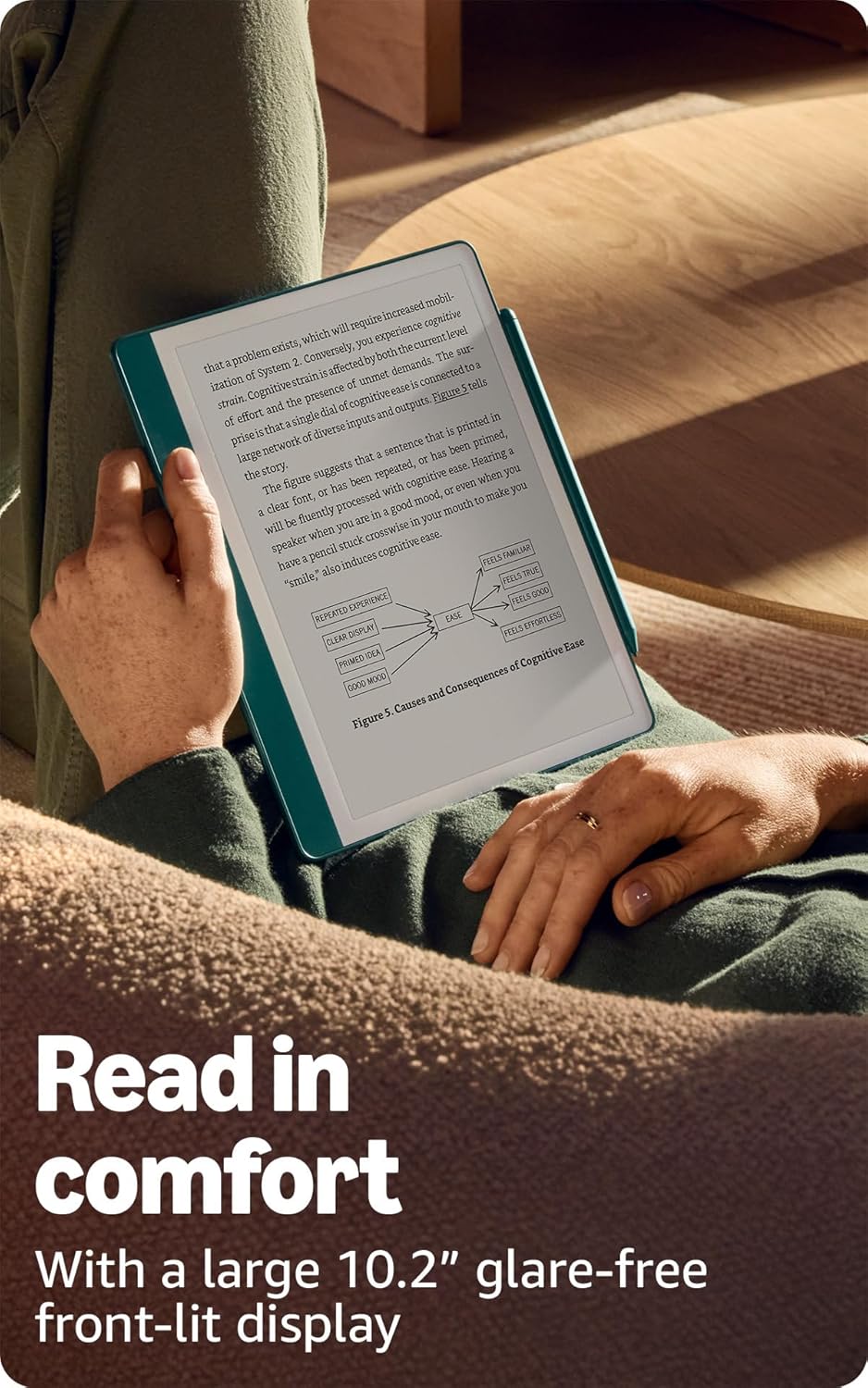
- A digital notebook for all your writing needs - Replace your stack of notebooks with a single device purpose-built for writing, reading, and thinking. No notifications or social media. - With AI tools to transform your notes - Convert messy handwriting into readable font, summarize your notes, and change their length and tone with built-in AI notebook tools. - Feels like pen on paper - See, feel and hear your thoughts meet the page with every stroke of the Premium Pen. No need to set up or charge, just start writing. - Easily import and mark up documents - Import documents and PDFs using Send to Kindle, and mark them up directly on the page. - Capture insights as you read – Just start writing on a book's page and Active Canvas will create space for your notes. Expand the margins to add more notes, or collapse them to see the original page. - Read comfortably in any light - The 10.2" glare-free, 300 ppi front-lit display is designed for reading and writing anytime, indoors and out. - Power that keeps up with your ideas - Read for months, write for weeks, all on a single charge.
Frequently asked questions
- What is the price of the Kindle Scribe?
- The Kindle Scribe (16GB) is priced at $399.99.
- Does it come with a pen?
- Yes, it includes a Premium Pen – Tungsten, which requires no setup or charging.
- Can I read books on the Kindle Scribe?
- Yes, the Kindle Scribe is designed for reading books and documents, with a 10.2" glare-free, 300 ppi front-lit display for comfortable reading indoors and out.
Customer reviews

Great for reading and writing
I've been a dedicated Kindle user for years, and am now on my 3rd (Paperwhite Signature) and 4th Kindles (this one, Scribe). I had a gift card burning a hole in my pocket, so I did a lot of research on eInk devices including this one, the Boox, the ReMarkable, etc. I pulled the trigger on this one during a solid Prime Day discount, even knowing that a newer version is coming soon. My use case is simple - I wanted something that was a great eReader and a great note taker so I could travel with it to business meetings, read on the plane etc., and take notes that I could easily digitize and paste into my Evernote when back at the office. If it offered an upgraded reading experience at home, then even better. I also like to sketch (mostly analog) and was interested in journaling a bit more. Here's what I really love about the Scribe - It doesn't try to do too much. It is optimized for reading and writing. I've been reading and journaling way more in the month or so since I got it. - It has great battery life, weeks without a charge with fairly heavy use. - The screen is clear and easy to read, with lots of adjustability and a fantastic backlight (I was already used to this on my Paperwhite, but this is a bigger screen that fits much more text) - It's the right size to fit in my bag and be light and easy to use - The writing feels mostly like writing on paper - Once you find the right case for the way you use it, it is easy to hold and prop up for writing. I tried 3 different cases and ended up with one of those folio covers that has a triangular stand. It's great for holding, lap reading, and writing propped on a table or in the hand. I avoided those with pen slots on the side since I found they rub against my writing hand. Amazon sells one but it's very expensive compared to third party models. - Eraser works great - Easily syncs reading progress across my 2 Kindles - Compatible with a wide selection of 3rd-party pens and tips - No subscription fees - Handles flipping over and on side really well, very fast - Very quick and responsive display, no noticeable writing latency - Asymmetrical margin on one side makes it easy to hold without accidentally activating touch screen Here are the things I'd change, and hopefully some of this will change with software updates: - The tips on the pens wear down faster than I'd like. I might risk it and try a metal tip, but still would be nice for a sharper solution that stays sharp - The drawing experience is meh. It's fine for quick, pen-like sketches, but it is definitely not optimized for any kind of art creation. I find the pressure and tilt sensitivity mediocre. It's plenty sufficient for writing though. The writing tool selection is OK, but limited for art. - Pen button is handy and useful, but a little awkwardly placed. I would like it better if it I could program it for "undo" function but that isn't one of the programmable options. - I still keep my Kindle Paperwhite around in the bedroom because it is much lighter and more comfortable to hold in bed when only reading with it. - Syncing notes is mediocre at best. The best option for me is the AI transcription, then email to my self for copy/paste into Evernote. This should be a more seamless integration. AI handwriting recognition and summarization work really well, though. The normal handwriting recognition option doesn't work as well but might suffice for neater writers. In any case, no subscription fees at all for any of it. - I wish I could create real templates from PDFs that worked as templates, not just importing PDFs to use to write on that would need to copied over and over, and live separately from my notebooks. - Some people find the methods of non-PDF book annotation limited (and with PDFs there are restrictions on how to import them for writing on them to work). This is a challenging problem to solve on proper eBooks, and it doesn't bother me really as 1) there are several decent options to choose from, and 2) I don't annotate books that much (I do highlight a bunch, though, and it works great) Why pick this over the ReMarkable or Boox? - Way less expensive than ReMarkable - Best eReader platform for me, as I am deep in the Kindle ecosystem. It just works and works well for reading - It doesn't try to do too much. The Boox is cool but its functionality overlaps too much with my phone and my iPad. Overall, despite all the quirks mentioned above, I still give it 5 stars because I use the mess out of it every day and enjoy the experience immensely.
I've been a dedicated Kindle user for years, and am now on my 3rd (Paperwhite Signature) and 4th Kindles (this one, Scribe). I had a gift card burning a hole in my pocket, so I did a lot of research on eInk devices including this one, the Boox, the ReMarkable, etc. I pulled the trigger on this one during a solid Prime Day discount, even knowing that a newer version is coming soon. My use case is simple - I wanted something that was a great eReader and a great note taker so I could travel with it to business meetings, read on the plane etc., and take notes that I could easily digitize and paste into my Evernote when back at the office. If it offered an upgraded reading experience at home, then even better. I also like to sketch (mostly analog) and was interested in journaling a bit more. Here's what I really love about the Scribe - It doesn't try to do too much. It is optimized for reading and writing. I've been reading and journaling way more in the month or so since I got it. - It has great battery life, weeks without a charge with fairly heavy use. - The screen is clear and easy to read, with lots of adjustability and a fantastic backlight (I was already used to this on my Paperwhite, but this is a bigger screen that fits much more text) - It's the right size to fit in my bag and be light and easy to use - The writing feels mostly like writing on paper - Once you find the right case for the way you use it, it is easy to hold and prop up for writing. I tried 3 different cases and ended up with one of those folio covers that has a triangular stand. It's great for holding, lap reading, and writing propped on a table or in the hand. I avoided those with pen slots on the side since I found they rub against my writing hand. Amazon sells one but it's very expensive compared to third party models. - Eraser works great - Easily syncs reading progress across my 2 Kindles - Compatible with a wide selection of 3rd-party pens and tips - No subscription fees - Handles flipping over and on side really well, very fast - Very quick and responsive display, no noticeable writing latency - Asymmetrical margin on one side makes it easy to hold without accidentally activating touch screen Here are the things I'd change, and hopefully some of this will change with software updates: - The tips on the pens wear down faster than I'd like. I might risk it and try a metal tip, but still would be nice for a sharper solution that stays sharp - The drawing experience is meh. It's fine for quick, pen-like sketches, but it is definitely not optimized for any kind of art creation. I find the pressure and tilt sensitivity mediocre. It's plenty sufficient for writing though. The writing tool selection is OK, but limited for art. - Pen button is handy and useful, but a little awkwardly placed. I would like it better if it I could program it for "undo" function but that isn't one of the programmable options. - I still keep my Kindle Paperwhite around in the bedroom because it is much lighter and more comfortable to hold in bed when only reading with it. - Syncing notes is mediocre at best. The best option for me is the AI transcription, then email to my self for copy/paste into Evernote. This should be a more seamless integration. AI handwriting recognition and summarization work really well, though. The normal handwriting recognition option doesn't work as well but might suffice for neater writers. In any case, no subscription fees at all for any of it. - I wish I could create real templates from PDFs that worked as templates, not just importing PDFs to use to write on that would need to copied over and over, and live separately from my notebooks. - Some people find the methods of non-PDF book annotation limited (and with PDFs there are restrictions on how to import them for writing on them to work). This is a challenging problem to solve on proper eBooks, and it doesn't bother me really as 1) there are several decent options to choose from, and 2) I don't annotate books that much (I do highlight a bunch, though, and it works great) Why pick this over the ReMarkable or Boox? - Way less expensive than ReMarkable - Best eReader platform for me, as I am deep in the Kindle ecosystem. It just works and works well for reading - It doesn't try to do too much. The Boox is cool but its functionality overlaps too much with my phone and my iPad. Overall, despite all the quirks mentioned above, I still give it 5 stars because I use the mess out of it every day and enjoy the experience immensely.

Deciding on which to buy ReMarkable VS Scribe??? - The KIndle Scribe is more "remarkable."
I have been using my Kindle Scribe for about 3 weeks and I have to tell you - I love it! I was going to get the Remarkable, but thought I'd get more with my Scribe since it uses the Kindle Library and store. The only thing better on the Remarkable was that the Remarkable had a few colored inks and was a bit larger - like a real sheet of paper. After watching several reviews I thought I'd be happier having access to my Kindle library/store AND the fact that the pen stylus actually "hit" like a pen on paper feel on the tablet. I know there are some disconnects when it comes to typing everything on a computer vs writing long hand notes on a pad of paper. But I always felt that I had a more thoughtful approach to my writing when I wrote on paper. I think its more thoughtful. So I was sold on one of them...with a price tag half that of the Remarkable, with a 64 GB storage - I got the Scribe. I have literally used it everyday. I now make notes of little ideas I get that I want to get back to since its so easy just to pick up and start writing. I have started a book that I have on my mind for over a decade, that now I can pick up my tablet and write...it has templates: storyboards, daily planner, dotted paper, graph paper, different types of lined papers, blank, etc....and it is super lightweight. It has a no glare screen and YES it feels like you are writing on paper. You can choose from different types of writing instruments, pen stroke thickness, use of a quick button (which I use for highlighting). This response time to the ink to "paper" is very fast...no drag at all...however there is a slight drag when you erase that it may leave a ghost image but it does disappear as soon as you start writing again. What I LOVE that I didn't intend to LOVE is the Kindle library and store. It was a perk, but at the time I was choosing between the Remarkable and the Kindle Scribe I was looking for what would be t he best tablet. HOWEVER, the Kindle Library and Store is great for your kindle books you bought - you can use the stylus to underline, make notes, highlight, etc...everything you can do with your Kindle PLUS more - there are certain crossword kindle books and word find puzzles and "write on" books that you can use in the Scribe. At half the price of the Remarkable, and increased functionality as not just a notepad, also a reader, a PDF editor, and features AI on board, I think the Kindle Scribe is quite "remarkable" even over the ReMarkable.
I have been using my Kindle Scribe for about 3 weeks and I have to tell you - I love it! I was going to get the Remarkable, but thought I'd get more with my Scribe since it uses the Kindle Library and store. The only thing better on the Remarkable was that the Remarkable had a few colored inks and was a bit larger - like a real sheet of paper. After watching several reviews I thought I'd be happier having access to my Kindle library/store AND the fact that the pen stylus actually "hit" like a pen on paper feel on the tablet. I know there are some disconnects when it comes to typing everything on a computer vs writing long hand notes on a pad of paper. But I always felt that I had a more thoughtful approach to my writing when I wrote on paper. I think its more thoughtful. So I was sold on one of them...with a price tag half that of the Remarkable, with a 64 GB storage - I got the Scribe. I have literally used it everyday. I now make notes of little ideas I get that I want to get back to since its so easy just to pick up and start writing. I have started a book that I have on my mind for over a decade, that now I can pick up my tablet and write...it has templates: storyboards, daily planner, dotted paper, graph paper, different types of lined papers, blank, etc....and it is super lightweight. It has a no glare screen and YES it feels like you are writing on paper. You can choose from different types of writing instruments, pen stroke thickness, use of a quick button (which I use for highlighting). This response time to the ink to "paper" is very fast...no drag at all...however there is a slight drag when you erase that it may leave a ghost image but it does disappear as soon as you start writing again. What I LOVE that I didn't intend to LOVE is the Kindle library and store. It was a perk, but at the time I was choosing between the Remarkable and the Kindle Scribe I was looking for what would be t he best tablet. HOWEVER, the Kindle Library and Store is great for your kindle books you bought - you can use the stylus to underline, make notes, highlight, etc...everything you can do with your Kindle PLUS more - there are certain crossword kindle books and word find puzzles and "write on" books that you can use in the Scribe. At half the price of the Remarkable, and increased functionality as not just a notepad, also a reader, a PDF editor, and features AI on board, I think the Kindle Scribe is quite "remarkable" even over the ReMarkable.

I Use This Far More Than My iPad Pro
My use case maybe different than most, I'm a professor at a university and I am constantly taking notes for committee meetings, research, and class prep. I got fatigued at constantly carrying around notebooks and I am particular on my taste in notebooks (Moleskine). Add years of those and it costs as much as a Scribe. A couple of my colleagues have adopted either the Kindle Scribe or the Remarkable Paper Pro. I purchased the Scribe because I'm already bought into the Kindle library pretty heavily and it was super easy to setup my account on the Scribe since I already was an Amazon user. The writing experience I feel like is more comfortable on the Scribe than the Remarkable Pro. It has just enough friction so that it feels like I'm writing on paper. I've tried and have not liked writing with a stylus on the iPad, even with the Paperlike screen protector. It's just too slippery and inaccurate. In my opinion, the Scribe does the most superior job compared to anything else out there. The legibility, e-ink refresh rate, and brightness are top notch. They look good and after erasing, it doesn't leave any e-ink "residue". Writing notes instead of typing has helped me remember and work through my creative process better. I just don't want gobs of physical notebooks. The Scribe has solved this for me and has everything at the ready. In class, I have my Scribe propped up and I can see my notes right there in front of me. I even export them and add them to our course modules so students can get my lecture notes. I even add a last page with the AI summary and a few of my doodles so the students can get a condensed version-- which the AI does a good job summarizing! I've used an iPad Pro for years and I chucked that to the side and found myself using the Scribe daily. I'm excited about the upcoming updates since the September 2025 announcement. I may even jump the Kindle Scribe Colorsoft just for the features plus color. I think the Remarkable has a little better note taking file structure and folder organization. But if the announcement delivers on this next update, that will solve the folder organization and add some awesome integration with cloud storage!
My use case maybe different than most, I'm a professor at a university and I am constantly taking notes for committee meetings, research, and class prep. I got fatigued at constantly carrying around notebooks and I am particular on my taste in notebooks (Moleskine). Add years of those and it costs as much as a Scribe. A couple of my colleagues have adopted either the Kindle Scribe or the Remarkable Paper Pro. I purchased the Scribe because I'm already bought into the Kindle library pretty heavily and it was super easy to setup my account on the Scribe since I already was an Amazon user. The writing experience I feel like is more comfortable on the Scribe than the Remarkable Pro. It has just enough friction so that it feels like I'm writing on paper. I've tried and have not liked writing with a stylus on the iPad, even with the Paperlike screen protector. It's just too slippery and inaccurate. In my opinion, the Scribe does the most superior job compared to anything else out there. The legibility, e-ink refresh rate, and brightness are top notch. They look good and after erasing, it doesn't leave any e-ink "residue". Writing notes instead of typing has helped me remember and work through my creative process better. I just don't want gobs of physical notebooks. The Scribe has solved this for me and has everything at the ready. In class, I have my Scribe propped up and I can see my notes right there in front of me. I even export them and add them to our course modules so students can get my lecture notes. I even add a last page with the AI summary and a few of my doodles so the students can get a condensed version-- which the AI does a good job summarizing! I've used an iPad Pro for years and I chucked that to the side and found myself using the Scribe daily. I'm excited about the upcoming updates since the September 2025 announcement. I may even jump the Kindle Scribe Colorsoft just for the features plus color. I think the Remarkable has a little better note taking file structure and folder organization. But if the announcement delivers on this next update, that will solve the folder organization and add some awesome integration with cloud storage!

Kindle Scribe: The Ultimate Teacher & Principal Must-Have!
The Kindle Scribe isn't just a device; it's a phenomenon among educators! I can confidently give this a full five stars because it literally sells itself with principals and teachers. It's been an absolute game-changer for my productivity and organization, and the ripple effect among my colleagues has been incredible. My experience has been that when individuals see you using it, they want to give it a try, and they become instantly hooked. Whether it's for note-taking during meetings, marking up PDFs, sketching out lesson plans, or simply enjoying a good book, the tactile writing experience combined with the E-ink display is just phenomenal. It feels incredibly natural, like writing on actual paper, but with all the convenience of digital storage and organization. It's gotten to the point where people who use them—myself, my principal, and other coworkers—are essentially walking advertisements. We're constantly showing off its features, demonstrating how seamlessly it integrates into our busy professional lives, and sharing tips and tricks. The ability to easily access and annotate documents without printing countless pages, and to have all my notes in one place, has dramatically streamlined my workday. If you're an educator looking to elevate your note-taking, reading, and document management, the Kindle Scribe is an investment that pays dividends in efficiency and enjoyment. It's truly a standout product that speaks for itself. Wait for it to go on sale. ;)
The Kindle Scribe isn't just a device; it's a phenomenon among educators! I can confidently give this a full five stars because it literally sells itself with principals and teachers. It's been an absolute game-changer for my productivity and organization, and the ripple effect among my colleagues has been incredible. My experience has been that when individuals see you using it, they want to give it a try, and they become instantly hooked. Whether it's for note-taking during meetings, marking up PDFs, sketching out lesson plans, or simply enjoying a good book, the tactile writing experience combined with the E-ink display is just phenomenal. It feels incredibly natural, like writing on actual paper, but with all the convenience of digital storage and organization. It's gotten to the point where people who use them—myself, my principal, and other coworkers—are essentially walking advertisements. We're constantly showing off its features, demonstrating how seamlessly it integrates into our busy professional lives, and sharing tips and tricks. The ability to easily access and annotate documents without printing countless pages, and to have all my notes in one place, has dramatically streamlined my workday. If you're an educator looking to elevate your note-taking, reading, and document management, the Kindle Scribe is an investment that pays dividends in efficiency and enjoyment. It's truly a standout product that speaks for itself. Wait for it to go on sale. ;)


