
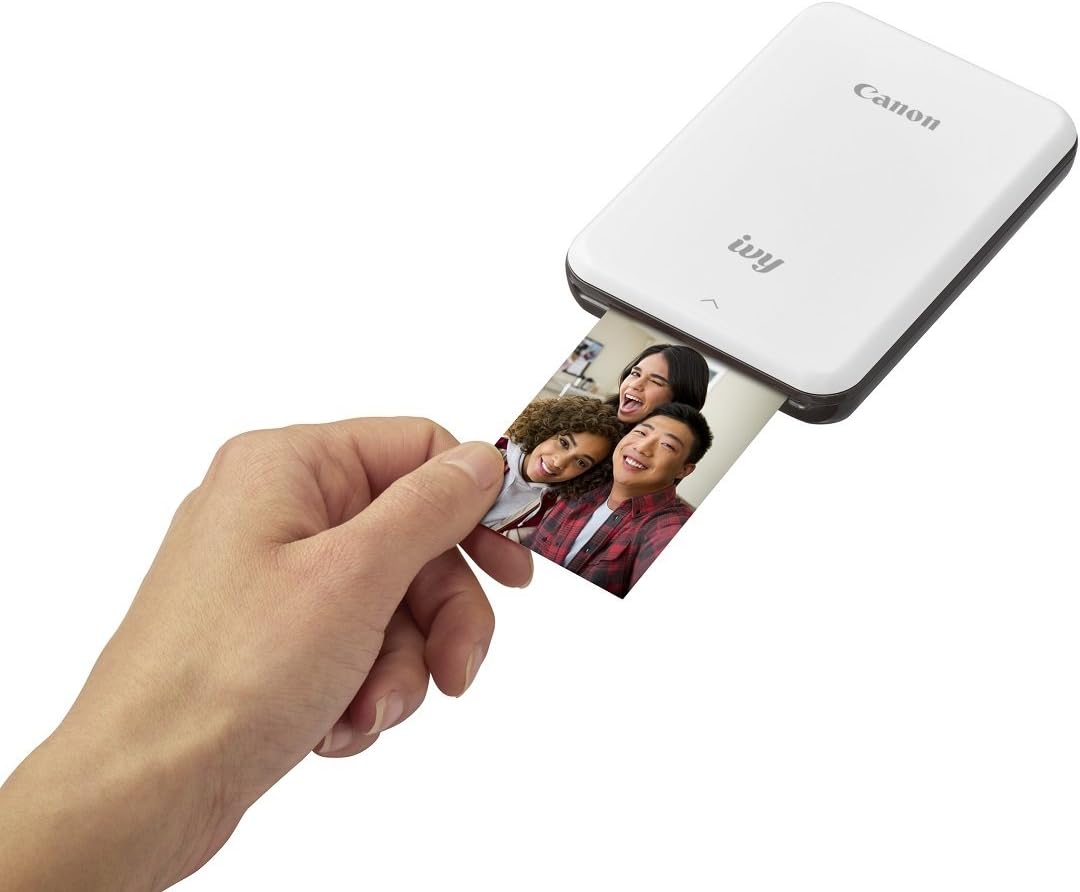
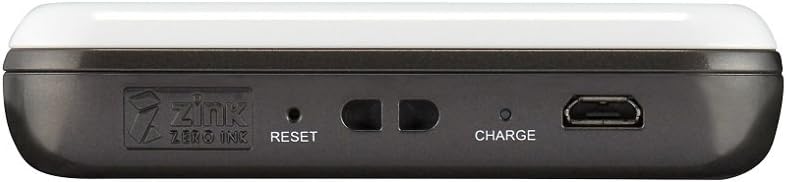


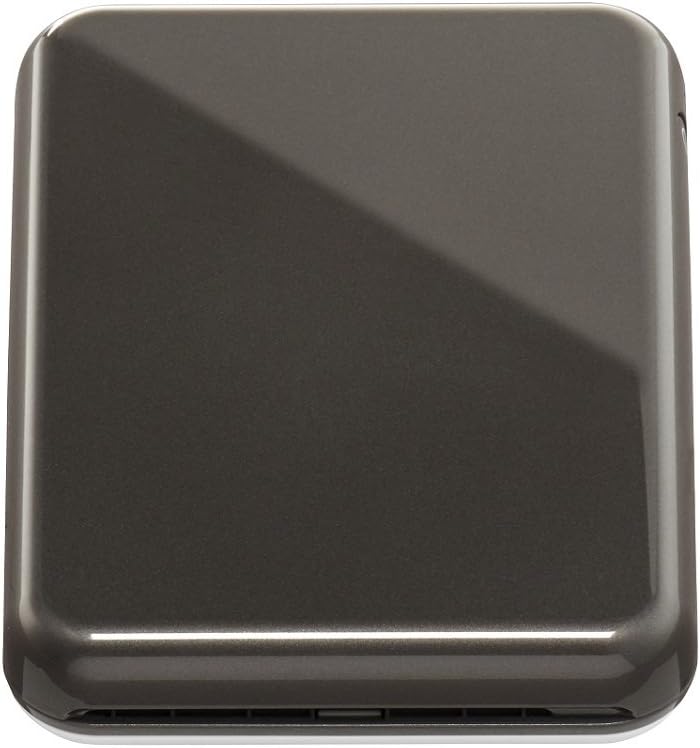

Canon IVY Mini Photo Printer for Smartphones (Slate Gray) - Sticky-back prints, Pocket-size
This is an affiliate link. Buyyyah may earn a commission if you buy through it, at no extra cost to you.
Description
- Print from Bluetooth and social media - Print 2"x3" Photos with peel and stick backing - Super portable - Disclaimer: requires mobile device to be connected to the Canon ivy mini photo printer via Bluetooth and the Canon mini print app, available for free on the app store and at Google Play. Compatible with Mobile devices running iOS 9. 0 or later, and Android devices running Android 4. 4 or later
Details
Product Overview
- Brand
- Canon
- Model Name
- Canon IVY Wireless Bluetooth Mobile, Portable, Mini Photo Printer, Slate Gr
- Model Number
- 3204C003
- Model Series
- IVY
- Item Type Name
- Canon ivy mini photo printer slate gray.
- Color
- Slate Gray
- Unit Count
- 1.0 Count
- Specific Uses For Product
- Portable photo printing, social media photo printing
- Manufacturer
- Canon USA Inc.
Technical Specifications
- Printer Type
- Thermal
- Other Special Features of the Product
- Portable
- Printer Output Type
- Color
- Item Weight
- 8 ounces
- Item Dimensions D x W x H
- 3.2"D x 4.7"W x 0.7"H
- Controller Type
- iOS
- Print media
- Glossy photo paper
- Scanner Type
- Photo, Portable
- Compatible Devices
- Smartphones
- Warranty Type
- Limited Warranty
- Ink Color
- No Ink
- Additional Printer Functions
- Print Only
- Control Method
- App
- Number of Trays
- 1
- Resolution
- 314 x 400 DPI
- Color Pages per Minute
- 2
- B&W Pages per Minute
- 1
- Duplex
- Automatic
- Maximum print Resolution Color
- 314 x 400 DPI
- Maximum Print Resolution Black and White
- 314 x 400 DPI
- Maximum Copy Resolution Color
- 314 x 400 DPI
- Maximum Copy Resolution Black and White
- 314 x 400 DPI
Paper Handling
- Maximum Media Size
- 3 x 5 inch
- Maximum Sheet Capacity
- 10
- Paper Size
- 2x3"
- Output sheet capacity
- 10
Connectivity
- Printer Connectivity Type
- Bluetooth
- Hardware Interface
- Bluetooth
Package Contents
- Built-In Media
- Canon IVY Mini Photo Printer, Micro USB Charging Cable (USB A to Micro), Paper, Quick Start Guide, Regulatory Sheet
Frequently asked questions
- What size photos does the Canon IVY Mini Photo Printer print?
- It prints 2"x3" photos with peel and stick backing.
- Which mobile devices are compatible with this printer?
- It is compatible with mobile devices running iOS 9.0 or later and Android 4.4 or later, as stated in the disclaimer.
- Does this printer require ink?
- No, the printer uses no ink; its ink color is listed as 'No Ink'.
Customer reviews

Small and cute!
I didn't expect much looking at the reviews, but after having it for a month or so I quite like it. It's true that the quality isn't the best, and colors lean slightly blue/darker. But as I had only planned to use it for personal use, it doesn't bother me too much, and it usually does not pose to an issue. The sticky backs on the zink paper are especially convinient for pasting in journals, and the collage function in the app is nice for making mini prints to save some paper. you can fit up to eight pictures in the collage as pictured and the quality isn't much lost even when shrunk, which was a pleasant surprise. I would not recommend the stickers and templates in the app though, they turn out looking cheap and decrease the overall quality of photos. The battery does run out relatively quickly within a few prints, so it probably would not be best if you need to print a lot of photos at once. Not sure how it will last long term though, will update. Overall, despite some minor drawbacks I am currently very satisfied with this printer and will definitely get a lot of use out of it.
I didn't expect much looking at the reviews, but after having it for a month or so I quite like it. It's true that the quality isn't the best, and colors lean slightly blue/darker. But as I had only planned to use it for personal use, it doesn't bother me too much, and it usually does not pose to an issue. The sticky backs on the zink paper are especially convinient for pasting in journals, and the collage function in the app is nice for making mini prints to save some paper. you can fit up to eight pictures in the collage as pictured and the quality isn't much lost even when shrunk, which was a pleasant surprise. I would not recommend the stickers and templates in the app though, they turn out looking cheap and decrease the overall quality of photos. The battery does run out relatively quickly within a few prints, so it probably would not be best if you need to print a lot of photos at once. Not sure how it will last long term though, will update. Overall, despite some minor drawbacks I am currently very satisfied with this printer and will definitely get a lot of use out of it.


Excellent!!!! Love it!
This printer is fabulous!!!! I compared it to the Polaroid (dark and poor quality) and the Fuji Instax SP-2. Here so a little report. Pic on left is the Canon and the other is Instax. Canon - The best picture quality, pics are great, uses normal photo paper (not like the Instax), printer is small and can easily carry it with you, connects via Bluetooth, so so easy to connect and use! Polaroid - Worse picture, dark and even when having to edit the pic before printing, it still did not come out well. However the size is good and connection is very easy. Fuji Instax - Has a built in WiFi, have to keep switching between the printer and Internet (e.g. when it needed updates), so this is cumbersome, pics are printed on the old fashioned style Polaroid paper (see photo). Very good quality pics and good contrast. Bottom line: I cam keeping the Canon (the best) and the Fuji Instax SP2. They are fun to take to events even if the cost per print is pricey - the fun factor is awesome!
This printer is fabulous!!!! I compared it to the Polaroid (dark and poor quality) and the Fuji Instax SP-2. Here so a little report. Pic on left is the Canon and the other is Instax. Canon - The best picture quality, pics are great, uses normal photo paper (not like the Instax), printer is small and can easily carry it with you, connects via Bluetooth, so so easy to connect and use! Polaroid - Worse picture, dark and even when having to edit the pic before printing, it still did not come out well. However the size is good and connection is very easy. Fuji Instax - Has a built in WiFi, have to keep switching between the printer and Internet (e.g. when it needed updates), so this is cumbersome, pics are printed on the old fashioned style Polaroid paper (see photo). Very good quality pics and good contrast. Bottom line: I cam keeping the Canon (the best) and the Fuji Instax SP2. They are fun to take to events even if the cost per print is pricey - the fun factor is awesome!

Impressed!
I love this mini printer! I did a lot of research on different ones before buying and this seemed to have the best reviews. I originally bought it because I’m living out of country for a while and wanted to be able to send pictures to family. I printed the first few for my locker, the fact that you can make them stickers came in handy, and they came out so well! Myself and my roommates were really impressed by the picture quality. It’s easy to use and I love that I can also add borders and designs with the app. Really happy I bought this.
I love this mini printer! I did a lot of research on different ones before buying and this seemed to have the best reviews. I originally bought it because I’m living out of country for a while and wanted to be able to send pictures to family. I printed the first few for my locker, the fact that you can make them stickers came in handy, and they came out so well! Myself and my roommates were really impressed by the picture quality. It’s easy to use and I love that I can also add borders and designs with the app. Really happy I bought this.

I recommend this printer!
I love it! It’s really easy to use, also very small so easy to carry around. It prints the pictures really fast, the quality of the pictures are really good, obviously some pictures turns out better than others but they still comes out really good! You can also use the pictures for bullet journals, scrapbooks are whatever you want because on the back of every pictures theres a sticker. You can edit your pictures on the app and even order more photo paper on the app. I received my printer the day after i ordered it!!
I love it! It’s really easy to use, also very small so easy to carry around. It prints the pictures really fast, the quality of the pictures are really good, obviously some pictures turns out better than others but they still comes out really good! You can also use the pictures for bullet journals, scrapbooks are whatever you want because on the back of every pictures theres a sticker. You can edit your pictures on the app and even order more photo paper on the app. I received my printer the day after i ordered it!!


![Ailun 3 Pack Screen Protector for iPhone 16 [6.1 inch] + 3 Pack Camera Lens Protector with Installation Frame,Case Friendly Tempered Glass Film,[9H Hardness][Not for iPhone 16e/16 Pro/Plus/Pro Max]](https://m.media-amazon.com/images/I/71z4XevAN2L._AC_SY300_SX300_QL70_FMwebp_.jpg)


