


Epson Expression Photo XP-980 Wireless Wide-Format Printer with 6-Color Claria Ink System, Borderless Printing up to 11" x 17", Fast 4" x 6" Photo Printing, Built-in Scanner and Copier
This is an affiliate link. Buyyyah may earn a commission if you buy through it, at no extra cost to you.
Description
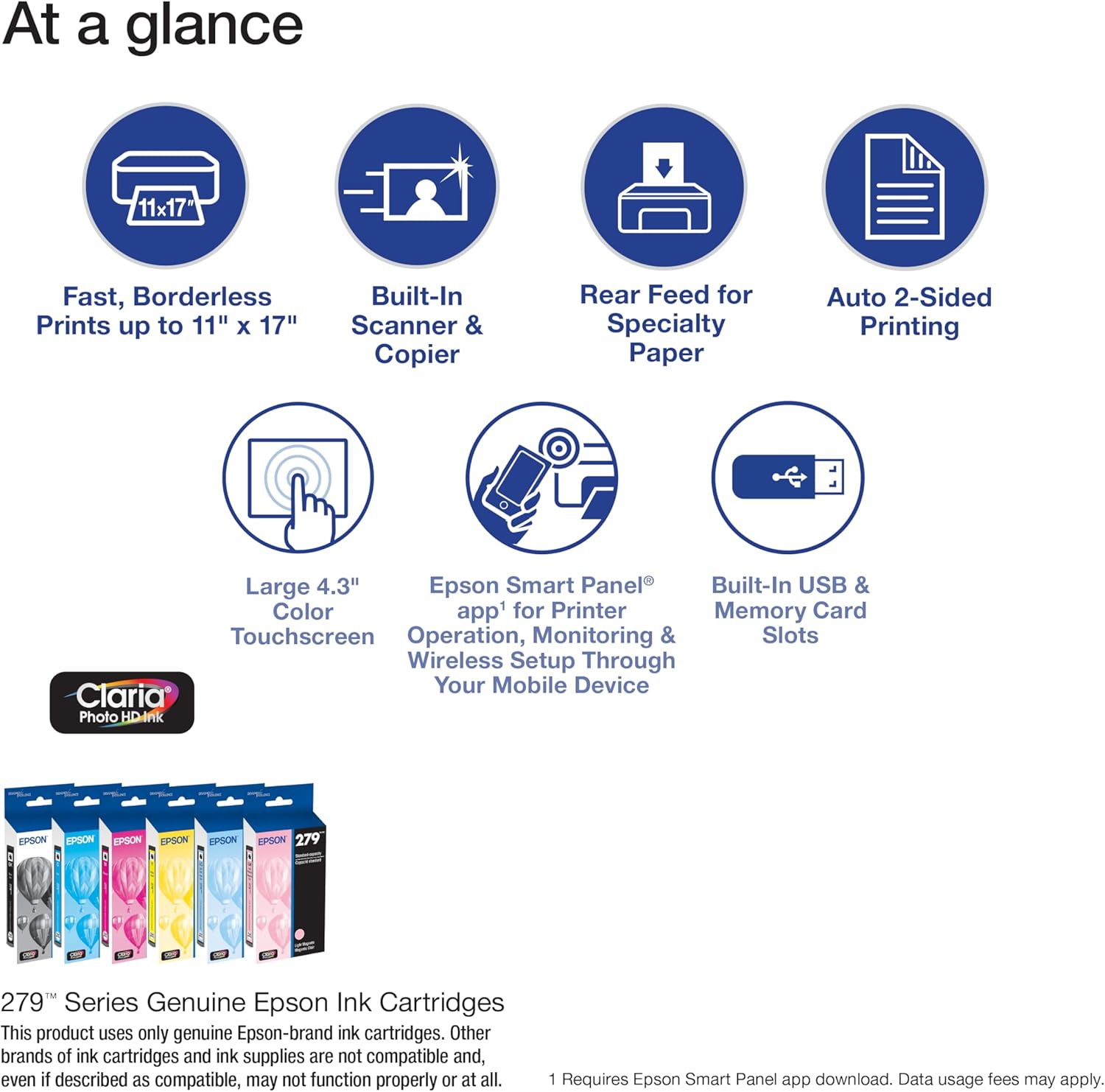
- Professional-quality photos and prints — 6-color Claria Photo HD inks and a 5760 x 1440 dpi print resolution produce stunning borderless prints up to 11" x 17" - Fast photo printing — delivers 4" x 6" borderless photos with astounding detail and accuracy in as fast as 11 seconds¹ - Convenient, easy operation — features 4.3" color touchscreen, plus Easy Mode for enhanced visibility and ease of use - Versatile paper handling — separate trays for plain and photo paper, plus a rear feed for specialty paper - Easy wireless printing — print from your laptop, desktop, smartphone or tablet³; use Wi-Fi Direct⁴ for router-free printing - Built-in scanner and copier — high-resolution flatbed scanner for crisp, accurate scans and copies - Epson Smart Panel app² — control your printer from your smart device and enjoy timesaving, smart setup features - Creative Print mobile app⁵ — easily print photos and create custom cards, stationery and more - Easily adjust photos — includes tools for red-eye removal, photo restoration and more - Epson printing system is designed to be used exclusively with Epson Genuine Cartridges*. Use of non-genuine ink could cause damage not covered under the printer’s limited wnty.
Details
General
- Printer Type
- Inkjet
- Other Special Features of the Product
- Auto-Duplex, Borderless Printing, CD-Printing, Energy Star, Memory Card Slot
- Printer Output Type
- Color
- Additional Printer Functions
- All In One
- Number of Trays
- 2
- Compatible Cartridge
- Epson 279 ink
- Maximum Copies Per Run
- 99
- Print media
- Paper (plain)
- Scanner Type
- Flatbed
- Warranty Type
- Limited
- Item Weight
- 19.4 Pounds
- Item Dimensions D x W x H
- 14"D x 18.9"W x 5.8"H
Print Speed
- Color Pages per Minute
- 8 ppm
- B&W Pages per Minute
- 8.5 ppm
Color
- Color
- Black
- Color Depth
- Input: 48-bit color/Output: 24-bit color Bits
Connectivity
- Printer Connectivity Type
- Wi-Fi
- Hardware Interface
- Ethernet, USB
- Number of Ethernet Ports
- 1
- Total USB 2.0 Ports
- 1
- Total Usb Ports
- 1
Item Details
- Brand
- Epson
- Model Name
- Expression Photo XP-980
- Model Number
- C11CL95201
- Built-In Media
- Expression Photo XP-980 Printer, power cord, maintenance box, 6x Claria Photo HD 279 Ink cartridges (1x Black, 1x Cyan, 1x Magenta, 1x Yellow, 1x Light Cyan, 1x Light Magenta)
- Model Series
- Expression Photo
- Manufacturer
- Epson
- Item Type Name
- Inkjet Printer
- Warranty Description
- 1-Year Limited Warranty
Paper Handling
- Maximum Media Size
- Tabloid (11 x 17 inches)
- Maximum Sheet Capacity
- 120
- Paper Size
- 3.5" x 5", 4" x 6", 5" x 7", 8" x 10", 8.5" x 11", 8.5" x 14", 11" x 17" Inches
Print Resolution
- Maximum print Resolution Color
- 5760 x 1440 Dots Per Inch
Power
- Power Consumption
- 20 Watts
- Wattage
- 20 watts
Duplex Printing
- Dual-sided printing
- Yes
Frequently asked questions
- What is the maximum print size?
- It can print borderless up to 11" x 17" (Tabloid size).
- Can this printer print wirelessly?
- Yes, it supports Wi-Fi and Wi-Fi Direct for router-free printing from laptops, desktops, smartphones, and tablets.
- What ink cartridges does it use?
- It uses Epson 279 ink cartridges, including 6-color Claria Photo HD inks (black, cyan, magenta, yellow, light cyan, light magenta).
Customer reviews

Amazing printer for the price
Needed a printer that could do 11x17 or larger for proofs to replace an irritating HP, and looked around for a couple months at options. Photography people kept saying 'Epson' but I was more familiar with Canon or HP. So I was suspicious. I'm a suspicious kinda guy. Saw this on sale on Amazon, and figured for the price, I may as well give it a try. I am very impressed with this. They even have linux drivers! I'm a Unix/Linux guy, and hate having to boot up a windows or mac box to have to print anything. So this was great. The printer is a bit cantankerous to set up. Takes forever to warm up ink cartridges on install, took 3 firmware updates, and the paper trays are just... well... poorly thought out. But... I didn't get it to store paper. I got it to print. The print quality is an amazing upgrade for me. No banding, no oversaturation, no smudging or bleeding... With a lustre paper, the prints are indistinguishable from photo prints. Best of all, with the right monitor setup, the colors you see on the screen are the colors you get in the print. I have a high end setup. 30 bit color monitors and quadro video cards, so your mileage may vary. But if you have the right setup, you can get matched colors on prints without messing around and experimenting with tons of ICC profiles. Also I LOVE the true borderless printing. Best I have used. Some people complain about having to manually feed the 11x17 paper in, and yeah, that's a pain if you want to do a lot of prints at a time, but honestly, for the cost of ink... if I am going to be doing enough that becomes an issue, I am just gonna go to a real print shop. Seems silly to do a bulk run on a studio printer. Ink useage is reasonable compared to Canon or HP, which are just bloody ink hogs. I've done quite a few full color image prints and the ink levels are only down about 5%. The cartridges may seem pricey, but if you've been stuck with the horror of HP for the last few years, these are cheap in comparison. So, for proofs, references, or one off specialty printing, at the price, I am quite impressed.
Needed a printer that could do 11x17 or larger for proofs to replace an irritating HP, and looked around for a couple months at options. Photography people kept saying 'Epson' but I was more familiar with Canon or HP. So I was suspicious. I'm a suspicious kinda guy. Saw this on sale on Amazon, and figured for the price, I may as well give it a try. I am very impressed with this. They even have linux drivers! I'm a Unix/Linux guy, and hate having to boot up a windows or mac box to have to print anything. So this was great. The printer is a bit cantankerous to set up. Takes forever to warm up ink cartridges on install, took 3 firmware updates, and the paper trays are just... well... poorly thought out. But... I didn't get it to store paper. I got it to print. The print quality is an amazing upgrade for me. No banding, no oversaturation, no smudging or bleeding... With a lustre paper, the prints are indistinguishable from photo prints. Best of all, with the right monitor setup, the colors you see on the screen are the colors you get in the print. I have a high end setup. 30 bit color monitors and quadro video cards, so your mileage may vary. But if you have the right setup, you can get matched colors on prints without messing around and experimenting with tons of ICC profiles. Also I LOVE the true borderless printing. Best I have used. Some people complain about having to manually feed the 11x17 paper in, and yeah, that's a pain if you want to do a lot of prints at a time, but honestly, for the cost of ink... if I am going to be doing enough that becomes an issue, I am just gonna go to a real print shop. Seems silly to do a bulk run on a studio printer. Ink useage is reasonable compared to Canon or HP, which are just bloody ink hogs. I've done quite a few full color image prints and the ink levels are only down about 5%. The cartridges may seem pricey, but if you've been stuck with the horror of HP for the last few years, these are cheap in comparison. So, for proofs, references, or one off specialty printing, at the price, I am quite impressed.
As advertised, very pleased.
I did a lot of research before I bought this printer, including all the reviews and I am glad I did, So far it has performed as Epson said it would. I am not a pro, this is for home use, but I do print a fair amount of photos, documents, and greeting cards, and in my opinion the quality is great. There were a lot of negative comments about set up and connectivity, this is my experience. I unboxed it very carefully and followed the instructions to the letter, set up was a snap, I did go old school with a USB connection, and again I did the software download as instructed, total time about 45 minutes. I then test printed a photo, a document, a greeting card, and did a bed scan and print, I have not done any fine tuning yet and the results are much better than my Canon Mx922. The next day I got an update notice from Epson and downloaded it, so the software is functioning correctly. I have compared print quality with previously printed items and the Epson quality is far above what I compared it with. I did find XL ink packs are hard to find, so I ordered direct from Epson, competitive price and fast delivery. As to functioning, it is fast, and quiet, compared to other printers I have had. One thing I noticed that may cause concern at first is that the first time you do a task, such as a photo or greeting card, it does take awhile to print, but after that it is very fast, I think it is the software interfacing with the PC program. I have now done all of my programs and the print is fast and great quality. I hope my comments are helpful.
I did a lot of research before I bought this printer, including all the reviews and I am glad I did, So far it has performed as Epson said it would. I am not a pro, this is for home use, but I do print a fair amount of photos, documents, and greeting cards, and in my opinion the quality is great. There were a lot of negative comments about set up and connectivity, this is my experience. I unboxed it very carefully and followed the instructions to the letter, set up was a snap, I did go old school with a USB connection, and again I did the software download as instructed, total time about 45 minutes. I then test printed a photo, a document, a greeting card, and did a bed scan and print, I have not done any fine tuning yet and the results are much better than my Canon Mx922. The next day I got an update notice from Epson and downloaded it, so the software is functioning correctly. I have compared print quality with previously printed items and the Epson quality is far above what I compared it with. I did find XL ink packs are hard to find, so I ordered direct from Epson, competitive price and fast delivery. As to functioning, it is fast, and quiet, compared to other printers I have had. One thing I noticed that may cause concern at first is that the first time you do a task, such as a photo or greeting card, it does take awhile to print, but after that it is very fast, I think it is the software interfacing with the PC program. I have now done all of my programs and the print is fast and great quality. I hope my comments are helpful.
Love this Epson XP 980 so far.
I just received this printer before the weekend. I spent the weekend setting it up - a breeze. Set up was the easiest of all the epson printers I've owned. Then I made art prints on Red River Polar Gloss Metallic paper. All turned out. The color is gorgeous and comparing them to the originals was spot on. I did watch some YouTube videos and had to understand a new system but the whole experience was fairly smooth and simple. I didn't understand what the little extra box was for but watched a video to find out how to replace it and how it works to help keep the printer clean. All in all I am so please. Oh and the connection to wifi was seamless.
I just received this printer before the weekend. I spent the weekend setting it up - a breeze. Set up was the easiest of all the epson printers I've owned. Then I made art prints on Red River Polar Gloss Metallic paper. All turned out. The color is gorgeous and comparing them to the originals was spot on. I did watch some YouTube videos and had to understand a new system but the whole experience was fairly smooth and simple. I didn't understand what the little extra box was for but watched a video to find out how to replace it and how it works to help keep the printer clean. All in all I am so please. Oh and the connection to wifi was seamless.
Ease of set up for mobile phone direst orinting
This was very easy to set up and the photos are amazing. I printed several 8 x 10 on glossy directly from my photo library on my IPhone and the were great. Checking the ink levels after printing about a dozen photos, still have about 1/2 left on most colors except magenta and of course lots of black left. In my experience that is about the right usage for doing all 8x10’s. I will order the XL sizes in the future. This printer has a ton of extras associated with it. I did some research and this one came in the best, at lest for me to have the ability to do some larger format photo printing suitable for framing.
This was very easy to set up and the photos are amazing. I printed several 8 x 10 on glossy directly from my photo library on my IPhone and the were great. Checking the ink levels after printing about a dozen photos, still have about 1/2 left on most colors except magenta and of course lots of black left. In my experience that is about the right usage for doing all 8x10’s. I will order the XL sizes in the future. This printer has a ton of extras associated with it. I did some research and this one came in the best, at lest for me to have the ability to do some larger format photo printing suitable for framing.





![Ailun 3 Pack Screen Protector for iPhone 16 [6.1 inch] + 3 Pack Camera Lens Protector with Installation Frame,Case Friendly Tempered Glass Film,[9H Hardness][Not for iPhone 16e/16 Pro/Plus/Pro Max]](https://m.media-amazon.com/images/I/71z4XevAN2L._AC_SY300_SX300_QL70_FMwebp_.jpg)
