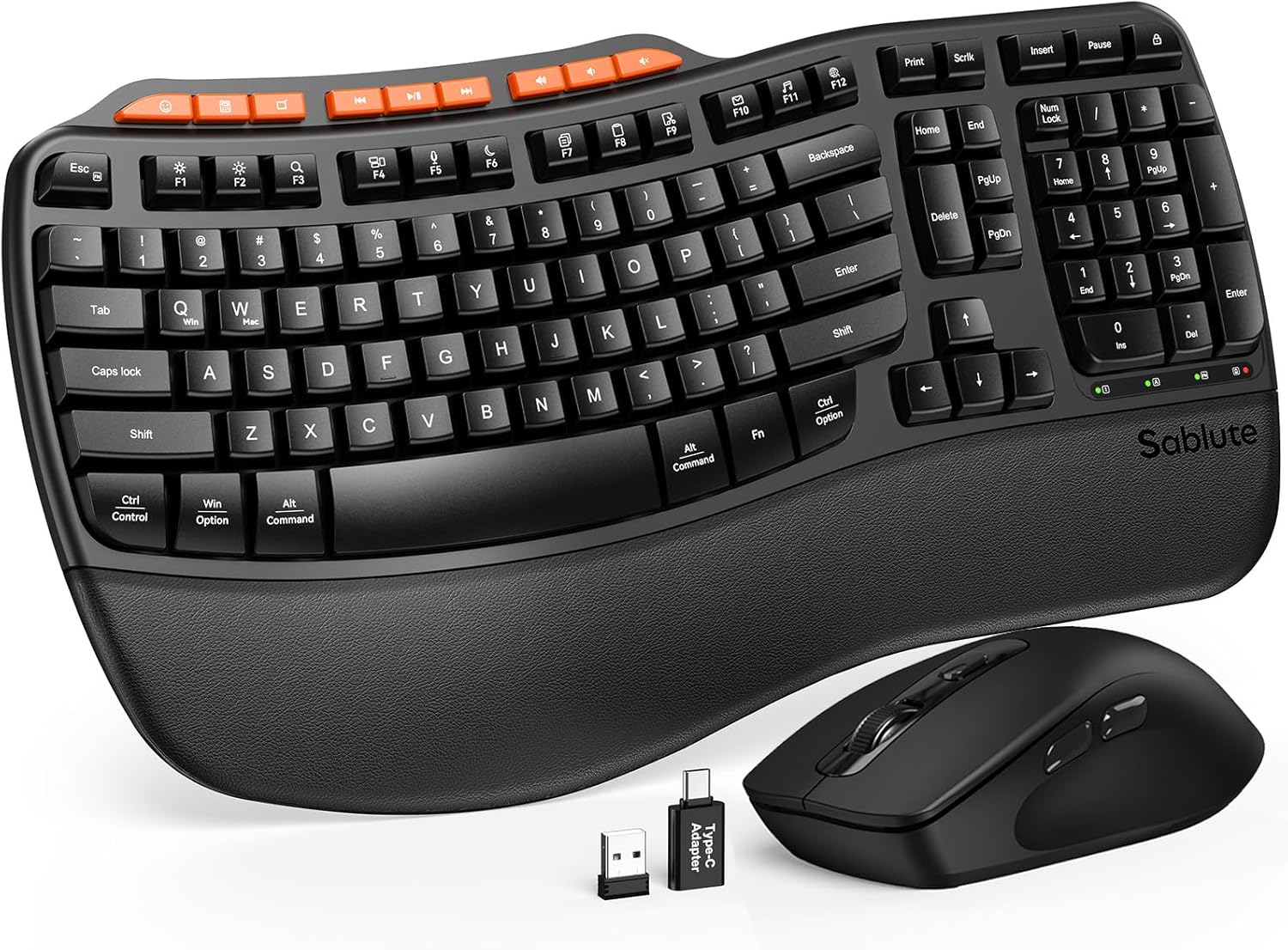



Ergonomic Wireless Keyboard and Mouse Combo, 2.4G Full Size Wave Key Board with Cushioned Palm Rest, Natural Typing, 3 DPI Adjustable Mouse, USB-A & C for Computer/Laptop/Mac/Tablet - Sablute MA31
This is an affiliate link. Buyyyah may earn a commission if you buy through it, at no extra cost to you.
Description
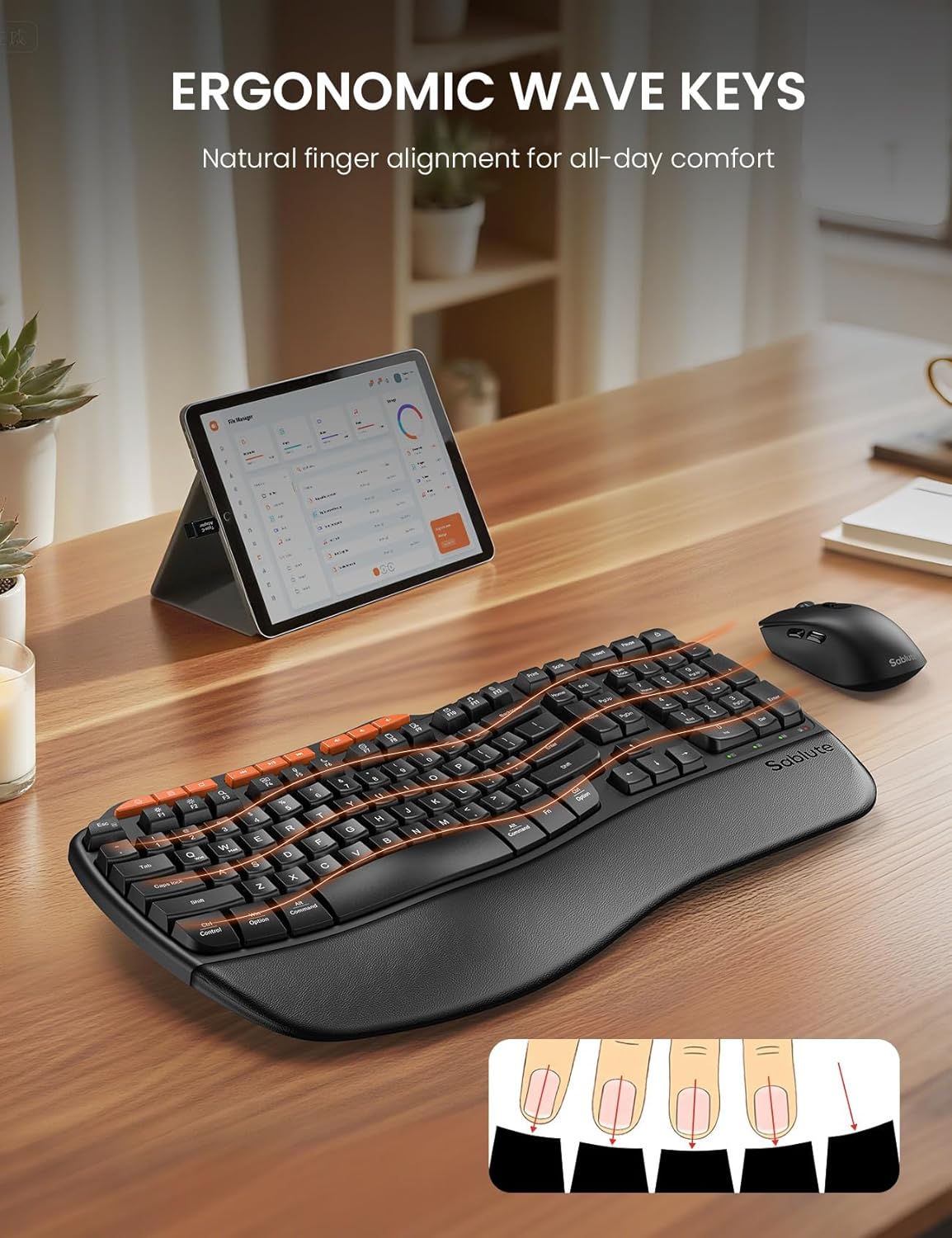
- Premium Comfort & Craftsmanship: Sink into the luxury of a silky-soft faux lambskin palm rest with a refined matte finish. Unlike fabric, this sweat-proof leatherette stays clean, durable, and easy to maintain—crafted to impress, built to last. - Wave Keys & Healthy Ergonomics: Dual-angle tilt legs and contoured wave-shaped keys follow natural finger curves, promoting healthy wrist posture and reducing typing errors. Stay comfortable and accurate, whether sitting or standing. - 10M Keystroke Durability: Built to handle 10 million keystrokes—twice the life of standard keyboards (5M). A smarter long-term investment that saves on replacements. (Peace of mind: 30-day return + 1-year replacement.) - Sculpted Mouse & Smarter Shortcuts: Ergonomic mouse with 3 adjustable DPI settings (800/1200/1600) adapts to work or browsing. 9 shortcut keys streamline apps, media, and volume for faster productivity and smoother workflows. - Universal Compatibility: One 2.4GHz USB receiver (33ft range) connects both keyboard and mouse. USB-A & C combo works with 99% of devices—PCs, laptops, tablets, and Macs. Note: connects to one device at a time; multi-device switching not supported. FN+Q/W for Windows/macOS. Plug and play. - Sleek Design & Gift-Ready: A modern, aerodynamic form that elevates any workspace. Stylish yet practical, it also makes a thoughtful gift for professionals, coworkers, or loved ones—ideal for Christmas, birthdays, or office gifting.
Details
General Information
- Brand
- SABLUTE
- Manufacturer
- SABLUTE
- Model Number
- MA31
- Unit Count
- 1.0 Count
- Color
- Black
- Item Weight
- 2.7 Pounds
- Keyboard Description
- Ergonomic wave keys wireless keyboard and mouse
- Keyboard Layout
- QWERTY
- Number of Keys
- 104
- Hand Orientation
- Right
- Antenna Location
- Adobe experts, College student, Home office, Office work, Typing
Technical Specifications
- Connectivity Technology
- 2.4G USB Wireless
- Other Special Features of the Product
- 9 shortcut keys, Ergonomic, Full Size, USB-A & USB-C, Wrist Rest
- Compatible Devices
- Gaming Console, Laptop, Personal Computer, Tablet, Television
- Are Batteries Required
- Yes
- Power Source
- Battery Powered
- Number of Batteries
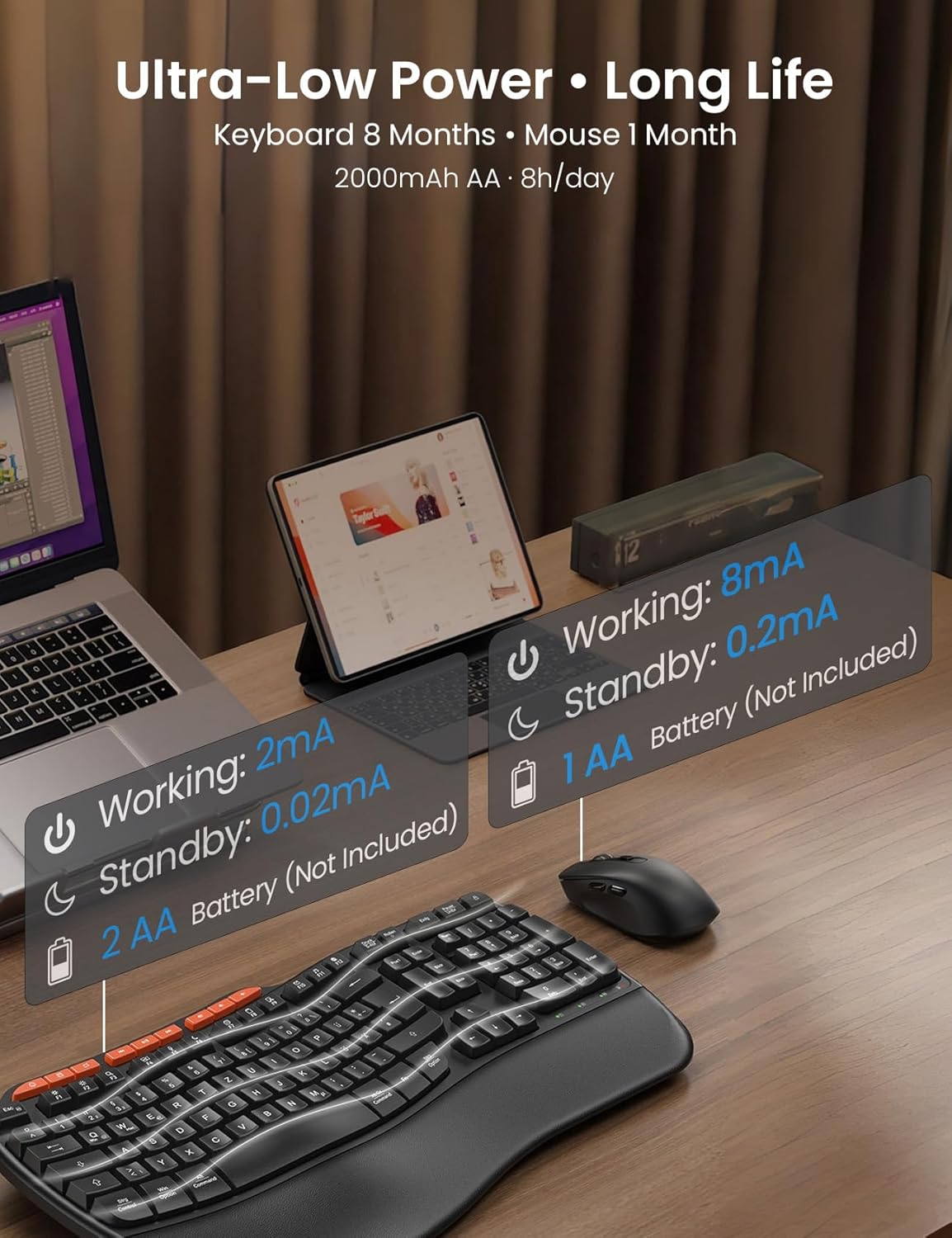
- 3 AA batteries required.
- Compatible Operating System Family
- Linux, Windows
- Minimum Required Operating System Version
- ChromeOs 134, Windows 10
- Operating System
- All Windows, Android, Chrome OS, Linux, Mac OS
Warranty
- Warranty Description
- 1 Year
Frequently asked questions
- Is this keyboard and mouse combo compatible with Mac computers?
- Yes, it works with Macs. The product has universal compatibility and supports macOS via FN+Q/W key switching.
- Does the keyboard include a wrist rest?
- Yes, it features a silky-soft faux lambskin palm rest that is sweat-proof and durable.
- What is the wireless range of the keyboard and mouse?
- The 2.4GHz USB receiver has a range of 33 feet.
Customer reviews

Works well. Not bluetooth.
First up, just for those that need to know, this is not bluetooth. You have to use the adapter that comes with it. Though it does use the normal USB port (USB-A) and comes with an adapter to convert that to USB-C so you could use it with your phone or table if you want. Nice bonus. I almost criticized them for the keyboard adapter being missing. There's a spot for it in the battery compartment, but, there was no dongle there. In this case, it's normal. There is only ONE dongle for BOTH the mouse and keyboard, and it's stored inside the mouse. You'll need 3 AA batteries (2 for the keyboard, one for the mouse). It loaded right up, no weird drivers. It feels a bit cheap. Cheap, low-grade plastics. The mouse especially. But it works. The keyboard feels quite crowded compared to my normal ergonomic keyboard. The keys are about 10% smaller than standard, which makes everything just a little bit more squished and getting used to when touch typing. Nothing you couldn't adapt to in a few minutes. The biggest annoyance to me was the layout of the Home/End/Insert/Delete/PgUp/PgDn block. I kept deleting stuff I didn't want deleted, because the delete key is double-sized. And the Insert key isn't eve there, it's over on the top-right. Once I get used to it I might prefer that, I do use the delete key often, but it's thrown me off the couple days I've been exclusively using it. This is the first keyboard I've used that has a dedicated emoji button. Is there any crossover with people who use emojis and those who can use a keyboard? Well if so, this keyboard is for you. Other hand functions, media buttons, volume buttons. This is a great coffee table keyboard, to control the TV, Netflix, etc. No cables to get in the way and you can throw in on the shelf or tip it vertical when you're done. No complaints about the mouse other than the budget feel of it. I've had a few items from this seller, and none have disappointed me. They seem to only stock reasonable quality and affordable items. It's rare I recognize a brand on Amazon, so, good on them for being consistent and actually memorable.
First up, just for those that need to know, this is not bluetooth. You have to use the adapter that comes with it. Though it does use the normal USB port (USB-A) and comes with an adapter to convert that to USB-C so you could use it with your phone or table if you want. Nice bonus. I almost criticized them for the keyboard adapter being missing. There's a spot for it in the battery compartment, but, there was no dongle there. In this case, it's normal. There is only ONE dongle for BOTH the mouse and keyboard, and it's stored inside the mouse. You'll need 3 AA batteries (2 for the keyboard, one for the mouse). It loaded right up, no weird drivers. It feels a bit cheap. Cheap, low-grade plastics. The mouse especially. But it works. The keyboard feels quite crowded compared to my normal ergonomic keyboard. The keys are about 10% smaller than standard, which makes everything just a little bit more squished and getting used to when touch typing. Nothing you couldn't adapt to in a few minutes. The biggest annoyance to me was the layout of the Home/End/Insert/Delete/PgUp/PgDn block. I kept deleting stuff I didn't want deleted, because the delete key is double-sized. And the Insert key isn't eve there, it's over on the top-right. Once I get used to it I might prefer that, I do use the delete key often, but it's thrown me off the couple days I've been exclusively using it. This is the first keyboard I've used that has a dedicated emoji button. Is there any crossover with people who use emojis and those who can use a keyboard? Well if so, this keyboard is for you. Other hand functions, media buttons, volume buttons. This is a great coffee table keyboard, to control the TV, Netflix, etc. No cables to get in the way and you can throw in on the shelf or tip it vertical when you're done. No complaints about the mouse other than the budget feel of it. I've had a few items from this seller, and none have disappointed me. They seem to only stock reasonable quality and affordable items. It's rare I recognize a brand on Amazon, so, good on them for being consistent and actually memorable.
Updated Review: Fair and Honest Experience
I wanted to update my original review because the company handled my issue better than expected. My original experience was frustrating. I ordered this combo on 5/3 and received it quickly on 5/4, which was great. Unfortunately, the mouse only worked for a few seconds at a time. I tried the included troubleshooting steps, waited as recommended, and contacted support. Customer service responded each day with troubleshooting suggestions. While the back-and-forth process felt a bit slow and repetitive, they were consistently polite and tried to help. Initially, they sent a replacement mouse, but I still had issues getting everything to work correctly with one USB receiver. At that point, I was disappointed and honestly thought I would end up returning it. However — and this is why I’m updating my review — without me contacting them again, they proactively sent an entirely new keyboard and mouse set and told me not to worry about returning the original. That impressed me. The replacement works properly, and I have to give credit where credit is due: the product issue was frustrating, but the company stood behind it and made it right. So my honest take is this: my first experience with the product was not great, but their customer service ultimately changed my opinion. I appreciate companies that take responsibility and genuinely try to fix problems. Would I have preferred it worked right out of the box? Absolutely. But I also value good customer service, and in the end they earned a more positive review from me.
I wanted to update my original review because the company handled my issue better than expected. My original experience was frustrating. I ordered this combo on 5/3 and received it quickly on 5/4, which was great. Unfortunately, the mouse only worked for a few seconds at a time. I tried the included troubleshooting steps, waited as recommended, and contacted support. Customer service responded each day with troubleshooting suggestions. While the back-and-forth process felt a bit slow and repetitive, they were consistently polite and tried to help. Initially, they sent a replacement mouse, but I still had issues getting everything to work correctly with one USB receiver. At that point, I was disappointed and honestly thought I would end up returning it. However — and this is why I’m updating my review — without me contacting them again, they proactively sent an entirely new keyboard and mouse set and told me not to worry about returning the original. That impressed me. The replacement works properly, and I have to give credit where credit is due: the product issue was frustrating, but the company stood behind it and made it right. So my honest take is this: my first experience with the product was not great, but their customer service ultimately changed my opinion. I appreciate companies that take responsibility and genuinely try to fix problems. Would I have preferred it worked right out of the box? Absolutely. But I also value good customer service, and in the end they earned a more positive review from me.

Truly Comfortable Keyboard and Mouse Combo.
Was looking for a keyboard and mouse for work since my current setup wasn’t very forgiving on my wrists during long days of heavy use. This product seemed to offer comfort and quality at a fair price, so I gave it a try. Item came as pictured and was very easy to set up. Batteries were not included (you’ll need 1x AA for the mouse and 2x AA for the keyboard). It comes with a single USB dongle plus an A-to-C adapter, which is a nice touch. The padding on the lower section of the keyboard is very comfortable, and it even has four height adjusters on the back so you can position it just right. The mouse is comfortable, though a bit on the larger side, very light, and has the ability to change sensitivity directly. The two side buttons for back and forward are also handy and both the keyboard and mouse (particularly the mouse!) are very quiet. So if you are looking to minimize noise in your office as well, then this is another great feature. Nothing negative to report with this combo. I’ve been happily using it daily for work and would recommend it to anyone. I also had an issue that was quickly resolved by their customer service team, which was an added bonus. Pros: • Comfortable padded wrist support • Adjustable keyboard height with four options • Mouse includes sensitivity adjustment and side buttons • Easy setup with USB dongle and A-to-C adapter • Responsive customer service Cons: • Batteries not included • Mouse may feel slightly large for some
Was looking for a keyboard and mouse for work since my current setup wasn’t very forgiving on my wrists during long days of heavy use. This product seemed to offer comfort and quality at a fair price, so I gave it a try. Item came as pictured and was very easy to set up. Batteries were not included (you’ll need 1x AA for the mouse and 2x AA for the keyboard). It comes with a single USB dongle plus an A-to-C adapter, which is a nice touch. The padding on the lower section of the keyboard is very comfortable, and it even has four height adjusters on the back so you can position it just right. The mouse is comfortable, though a bit on the larger side, very light, and has the ability to change sensitivity directly. The two side buttons for back and forward are also handy and both the keyboard and mouse (particularly the mouse!) are very quiet. So if you are looking to minimize noise in your office as well, then this is another great feature. Nothing negative to report with this combo. I’ve been happily using it daily for work and would recommend it to anyone. I also had an issue that was quickly resolved by their customer service team, which was an added bonus. Pros: • Comfortable padded wrist support • Adjustable keyboard height with four options • Mouse includes sensitivity adjustment and side buttons • Easy setup with USB dongle and A-to-C adapter • Responsive customer service Cons: • Batteries not included • Mouse may feel slightly large for some


Looks Great and oh Yeah also Functional
It comes in a big lovely box, so would also make a nice gift. This is a great keyboard and was super easy to connect. Put in a few batteries, plug the USB key into the PC and voila! its working great on Windows PC. The mouse has some extra buttons which I appreciate but I will have figure out how to program later. The absolute best thing about this keyboard for me is the row of orange function keys across the top. I like that these keys are completely separate from the F1 - F12 function keys. These orange buttons are not square like the other keys but narrow and tall like a row of cartoon teeth- they are strangely fun to press. There is something very retro about that design choice and I am a sucker for black and orange colour combinations. Overall a great keyboard and mouse.
It comes in a big lovely box, so would also make a nice gift. This is a great keyboard and was super easy to connect. Put in a few batteries, plug the USB key into the PC and voila! its working great on Windows PC. The mouse has some extra buttons which I appreciate but I will have figure out how to program later. The absolute best thing about this keyboard for me is the row of orange function keys across the top. I like that these keys are completely separate from the F1 - F12 function keys. These orange buttons are not square like the other keys but narrow and tall like a row of cartoon teeth- they are strangely fun to press. There is something very retro about that design choice and I am a sucker for black and orange colour combinations. Overall a great keyboard and mouse.