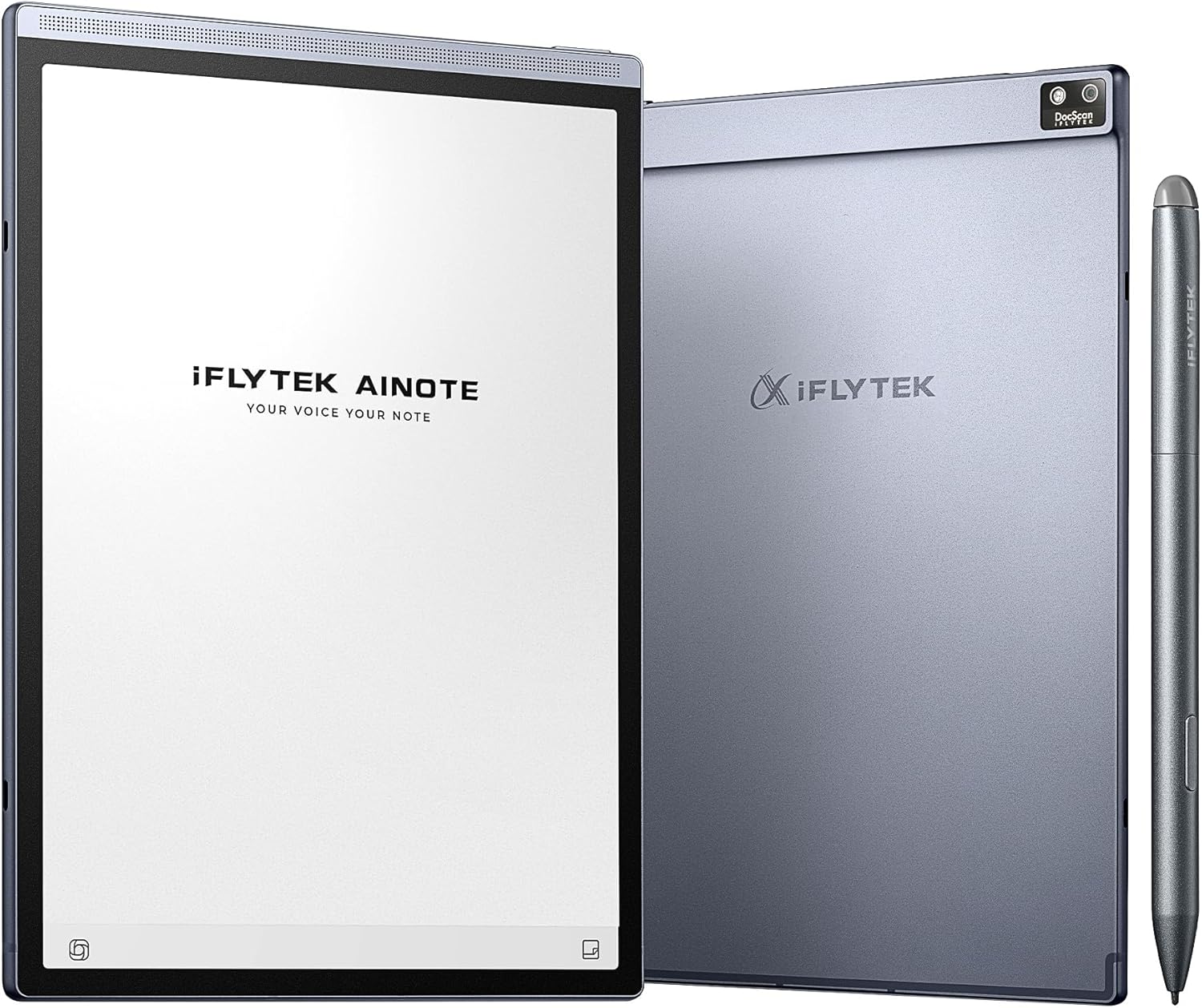


iFLYTEK AINOTE Air 2 Bundle – 8.2" E Ink AI Note-taking Tablet with Stylus, 4096 Pressure Levels, Digital Notebook with Voice-to-Text Transcription, Multi-languages Support, Ideal for Meetings & Study
This is an affiliate link. Buyyyah may earn a commission if you buy through it, at no extra cost to you.
Description
- 【8.2 inches AI Note-Taking & Meeting Summary】iFLYTEK AINOTE Air 2 – The ultimate digital notebook and note-taking tablet with real-time voice-to-text, multi-language translation, meeting summaries, and schedule management to enhance your productivity. A digital notebook perfect for various meeting scenarios. - 【Multi-Language Transcription Support】iFLYTEK AINOTE Air 2 writing tablet for adults supports fast and accurate transcriptions in 17 languages (EN/ES/CN/TW/FR/VN/AR/KR/RU/DE/JP/HK/TH/HU/ID/MY/IT). Additionally, it converts handwritten notes to text in 83 languages, making it a versatile e ink tablet for global users. Please note: voice transcription and handwritten text conversion cannot be used simultaneously. Please wait for the ongoing transcription to finish before converting handwriting. - 【Paper-Like Writing Experience】The iFLYTEK AINOTE Air 2 features an 8.2-inch E Ink screen with 4,096 pressure levels, delivering a natural, paper-like handwriting feel. 4 Diverse pen shapes make it ideal for professionals and students alike. - 【AI Notetaker & Schedule Management】Mark up handwriting supernote effortlessly with special star, triangle, and circle symbols using the stylus pen to automatically create to-dos and attention items. Manage your personal schedule and display weekly work reports with ease. A perfect gift for friends, colleagues and client. - 【Eye-Friendly Reading Audiobooks】The iFLYTEK e-paper tablet digital notepad features a dual-color reading light with 24 adjustable brightness levels, offering a strain-free, eye-friendly reading experience for work, study, or leisure. Allowing you to comfortably read PDFs or eBooks and take notes directly on them.
Details
Product Information
- Brand
- iflytek
- Model Name
- Air 2
- Generation
- 2nd Generation
- Model Year
- 2024
- Age Range Description
- Adult
- Built-In Media
- Stylus Pen, paper tablet
- Warranty Description
- 1 Year Manufacturer
- Model Number
- Air
- Specific Uses For Product
- Note-taking, Transcription, Scheduling, Professional Use, Educational Use, Portable Use
- Manufacturer
- iFLYTEK
- Size
- AINOTE Air 2 Bundle
- Mfr Part Number
- AINOTE Air 2 Bundle
Memory
- Memory Storage Capacity
- 32 GB
- RAM Memory Installed
- 4 GB
Connectivity
- Hardware Interface
- USB Type C
- Wireless Technology
- Bluetooth, Wi-Fi
- Cellular Technology
- 4G
- Connectivity Technology
- Bluetooth, Wi-Fi
- Wireless Compability
- 802.11n
Features
- Other Special Features of the Product
- Cellular Connectivity, Stereo Speakers, Stylus Support, Supports USB OTG
Additional Details
- Operating System
- Android
- Color
- Gray
- Video Processor
- ARM
- Item Weight
- 8.16 ounces
- Item Dimensions L x W x Thickness
- 7.6"L x 5.4"W x 0.25"Th
- Graphics Coprocessor
- Adreno 610
- Human-Interface Input
- OCR
- Graphics Description
- Integrated
- Compatible Devices
- Stylus, Keyboard, Kindle, Kobo, Google Play devices
Display
- Screen Size
- 8.2 Inches
- Display Resolution Maximum
- 1440×1920 Pixels
- Display Type
- IPS
- Native Resolution
- 1440 x 1920 pixels
- Aspect Ratio
- 16:10
- Maximum Display Brightness
- 0.03 Nit
Battery
- Battery Average Life
- 5 weeks
- Battery Capacity
- 2600 Milliamp Hours
- Battery Cell Type
- Lithium Ion
- Lithium-Battery Energy Content
- 2600 Milliampere Hour (mAh)
Processor
- Processor Speed
- 1.8 GHz
- Processor Description
- Snapdragon 600 Series
- Processor Brand
- Rockchip
Frequently asked questions
- What languages does the voice transcription support?
- The iFLYTEK AINOTE Air 2 supports fast and accurate transcriptions in 17 languages including EN, ES, CN, TW, FR, VN, AR, KR, RU, DE, JP, HK, TH, HU, ID, MY, and IT.
- How long does the battery last on a single charge?
- The battery average life is 5 weeks.
- What is the writing experience like?
- The 8.2-inch E Ink screen has 4,096 pressure levels, delivering a natural, paper-like handwriting feel.
Customer reviews

Exactly What I Needed: A Productivity-Boosting E-Ink Tablet
This has been an amazing purchase experience. I finally got my hands on the e-ink tablet I truly needed. I usually use my iPad for work, but the abundance of features often distracts me with constant notifications and pop-ups, making it hard to stay focused. This is exactly why I was looking for an e-ink tablet. The following features have provided me with an outstanding user experience: • Recording: This is a feature that really stands out for me. It’s awesome to be able to record audio during meetings and have it automatically convert to text. But the best part is that you can still take handwritten notes while the recording is happening! This is perfect for when I’m brainstorming or jotting down quick ideas while listening to the conversation. I never miss a beat, and I can easily go back and check the full transcript afterward. • Meeting Summaries: One of my favorite things about this tablet is how it helps me stay organized after a meeting. Once the meeting’s done, it can generate a full summary of the conversation, which is super helpful for catching anything I might’ve missed. This feature makes it easy to share key points with teammates and stay on top of action items. • Handwriting: Honestly, this is the best handwriting experience I’ve had. It really feels like I’m writing on paper. The pressure sensitivity is just right, and the tactile feedback is so satisfying. It’s way more comfortable than writing on an iPad, and I can write for hours without my hand getting tired. If you’re someone who prefers the feel of pen and paper, you’ll absolutely love this. • Handwriting to Text Conversion: I was pleasantly surprised by how well it recognizes both English and Spanish handwriting. I’ve used both languages, and the recognition is spot-on. The text conversion is smooth and accurate, making it super convenient for note-taking, especially for multilingual work • Reading Experience: The reading experience on this device is excellent. The screen has built-in backlighting, so I can read in any lighting condition, and the text is sharp and clear. It’s easy on the eyes, which is something I really appreciate when I’m reading for long periods. The display is very detailed, and overall, it’s just a pleasant experience whether I’m reading a book or reviewing documents. In conclusion, this e-ink tablet has really exceeded my expectations. It's not just a great tool for reading, but it’s also a productivity powerhouse. The combination of handwriting, recording, and meeting summaries makes it perfect for anyone who needs to stay organized. Highly recommend it to anyone looking to boost their productivity while enjoying a truly paper-like writing experience!
This has been an amazing purchase experience. I finally got my hands on the e-ink tablet I truly needed. I usually use my iPad for work, but the abundance of features often distracts me with constant notifications and pop-ups, making it hard to stay focused. This is exactly why I was looking for an e-ink tablet. The following features have provided me with an outstanding user experience: • Recording: This is a feature that really stands out for me. It’s awesome to be able to record audio during meetings and have it automatically convert to text. But the best part is that you can still take handwritten notes while the recording is happening! This is perfect for when I’m brainstorming or jotting down quick ideas while listening to the conversation. I never miss a beat, and I can easily go back and check the full transcript afterward. • Meeting Summaries: One of my favorite things about this tablet is how it helps me stay organized after a meeting. Once the meeting’s done, it can generate a full summary of the conversation, which is super helpful for catching anything I might’ve missed. This feature makes it easy to share key points with teammates and stay on top of action items. • Handwriting: Honestly, this is the best handwriting experience I’ve had. It really feels like I’m writing on paper. The pressure sensitivity is just right, and the tactile feedback is so satisfying. It’s way more comfortable than writing on an iPad, and I can write for hours without my hand getting tired. If you’re someone who prefers the feel of pen and paper, you’ll absolutely love this. • Handwriting to Text Conversion: I was pleasantly surprised by how well it recognizes both English and Spanish handwriting. I’ve used both languages, and the recognition is spot-on. The text conversion is smooth and accurate, making it super convenient for note-taking, especially for multilingual work • Reading Experience: The reading experience on this device is excellent. The screen has built-in backlighting, so I can read in any lighting condition, and the text is sharp and clear. It’s easy on the eyes, which is something I really appreciate when I’m reading for long periods. The display is very detailed, and overall, it’s just a pleasant experience whether I’m reading a book or reviewing documents. In conclusion, this e-ink tablet has really exceeded my expectations. It's not just a great tool for reading, but it’s also a productivity powerhouse. The combination of handwriting, recording, and meeting summaries makes it perfect for anyone who needs to stay organized. Highly recommend it to anyone looking to boost their productivity while enjoying a truly paper-like writing experience!


My Thoughts of iFLYTEK AINOTE Air 2
I've been using the AINOTE Air 2 for a while now, and honestly, this device surprised me in a good way. It's not pretending to be a full Android tablet — and that's actually why it works for me. It's a writing-first E-Ink notebook, and in that category, it performs extremely well. Here's the stuff that actually matters for daily use: ***Writing Experience (the main reason I bought it) The writing feel is shockingly smooth for an E-Ink device. The pen has almost no lag — yes, the E-Ink delay is still there (you can't avoid that on any brand), but the latency is minimal enough that I barely notice it once I get going. The surface texture is also nice, not that slippery glass feeling. ***Display & Form Factor Super lightweight, clean design, and easy to carry around. The screen contrast is good — not BOOX-level high contrast, but definitely comfortable for long writing or reading sessions. Doesn't strain the eyes at all. ***Battery Life Battery life is kind of insane. I'm used to charging tablets daily; this thing just keeps going for days. I can take notes, doodle, draft stuff, go to class, whatever — still not dead. ***Useful Features That Surprised Me *Syncing notes actually works *Handwriting recognition is pretty accurate *Templates and notebooks feel intuitive *No distractions — honestly a huge plus But let me be real about the downsides (because nothing is perfect) ***These are not deal-breakers for me, but worth knowing: *Screen sometimes looks slightly washed out depending on lighting *App interface could use some polishing *Not a full Android tablet (don't expect Google Play everything) *You won't get the flexibility of BOOX — but that's not the point of this device Still, for what it claims to be — a lightweight E-Ink writing pad — it succeeds. ***Bottom Line If you want distraction-free writing, long battery life, and a smooth pen experience, AINOTE Air 2 is honestly a solid choice. Not perfect, but far better than I expected, and way more fun to use than staring at an iPad all day. Definitely staying with me. Solid 5 stars from my side.
I've been using the AINOTE Air 2 for a while now, and honestly, this device surprised me in a good way. It's not pretending to be a full Android tablet — and that's actually why it works for me. It's a writing-first E-Ink notebook, and in that category, it performs extremely well. Here's the stuff that actually matters for daily use: ***Writing Experience (the main reason I bought it) The writing feel is shockingly smooth for an E-Ink device. The pen has almost no lag — yes, the E-Ink delay is still there (you can't avoid that on any brand), but the latency is minimal enough that I barely notice it once I get going. The surface texture is also nice, not that slippery glass feeling. ***Display & Form Factor Super lightweight, clean design, and easy to carry around. The screen contrast is good — not BOOX-level high contrast, but definitely comfortable for long writing or reading sessions. Doesn't strain the eyes at all. ***Battery Life Battery life is kind of insane. I'm used to charging tablets daily; this thing just keeps going for days. I can take notes, doodle, draft stuff, go to class, whatever — still not dead. ***Useful Features That Surprised Me *Syncing notes actually works *Handwriting recognition is pretty accurate *Templates and notebooks feel intuitive *No distractions — honestly a huge plus But let me be real about the downsides (because nothing is perfect) ***These are not deal-breakers for me, but worth knowing: *Screen sometimes looks slightly washed out depending on lighting *App interface could use some polishing *Not a full Android tablet (don't expect Google Play everything) *You won't get the flexibility of BOOX — but that's not the point of this device Still, for what it claims to be — a lightweight E-Ink writing pad — it succeeds. ***Bottom Line If you want distraction-free writing, long battery life, and a smooth pen experience, AINOTE Air 2 is honestly a solid choice. Not perfect, but far better than I expected, and way more fun to use than staring at an iPad all day. Definitely staying with me. Solid 5 stars from my side.


A Smart and Comfortable Notetaking Companion for My Daily Workflow
I have been using this notetaking tablet both at home and in the office and it has quickly become one of my most reliable tools. I like how natural it feels to jot down ideas because it makes my notes look clean and organized without any effort. The voice-to-text feature has been especially helpful during long meetings when I want to stay focused without typing. I enjoy how easily it keeps up with my mixed work environment since I move from my home desk to the office every day. The ability to switch between handwritten notes and clean text helps me stay on top of deadlines and tasks. I also appreciate how smoothly it manages my daily schedule because it keeps everything in one place. Reading on the screen feels comfortable and I find myself reviewing documents longer without strain. It has become part of my morning routine to outline my tasks for the day before heading to work. I like that it handles my notes from brainstorming sessions at home just as well as more formal meetings at the office. The slim and light design makes it simple to move around with and I never feel weighed down carrying it. I have noticed that it keeps me more organized because I am no longer juggling scattered notebooks. It has made my workday feel more streamlined and less stressful. I enjoy how responsive the writing feels when I sketch quick diagrams or highlight key points from discussions. The cloud sync has been a lifesaver when I switch locations and need access to all my notes immediately. Overall this device has enhanced both my productivity and my comfort no matter where I am working.
I have been using this notetaking tablet both at home and in the office and it has quickly become one of my most reliable tools. I like how natural it feels to jot down ideas because it makes my notes look clean and organized without any effort. The voice-to-text feature has been especially helpful during long meetings when I want to stay focused without typing. I enjoy how easily it keeps up with my mixed work environment since I move from my home desk to the office every day. The ability to switch between handwritten notes and clean text helps me stay on top of deadlines and tasks. I also appreciate how smoothly it manages my daily schedule because it keeps everything in one place. Reading on the screen feels comfortable and I find myself reviewing documents longer without strain. It has become part of my morning routine to outline my tasks for the day before heading to work. I like that it handles my notes from brainstorming sessions at home just as well as more formal meetings at the office. The slim and light design makes it simple to move around with and I never feel weighed down carrying it. I have noticed that it keeps me more organized because I am no longer juggling scattered notebooks. It has made my workday feel more streamlined and less stressful. I enjoy how responsive the writing feels when I sketch quick diagrams or highlight key points from discussions. The cloud sync has been a lifesaver when I switch locations and need access to all my notes immediately. Overall this device has enhanced both my productivity and my comfort no matter where I am working.


Amazing digital notebook
This E Ink screen provides a very “paper-like” feel, which is great for long note-taking sessions. Writing and sketching feel very precise. Very lightweight and slim, making it easy to carry around. Talking about battery life, I would say it has a decent endurance for note-taking and reading use. 32 GB storage: ample space for notes, PDFs, but not sure if the storage can be expanded. Good thing is that it support lots of different files types for reading. I had slight issue with connecting the device with Bluetooth to my mobile or computer. Another, downside would be, because it's E Ink, don't expect to be smooth like general tablet screen. If your primary use is taking notes in meetings, reading or recording voice, this is one of the best-in-class E Ink devices.
This E Ink screen provides a very “paper-like” feel, which is great for long note-taking sessions. Writing and sketching feel very precise. Very lightweight and slim, making it easy to carry around. Talking about battery life, I would say it has a decent endurance for note-taking and reading use. 32 GB storage: ample space for notes, PDFs, but not sure if the storage can be expanded. Good thing is that it support lots of different files types for reading. I had slight issue with connecting the device with Bluetooth to my mobile or computer. Another, downside would be, because it's E Ink, don't expect to be smooth like general tablet screen. If your primary use is taking notes in meetings, reading or recording voice, this is one of the best-in-class E Ink devices.