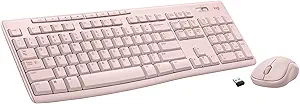


Logitech MX Mechanical Wireless Illuminated Performance Keyboard, Tactile Quiet Switches, Backlit Keys, Bluetooth, USB-C, macOS, Windows, Linux, iOS, Android, Metal, Graphite
This is an affiliate link. Buyyyah may earn a commission if you buy through it, at no extra cost to you.
Description
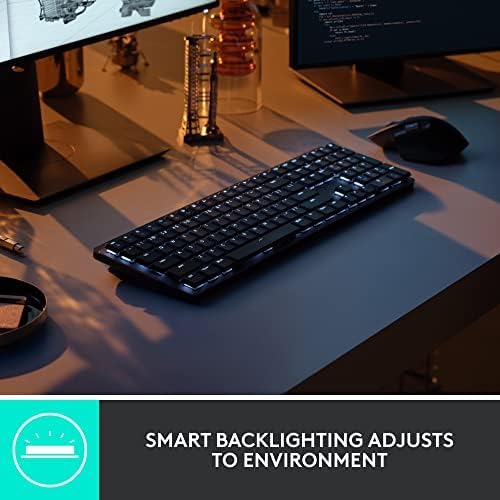
- Tactile Quiet mechanical key switches with a satisfying tactile bump you feel - for precise feedback, reactive key reset, and less noise so your typing doesn't disturb those around you - Low-profile keys, more comfort: A keyboard layout designed for effortless precision, with a full-size form factor and low-profile mechanical switches for better ergonomics - Smart illumination: Backlit keys light up the moment your hands approach the cordless keyboard and automatically adjust to suit changing lighting conditions - Faster workflow, more customization: Customize Fn keys, assign backlighting effects, enable Flow cross-computer, multi-device control, and more in the improved Logi Options+ (1) - Multi-device, multi-OS: Pair MX Mechanical Bluetooth wireless keyboard with up to 3 devices on nearly any operating system via Bluetooth Low Energy or included Logi Bolt receiver(2) - USB-C quick charging: MX Mechanical keyboard stays powered up to 15 days on a full charge or up to 10 months with the backlighting turned off (3) - Plastic parts in MX Mechanical include certified post consumer recycled plastic (Graphite: 45%(5)) - In case of wireless keyboard or combo (keyboard and mouse), the USB receiver is usually provided either inside the mouse (under the battery cover) or attached within the product packaging
Details
General
- Brand
- Logitech
- Model Name
- MX Mechanical
- Model Number
- 920-010547
- Series Number
- 920010547
- Manufacturer
- Logitech
- Item Type Name
- Keyboard
- Unit Count
- 1.0 Count
- Color
- Graphite
- Style Name
- Tactile (quiet typing)
- Theme
- Office/Computer Accessories
- Keyboard Description
- Mechanical
Connectivity
- Connectivity Technology
- USB
- Antenna Location
- Office
- Built-In Media
- Logi Bolt Receiver, MX Mechanical Keyboard, USB Cable, User Documentation
Keyboard Features
- Switch Type
- Tactile
- Mechanical Keyboard Switch Model
- logitech_romer_g_tactile
- Number of Keys
- 104
- Button Quantity
- 78
- Keyboard Layout
- QWERTY
- Hand Orientation
- Ambidextrous
- Keyboard Backlighting Color Support
- Single Color
- Additional Features
- Rechargeable
- Number of Sections
- 7
Power
- Power Source
- Battery Powered
- Number of Batteries Required
- 1
Dimensions & Weight
- Item Dimensions L x W x H
- 18.1"L x 5.9"W x 2"H
- Item Weight
- 2.55 Pounds
Compatibility
- Compatible Devices
- PC
- Minimum Required Operating System Version
- ChromeOS 137, Mac OS 13 Ventura, Ubuntu 22.04 Jammy Jellyfish, Windows 11
- Compatible Operating System Family
- ChromeOS, Linux, MacOS, Windows
Materials
- Enclosure Material
- Aluminum, Metal
- Keyboard Plate Material
- Aluminum, Metal
Warranty
- Warranty Description
- 1 Year Limited Hard Warranty
Certifications
- External Testing Certification
- Não aplicável
Frequently asked questions
- What type of switches does this keyboard use?
- It uses Tactile Quiet mechanical key switches with a tactile bump for precise feedback and less noise.
- Is this keyboard compatible with multiple operating systems?
- Yes, it can pair with up to 3 devices and is compatible with ChromeOS, Linux, macOS, and Windows.
- How long does the battery last on a full charge?
- It stays powered up to 15 days on a full charge with backlighting, or up to 10 months with backlighting turned off.
Customer reviews

Never thought I'd love a keyboard so much...
It's taking a little getting used to the slightly different arrangement of some keys but man... overall, this keyboard KICKS TAIL!!! I love how it lights up, I'm always working in low light or the dark and my eyes aren't what they used to be so I just can't tell you how much of a difference it makes. I also feel like the key symbols won't/can't wear out because they're backlit. Typical keyboards have letter and words wear off over time, but I don't see how that's possible with this keyboard. It's not a "gamer keyboard" it's just a great basic keyboard with all the functions you need. Keystrokes feel amazing! Not sure how to describe but when you're typing it just feels really nice. A real quality built product and worth every penny. I'm considering buying another before they don't make them anymore... LOL Oh, the battery lasts forever on this thing too. You can turn it OFF when you're done for the day and you can set the keyboard to pair/work with multiple computers (even have keys configured differently if you like). The backlight shuts off when you remove your hands from the keyboard or stop typing for about 5 seconds, but its got this really cool "motion detection" feature that once you put your hands over the keys again or start typing it lights right back up! I'm telling you if you're in the market for a new BLUETOOTH keyboard and are willing to pay a little more for a NICE one... this is the board to have!!! I really love it. I'll give you the 1 thing I didn't like about it as I began using it... The FUNCTION ROW of keys has no space above the NUMBERS or Number pad, etc. So it's super easy to hit the wrong keys sometimes. I'll often go to use the "home" key and end up hitting the key to switch between machines, or the biggest one is the "lock" key the farthest top right key over the number pad's "minus/dash" key. I often go to hit the "minus/dash" key and end up locking my windows (having to sign in again). HOWEVER, using the Logitech software that is used to configure the keyboard I was able to just disable that lock key. I don't need a KEY for that anyway. When I want to lock my Windows session (log out) without shutting down, I'll just do it the normal way with my mouse (Start > Power > Lock). No big, been doing that forever anyway. Anyway, this keyboard is awesome. Especially, once you get used to it. Most times I get a new keyboard and have to get used to the key arrangements and different spacing anyway. Might as well do it with a great keyboard. 😊👍🏻 P.S. I have always been a Microsoft keyboard/mouse kinda guy. I didn't think much of Logitech until I got the MX Master 2 Mouse, which is now also my favorite ever. This keyboard goes with that mouse it's sold in bundles they're of the same product set.
It's taking a little getting used to the slightly different arrangement of some keys but man... overall, this keyboard KICKS TAIL!!! I love how it lights up, I'm always working in low light or the dark and my eyes aren't what they used to be so I just can't tell you how much of a difference it makes. I also feel like the key symbols won't/can't wear out because they're backlit. Typical keyboards have letter and words wear off over time, but I don't see how that's possible with this keyboard. It's not a "gamer keyboard" it's just a great basic keyboard with all the functions you need. Keystrokes feel amazing! Not sure how to describe but when you're typing it just feels really nice. A real quality built product and worth every penny. I'm considering buying another before they don't make them anymore... LOL Oh, the battery lasts forever on this thing too. You can turn it OFF when you're done for the day and you can set the keyboard to pair/work with multiple computers (even have keys configured differently if you like). The backlight shuts off when you remove your hands from the keyboard or stop typing for about 5 seconds, but its got this really cool "motion detection" feature that once you put your hands over the keys again or start typing it lights right back up! I'm telling you if you're in the market for a new BLUETOOTH keyboard and are willing to pay a little more for a NICE one... this is the board to have!!! I really love it. I'll give you the 1 thing I didn't like about it as I began using it... The FUNCTION ROW of keys has no space above the NUMBERS or Number pad, etc. So it's super easy to hit the wrong keys sometimes. I'll often go to use the "home" key and end up hitting the key to switch between machines, or the biggest one is the "lock" key the farthest top right key over the number pad's "minus/dash" key. I often go to hit the "minus/dash" key and end up locking my windows (having to sign in again). HOWEVER, using the Logitech software that is used to configure the keyboard I was able to just disable that lock key. I don't need a KEY for that anyway. When I want to lock my Windows session (log out) without shutting down, I'll just do it the normal way with my mouse (Start > Power > Lock). No big, been doing that forever anyway. Anyway, this keyboard is awesome. Especially, once you get used to it. Most times I get a new keyboard and have to get used to the key arrangements and different spacing anyway. Might as well do it with a great keyboard. 😊👍🏻 P.S. I have always been a Microsoft keyboard/mouse kinda guy. I didn't think much of Logitech until I got the MX Master 2 Mouse, which is now also my favorite ever. This keyboard goes with that mouse it's sold in bundles they're of the same product set.

Best office keyboard to date
This keyboard is pretty amazing. I own a HHKB, and a Pok3r. I build and customize my own keyboards. I bought this mainly because of the Logitech Flow feature. But first, I wanted to talk about the keyboard itself and why I think this is the best office keyboard to date. The build quality is amazing. It's sturdy, and the internals are very tight, which means, no rattling, no added noise or reverbiation. As a result, this is a very quiet mechanical keyboard (I can only speak for the brown switch version). The keycaps are made out of recycled plastic, but they don't feel cheap. They are quite smooth and easy to type with. The typing experience is very consistent and smooth (see type test photo). My typing speed is consistent with my other keyboards, but for me, it's definitely feels much better to type with tactile silent switches compared to my other keyboards. Even though this keyboard is a low profile keyboard, there are flip up feet at the bottom of the keyboard to lift it up a little more to get a better angle if that's what you prefer. The lights are nice, but what makes this keyboard really stand out is when it doesn't use the lights at all. Without the backlights on, this keyboard can do 10 months on 1 charge, which is completely unheard of for a mechanical full size wireless keyboard. I've had this keyboard for a couple of days on the whole time, and by now, my other wireless 60% would have died and required a recharge. There is only one issue with this keyboard which is customization. For Macros, only some of the keys (F Keys and Cursor Targeting Group) can be customized vs what I am used to, which is being able to customize every single key. For customizing the physical look itself such as changing the switches or the keycaps, this keyboard cannot be customized like that. The spacebar doesn't use standard stabilizer stem widths. You can replace every key cap except for the spacebar. You also cannot change the switches unless you know some soldering which is not recommended. As for the reason why I bough the keyboard. I absolutely love it! The logitech flow option allows me to move from my multiple computer setups with only one keyboard and mouse. I often multitask, I have a computer running 24/7 as my "smart tv" as well as my personal laptop, and my work computer. Considering how I can flow through all those computers from one set of mouse and keyboard without having to physically switch the mouse to use that specific computer is absolutely game changing. I feel like I am using one computer, even though they are all completely seperated. Whenever a product can make someone's life easier, is when you know you have something truly revolutionary. For work and every day use, this is absolutely the best office keyboard to date.
This keyboard is pretty amazing. I own a HHKB, and a Pok3r. I build and customize my own keyboards. I bought this mainly because of the Logitech Flow feature. But first, I wanted to talk about the keyboard itself and why I think this is the best office keyboard to date. The build quality is amazing. It's sturdy, and the internals are very tight, which means, no rattling, no added noise or reverbiation. As a result, this is a very quiet mechanical keyboard (I can only speak for the brown switch version). The keycaps are made out of recycled plastic, but they don't feel cheap. They are quite smooth and easy to type with. The typing experience is very consistent and smooth (see type test photo). My typing speed is consistent with my other keyboards, but for me, it's definitely feels much better to type with tactile silent switches compared to my other keyboards. Even though this keyboard is a low profile keyboard, there are flip up feet at the bottom of the keyboard to lift it up a little more to get a better angle if that's what you prefer. The lights are nice, but what makes this keyboard really stand out is when it doesn't use the lights at all. Without the backlights on, this keyboard can do 10 months on 1 charge, which is completely unheard of for a mechanical full size wireless keyboard. I've had this keyboard for a couple of days on the whole time, and by now, my other wireless 60% would have died and required a recharge. There is only one issue with this keyboard which is customization. For Macros, only some of the keys (F Keys and Cursor Targeting Group) can be customized vs what I am used to, which is being able to customize every single key. For customizing the physical look itself such as changing the switches or the keycaps, this keyboard cannot be customized like that. The spacebar doesn't use standard stabilizer stem widths. You can replace every key cap except for the spacebar. You also cannot change the switches unless you know some soldering which is not recommended. As for the reason why I bough the keyboard. I absolutely love it! The logitech flow option allows me to move from my multiple computer setups with only one keyboard and mouse. I often multitask, I have a computer running 24/7 as my "smart tv" as well as my personal laptop, and my work computer. Considering how I can flow through all those computers from one set of mouse and keyboard without having to physically switch the mouse to use that specific computer is absolutely game changing. I feel like I am using one computer, even though they are all completely seperated. Whenever a product can make someone's life easier, is when you know you have something truly revolutionary. For work and every day use, this is absolutely the best office keyboard to date.


Nice keyboard with a few flaws
I selected the MX Mechanical full size based on already having the MX Master 3S Mouse which I love. I like the bolt receiver and the fact that it works so well. I liked having my mouse connected via bluetooth however when I switched to having a work laptop I needed a docking station and KVM so I went back to the bolt receiver. The MX Mechanical keyboard is very nice with some pros and cons. I have the tactile version. I like the smooth keypress feel however the keypress registers very high at the top of the keypress so at first I was getting a lot of double keystrokes until I learned to be a bit more gentle with the keys. Another pro is that the keycap is not recessed into the keyboard and the way the switch is setup there is a space between the board and the keycap; this means that crumbs that sneak into the keyboard can be cleaned out easily and won't get trapped inside. The backlight is very nice and even and doesn't spill out excessively from the sides of the keys. There are a few cons. There is no space between the top number row and the function keys, or between each of the four groups of function keys, which means I can't press the function keys by feel. By default, the function key is locked on, which means when you press a function key, you are actually pressing it's alternate function like volume up or down, which is backwards to me (why do all new laptops do that too?). Fortunately, with regards to the function key, there is a way to reverse the function lock by pressing FN+ESC so that pressing a function key does not activate its alternate function by default. The other con is that there is no print screen button! I find this very annoying. Instead, you must press FN+F7 (or just F7 if you don't reverse the function lock...). Perhaps there is a way to fix this in Logi Options, but I shouldn't have to figure that out on a $160 keyboard, sorry Logitech. Also, for some reason, I had an issue with the Num Lock key and I think it had to do with the FN key there too. Very annoying. For what is to be considered a "Full-size" keyboard, this should have no need for a function key, or at least it should not for Num lock and Print screen. Otherwise, the keyboard is great and I am very happy with, quirks aside. It works great with my KVM and it works fine on my work laptop which does not have (or the ability to have) Logi Options installed.
I selected the MX Mechanical full size based on already having the MX Master 3S Mouse which I love. I like the bolt receiver and the fact that it works so well. I liked having my mouse connected via bluetooth however when I switched to having a work laptop I needed a docking station and KVM so I went back to the bolt receiver. The MX Mechanical keyboard is very nice with some pros and cons. I have the tactile version. I like the smooth keypress feel however the keypress registers very high at the top of the keypress so at first I was getting a lot of double keystrokes until I learned to be a bit more gentle with the keys. Another pro is that the keycap is not recessed into the keyboard and the way the switch is setup there is a space between the board and the keycap; this means that crumbs that sneak into the keyboard can be cleaned out easily and won't get trapped inside. The backlight is very nice and even and doesn't spill out excessively from the sides of the keys. There are a few cons. There is no space between the top number row and the function keys, or between each of the four groups of function keys, which means I can't press the function keys by feel. By default, the function key is locked on, which means when you press a function key, you are actually pressing it's alternate function like volume up or down, which is backwards to me (why do all new laptops do that too?). Fortunately, with regards to the function key, there is a way to reverse the function lock by pressing FN+ESC so that pressing a function key does not activate its alternate function by default. The other con is that there is no print screen button! I find this very annoying. Instead, you must press FN+F7 (or just F7 if you don't reverse the function lock...). Perhaps there is a way to fix this in Logi Options, but I shouldn't have to figure that out on a $160 keyboard, sorry Logitech. Also, for some reason, I had an issue with the Num Lock key and I think it had to do with the FN key there too. Very annoying. For what is to be considered a "Full-size" keyboard, this should have no need for a function key, or at least it should not for Num lock and Print screen. Otherwise, the keyboard is great and I am very happy with, quirks aside. It works great with my KVM and it works fine on my work laptop which does not have (or the ability to have) Logi Options installed.

**Exceptional Comfort and Performance: Logitech MX Mechanical Wireless Keyboard Review**
I recently upgraded to the Logitech MX Mechanical Wireless Illuminated Performance Keyboard with Tactile Quiet Switches, and it has been a game-changer for my daily work and gaming sessions. Here’s why I think this keyboard deserves a top spot on your desk. ### Design and Build Quality The first thing that caught my eye was the sleek, professional design of the Logitech MX Mechanical. It’s a full-sized keyboard with a minimalist aesthetic, making it a perfect fit for any workspace. The build quality is superb, with a sturdy frame that feels solid and durable. The backlit keys add a touch of elegance and are particularly useful for working in low-light conditions. ### Performance and Functionality Performance-wise, this keyboard is outstanding. The tactile quiet switches are a highlight, providing a satisfying typing experience without the loud clicks typical of mechanical keyboards. This is ideal for shared workspaces or late-night work when you don’t want to disturb others. The wireless connectivity is flawless, and I’ve experienced zero latency or dropped connections, even during intense gaming sessions. ### Comfort and Usability One of the key features of the MX Mechanical is its ergonomic design. The key layout is well-spaced, reducing finger strain during long typing sessions. Additionally, the keyboard’s slight incline helps maintain a comfortable wrist position, further enhancing the typing experience. The illuminated keys are customizable, allowing you to adjust the brightness or choose specific lighting patterns that suit your style. ### Battery Life and Charging Battery life is another strong point. On a full charge, the keyboard can last several weeks, even with the backlight on. The USB-C charging port makes recharging quick and convenient. I also appreciate the smart energy management features, which automatically adjust the backlighting based on ambient light and activity. ### Conclusion Overall, the Logitech MX Mechanical Wireless Illuminated Performance Keyboard is a fantastic investment for anyone seeking a high-quality, reliable keyboard. It combines excellent build quality, top-notch performance, and thoughtful features that cater to both productivity and comfort. Whether you’re a professional, a gamer, or just someone who spends a lot of time typing, this keyboard will not disappoint.
I recently upgraded to the Logitech MX Mechanical Wireless Illuminated Performance Keyboard with Tactile Quiet Switches, and it has been a game-changer for my daily work and gaming sessions. Here’s why I think this keyboard deserves a top spot on your desk. ### Design and Build Quality The first thing that caught my eye was the sleek, professional design of the Logitech MX Mechanical. It’s a full-sized keyboard with a minimalist aesthetic, making it a perfect fit for any workspace. The build quality is superb, with a sturdy frame that feels solid and durable. The backlit keys add a touch of elegance and are particularly useful for working in low-light conditions. ### Performance and Functionality Performance-wise, this keyboard is outstanding. The tactile quiet switches are a highlight, providing a satisfying typing experience without the loud clicks typical of mechanical keyboards. This is ideal for shared workspaces or late-night work when you don’t want to disturb others. The wireless connectivity is flawless, and I’ve experienced zero latency or dropped connections, even during intense gaming sessions. ### Comfort and Usability One of the key features of the MX Mechanical is its ergonomic design. The key layout is well-spaced, reducing finger strain during long typing sessions. Additionally, the keyboard’s slight incline helps maintain a comfortable wrist position, further enhancing the typing experience. The illuminated keys are customizable, allowing you to adjust the brightness or choose specific lighting patterns that suit your style. ### Battery Life and Charging Battery life is another strong point. On a full charge, the keyboard can last several weeks, even with the backlight on. The USB-C charging port makes recharging quick and convenient. I also appreciate the smart energy management features, which automatically adjust the backlighting based on ambient light and activity. ### Conclusion Overall, the Logitech MX Mechanical Wireless Illuminated Performance Keyboard is a fantastic investment for anyone seeking a high-quality, reliable keyboard. It combines excellent build quality, top-notch performance, and thoughtful features that cater to both productivity and comfort. Whether you’re a professional, a gamer, or just someone who spends a lot of time typing, this keyboard will not disappoint.

![Ailun 3 Pack Screen Protector for iPhone 16 [6.1 inch] + 3 Pack Camera Lens Protector with Installation Frame,Case Friendly Tempered Glass Film,[9H Hardness][Not for iPhone 16e/16 Pro/Plus/Pro Max]](https://m.media-amazon.com/images/I/71z4XevAN2L._AC_SY300_SX300_QL70_FMwebp_.jpg)