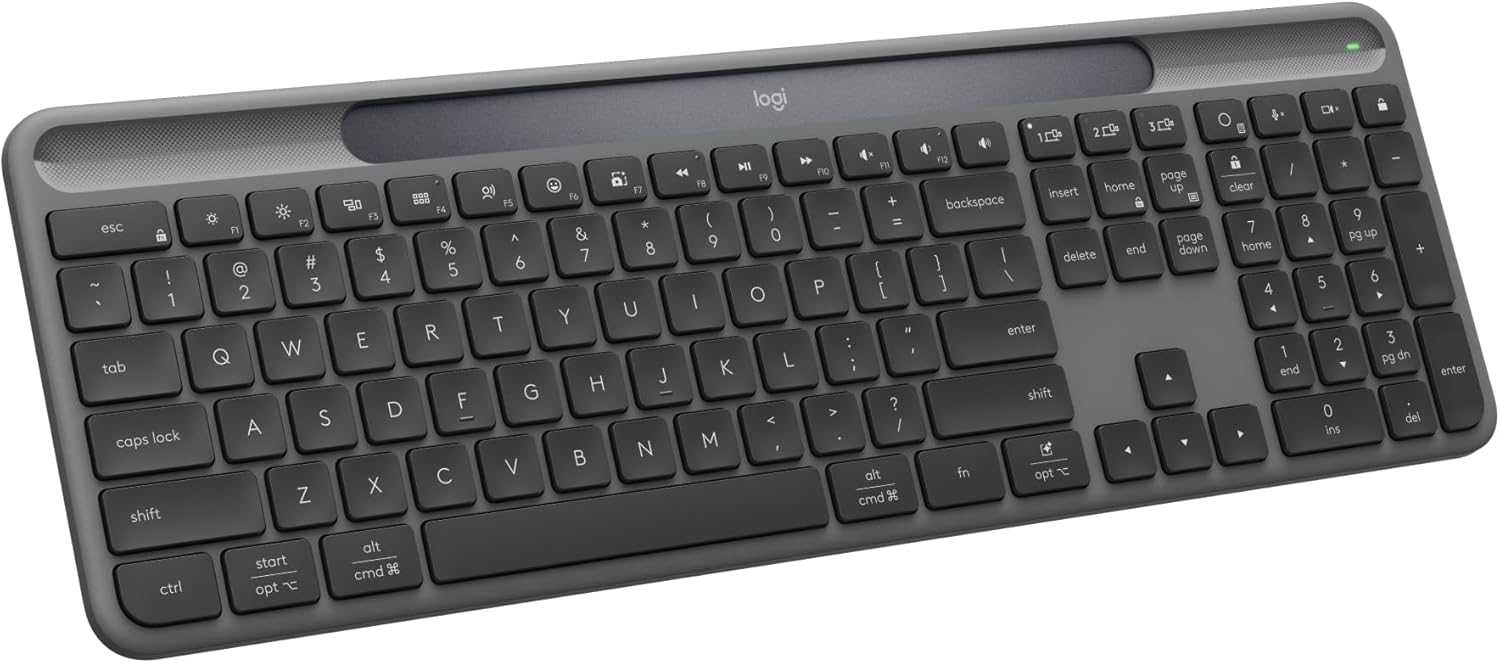




Logitech Signature Slim Solar+ Wireless Bluetooth Keyboard K980, Solar and Artificial Light Powered, Up to 10 Years Battery Life, Customizable Keys - Graphite
This is an affiliate link. Buyyyah may earn a commission if you buy through it, at no extra cost to you.
Description
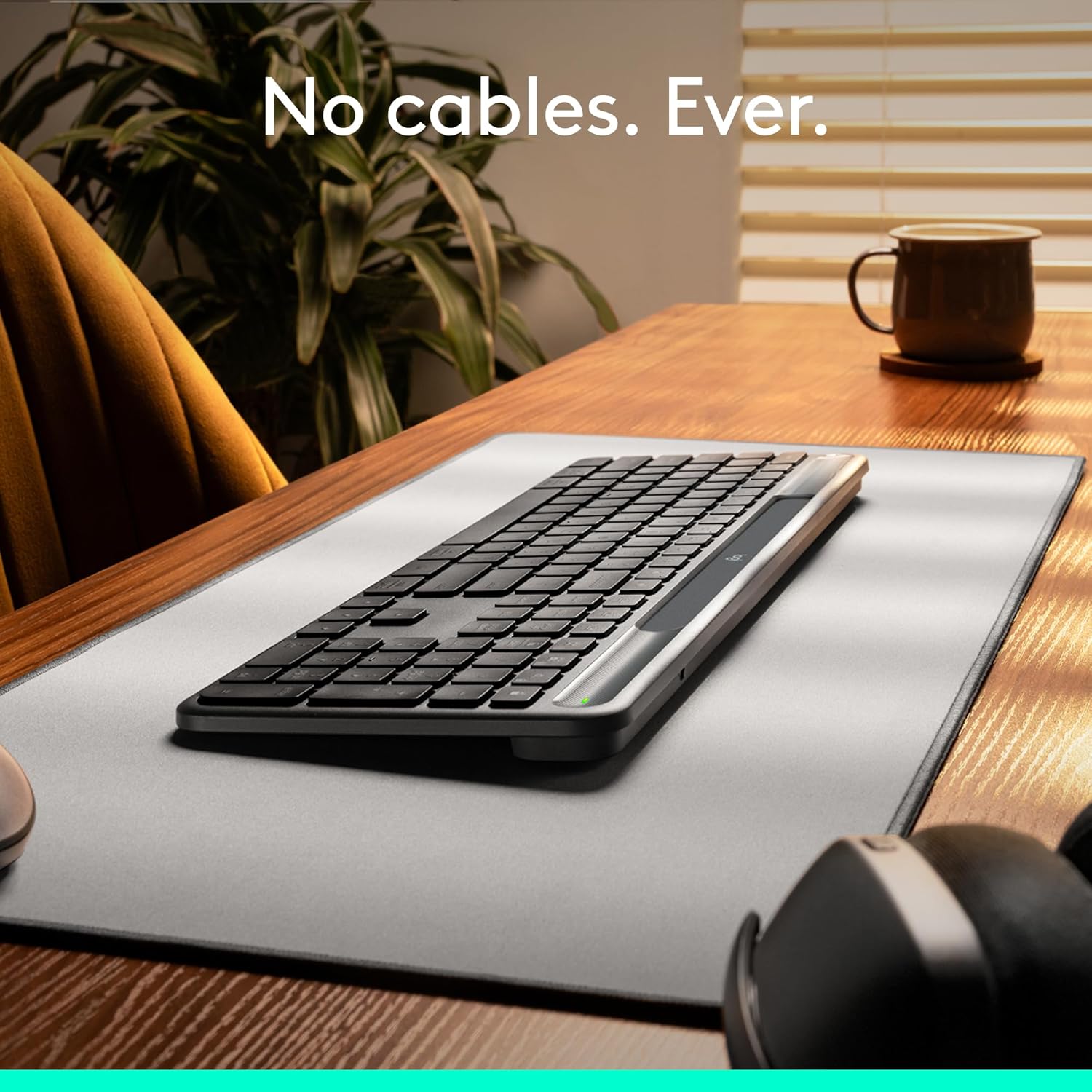
• Always powered – A full size wireless keyboard with instant and and uninterrupted typing under any light source - solar or artificial (1) - even on a dark or rainy day • Powered by Logi LightCharge – A charging innovation that combines a light-absorbing strip and a durable energy-efficient battery built on our Signature Slim Solar+ keyboard • No cables, Ever - Never worry about recharge cables or running low on battery power; works out of the box with zero hassle for instant productivity • Better for longer – A wireless Bluetooth keyboard designed to last up to 10 million keystrokes and with a durable battery functional for up to a decade (9)(10) • Upgrade your space - A sleek and solidly built full-size keyboard with familiar laptop-style typing, made with recycled plastic (4) • Smart Actions for work & life - Time-saving and ready-to-use shortcuts to automate repetitive tasks with one keystroke using the Logi Options+ App (2)(6) • Seamlessly switch typing between PC, smartphone & tablet with a tap; pair it with a Logitech multi-device mouse for effortless typing and clicking across computers (2)(6) • Works on nearly any platform - Worry-free wireless connection to Windows, macOS, Chrome OS, Linux , iPadOS, iOS and Android OS, easily pair via Bluetooth
Details
Connectivity & Compatibility
- Connectivity Technology
- Bluetooth, Radio Frequency, Usb
- Compatible Devices
- Laptop, Personal Computer, Smartphone, Tablet
- Compatible Operating System Family
- Android, Linux, Windows
- Minimum Required Operating System Version
- ChromeOS 137, Mac OS 14 Sonoma, Windows 11
- Operating System
- Windows, macOS, Chrome OS, Linux, iPadOS, iOS, Android
Power & Battery
- Are Batteries Required
- Yes
- Power Source
- Solar Powered
- Number of Batteries
- 1 Lithium Ion batteries required. (included)
Design & Features
- Other Special Features of the Product
- Hotkeys and Media Keys, Lightweight, Portable, Rechargeable, quiet
- Keyboard Backlighting Color Support
- Single Color
- Keyboard Layout
- QWERTY
- Number of Keys
- 108
- Keyboard Description
- Membrane
- Color
- Graphite
- Item Weight
- 700 Grams
- Hand Orientation
- Ambidextrous
- Antenna Location
- Business, Education, Everyday Use, Personal, Student
- Built-In Media
- User documentation, Wireless keyboard
Warranty
- Warranty Description
- 2 Years Limited Hardware Warranty
- EU Spare Part Availability Duration
- 7 Years
General Information
- Brand
- Logitech
- Manufacturer
- Logitech
- Model Number
- 920-013755
- Mfr Part Number
- 920-013755
- Unit Count
- 1.0 Count
Frequently asked questions
- Is the keyboard wireless and how does it connect?
- Yes, it is wireless and connects via Bluetooth. It also supports radio frequency and USB connectivity.
- What is the battery life of the keyboard?
- The keyboard is solar and artificial light powered, with a durable battery functional for up to a decade (up to 10 years).
- What is included in the box?
- The box includes the wireless keyboard and user documentation.
Customer reviews

Good value with slightly unrefined feel
Overall, this is a great mid-range option with some caveats. First, the good: the bluetooth connection is fast and easy, compatible even with my Mac Mini. Although somewhat boring, it still appears refined and looks nice on a desk. The solar charging is amazing. I used my previous Logitech solar for about a decade with no problems. It's great to have one less battery to be concerned with. It integrates well with the Logi Options+ app including their "Flow" feature, which allows you to move from one computer to another simply by moving your mouse over. Although it's a fairly niche need, it performs well, albeit a little slowly because of the Bluetooth connection. The customization within the app is also helpful as you can program keys to do what you need most frequently. Now, the bad: Its lower price shows up in the typing experience. To be fair, I was totally satisfied with it until I got the more expensive/premium MX Keys S. In comparison, this keyboard has a much more "mushy" feedback. Because it is bluetooth only, it takes a while for the computer to connect after it falls asleep. Once connected, though, the responsiveness is just fine with no noticeable lag. Overall, I think it provides a great value and would recommend it to most people, especially if you are looking for a "set it and forget it" option for a computer that is not used daily. For me, though, since I am a very heavy user, I opted for the more premium feel and appearance of the MX Keys S.
Overall, this is a great mid-range option with some caveats. First, the good: the bluetooth connection is fast and easy, compatible even with my Mac Mini. Although somewhat boring, it still appears refined and looks nice on a desk. The solar charging is amazing. I used my previous Logitech solar for about a decade with no problems. It's great to have one less battery to be concerned with. It integrates well with the Logi Options+ app including their "Flow" feature, which allows you to move from one computer to another simply by moving your mouse over. Although it's a fairly niche need, it performs well, albeit a little slowly because of the Bluetooth connection. The customization within the app is also helpful as you can program keys to do what you need most frequently. Now, the bad: Its lower price shows up in the typing experience. To be fair, I was totally satisfied with it until I got the more expensive/premium MX Keys S. In comparison, this keyboard has a much more "mushy" feedback. Because it is bluetooth only, it takes a while for the computer to connect after it falls asleep. Once connected, though, the responsiveness is just fine with no noticeable lag. Overall, I think it provides a great value and would recommend it to most people, especially if you are looking for a "set it and forget it" option for a computer that is not used daily. For me, though, since I am a very heavy user, I opted for the more premium feel and appearance of the MX Keys S.
The K-980 is cool, has a couple of gotcha's, but hey - no more AA or AAA batteries!
Being BlueTooth, it is a simple plug-&-play installation. Used the Bluetooth settings in WIN11 to add the desired new device. In fact, I like it so much that I have purchased a 2nd Bluetooth dongle one to use with my other I7 tower, this will let the Logitech K-980 solar-power keyboard I bought on Friday (this is Monday) be used for both. No more batteries for keyboards!!! NOTE: No Caps Lock light indicator, so you should download the utility from Logitech, which places a display on the screen when the CL key is pressed. Also, the "fn" key, usually found on the left of the space bar, is now on the right. The Windows key is now labelled "start/opt" just to confuse things. It is of solid construction and seems well built - time will tell, I guess. The solar panel, although small, is apparently sensitive enough that a single monitor's light will charge it while you work. I also have a temperature change light, so I have more than enough light to do the job!
Being BlueTooth, it is a simple plug-&-play installation. Used the Bluetooth settings in WIN11 to add the desired new device. In fact, I like it so much that I have purchased a 2nd Bluetooth dongle one to use with my other I7 tower, this will let the Logitech K-980 solar-power keyboard I bought on Friday (this is Monday) be used for both. No more batteries for keyboards!!! NOTE: No Caps Lock light indicator, so you should download the utility from Logitech, which places a display on the screen when the CL key is pressed. Also, the "fn" key, usually found on the left of the space bar, is now on the right. The Windows key is now labelled "start/opt" just to confuse things. It is of solid construction and seems well built - time will tell, I guess. The solar panel, although small, is apparently sensitive enough that a single monitor's light will charge it while you work. I also have a temperature change light, so I have more than enough light to do the job!
Nice keyboard with great key response and feel
I have been using the previous solar version of this keyboard for years and I liked the slim profile of the keys and the tactile response. Sadly, it was getting worn out and I did replace the rechargeable battery on it and it was still working, but just kind of beat up. I liked that it was an RF signal. This keyboard is bluetooth vs RF. That's probably the only complaint, but pairing it wasn't difficult (took a few tries). I really like that you can customize some keys on it and I like that you can pair it with 3 different ocmputers. I use 2 computers at a desk (work and personal) and I can just push a button to switch when needed. The first thing I did was reprogram the bottom right CTRL key as it comes programmed for AI by default and not CTRL. But with the Logi+ software downloaded, it makes it easy to change it. Very quiet keyboard and great tactile response. Love it so far and bought one for the work office too.
I have been using the previous solar version of this keyboard for years and I liked the slim profile of the keys and the tactile response. Sadly, it was getting worn out and I did replace the rechargeable battery on it and it was still working, but just kind of beat up. I liked that it was an RF signal. This keyboard is bluetooth vs RF. That's probably the only complaint, but pairing it wasn't difficult (took a few tries). I really like that you can customize some keys on it and I like that you can pair it with 3 different ocmputers. I use 2 computers at a desk (work and personal) and I can just push a button to switch when needed. The first thing I did was reprogram the bottom right CTRL key as it comes programmed for AI by default and not CTRL. But with the Logi+ software downloaded, it makes it easy to change it. Very quiet keyboard and great tactile response. Love it so far and bought one for the work office too.

Comfort, design, sun charging
I’ve been using the Logitech Signature Slim Solar+ Keyboard K980 for a few weeks now, and I’m honestly impressed. ☀️ First of all — no more worrying about charging! It runs perfectly on solar and even artificial light, which feels so convenient and eco-friendly. The design is sleek and minimal, the keys are super comfortable to type on, and the connection via Bluetooth is instant and stable. I love that I can customize the keys and switch between devices effortlessly — it makes working between my laptop, tablet, and phone so smooth. After using it daily, I can say it’s definitely worth it for anyone who spends a lot of time typing or wants a reliable, sustainable keyboard that looks beautiful on the desk. 10/10 for design, comfort, and innovation! 💻✨
I’ve been using the Logitech Signature Slim Solar+ Keyboard K980 for a few weeks now, and I’m honestly impressed. ☀️ First of all — no more worrying about charging! It runs perfectly on solar and even artificial light, which feels so convenient and eco-friendly. The design is sleek and minimal, the keys are super comfortable to type on, and the connection via Bluetooth is instant and stable. I love that I can customize the keys and switch between devices effortlessly — it makes working between my laptop, tablet, and phone so smooth. After using it daily, I can say it’s definitely worth it for anyone who spends a lot of time typing or wants a reliable, sustainable keyboard that looks beautiful on the desk. 10/10 for design, comfort, and innovation! 💻✨


