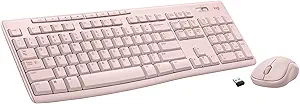
Redragon K689 PRO Wireless Gasket RGB Gaming Keyboard, 108 Keys Mechanical Keyboard w/Extra 4 Hotkeys, Upgraded Hot-swappable Socket, 3-Layer Noise Dampening, Round PBT Keycaps, Custom Linear Switch
This is an affiliate link. Buyyyah may earn a commission if you buy through it, at no extra cost to you.
Description
About this item REDRAGON GASKET OUT - The body structure differs from traditional screw fixing by using precision-locked covers with gaskets to assist with noise reduction and flexibility. It provides even feedback while the vertical cushioning reduces rigid noise, delivering a crisp, clean and softer typing feel. 3-Mode Connection - Geared with Redragon advanced tri-mode connection technology, USB-C wired, BT 3.0/5.0 & 2.4Ghz wireless modes which make the user experience upgraded to another level in all fields. Custom Mint Mambo Switch - With thick-lubed custom linear switches combo with a gasket form factor, K689 PRO features cushioned rich linear travel with silky creamy and cozy typing feedback. The brand new upgraded socket is nearly all switches(3/5 pins) compatible. Noise Dampening x 3 - Equipped with 3.5mm PO foam, IXPE switch foam, bottom socket foam, along with the silicone gasket. Significantly reduce the hollow noise, creating dampened and ultra-clean typing acoustics, making each keystroke satisfying and comfortable. Ergonomic Design - The 2 stage adjustable feet makes typing more comfortable and relaxes your wrists. 3 colors Mixed Keycaps adding more DIY interest. When every time you play the game it can be a different experience. Pro Software Supported - Expand your options using the available software to design your own new modes and effects found on redragonshop. Macros with different keybindings or shortcuts for more efficient work and gaming. See more product details
Details
Product information Features & Specs Compatible Devices PC, Laptop, Tablet Connectivity Technology Bluetooth, USB-C Additional Features 108 Keys Gasket Design, 3-Mode Tech, HI-Fi Custom Switch, Noise Dampening, Round PBT Keycap Keyboard Backlighting Color Support RGB Power Source Corded Electric Switch Type Custom Linear Keyboard Layout QWERTY Hand Orientation Ambidextrous Button Quantity 108 Water Resistance Level Water Resistant Mechanical Keyboard Switch Model Redragon Custom Switch Number of Keys 108 Number of Sections 1 Style Color Black Tangerine Style Name K668 Theme Gaming Warranty & Support Feedback Item details Brand Redragon Keyboard Description 108 Keys Wireless Gasket Gaming Keyboard Antenna Location Gaming Built-In Media USB Cable Model Number K689 PRO Model Name Wyvern Global Trade Identification Number 06950376726087 Unit Count 1.0 Count Manufacturer Redragon Mfr Part Number 726307687 Item Weight 0.88 Kilograms Warranty Description 1 year Best Sellers Rank #427 in Video Games ( See Top 100 in Video Games ) #32 in PC Gaming Keyboards ASIN B0DK8WN5B7 Customer Reviews 4.5 out of 5 stars Additional details Enclosure Material Plastic
Customer reviews
-

Best keyboard I've ever had.
For much too long I had been using the cheap flat keyboards that came with my last two (yes, 2) PCs. After almost a year of frustration with the latest HP keyboard, which lacked certain keys I used frequently and had keys I never used, not to mention the microscopic function keys, I started shopping. What I really wanted was a good solid keyboard like I had with my first three desktop computers. This one delivers and then some. It never occurred to me to get a keyboard that also puts on a light show! Several similar keyboards popped up in my browsing, but the look of this one stood out to me. Maybe it was the terracotta space bar. So I ordered it. I couldn't be happier! The keys have a nice solid feel to them and they bounce back without sticking. They're not quite as close together as the cheap-o keyboards had them so I'm making fewer typos. In addition to the classic 104 key configuration, there are an extra four keys that can do whatever you want. It took me a couple weeks to find the software to make them do that, though. The microscopic manual was no help in this regard. It mostly dealt with lighting effects, if you can read it at all. I needed a magnifying glass in addition to my reading glasses. Anyway, I poked through the Redragon website and waded through a few pages of models to find software for mine and I was in business. (I had previously done a search for this model number's software and it came up with no results.) That was the only challenge I had with this product. Once the software was installed I had my custom keys set just the way I wanted them in a few minutes. Speaking of keys, this keyboard has two complete sets. I'm torn as it whether this is useful or wasteful. I guess two things can be true at the same time. You can make all of them white (except the space bar) or all of them black (including the spacebar) or any combination thereof. A tool is provided to pop them out as needed. Just one caveat here. The second set of keys do not have the secondary function icons printed on them as the first set has. That might be a problem for some folks. Of course, I love the colorful backlighting! I prefer the two steady-state modes, one a rainbow effect and the other has random colors for each key. Or you can choose one of several colors for a uniform look. To change the color pattern press the FN key followed by INS to toggle amongst the different motion effects. Or you can press FN>DEL and change the color of the effect you're currently on. Press FN and either the up or down arrow keys to adjust the brightness. Similarly, FN with the left or right arrow keys controls the speed of the motion effects. I wish the slowest speed was a lot slower to keep the motion from confusing my eyeballs while I type. If you don't want the keys to be backlit, you can always turn them off completely by pressing FN>Spacebar, or turn them back on again the same way. The white keys are just as easy to read with the lights on or off. The black keys are less clear when dark, but still readable. Fun, functional, and solid construction make this the best keyboard I've ever had.
For much too long I had been using the cheap flat keyboards that came with my last two (yes, 2) PCs. After almost a year of frustration with the latest HP keyboard, which lacked certain keys I used frequently and had keys I never used, not to mention the microscopic function keys, I started shopping. What I really wanted was a good solid keyboard like I had with my first three desktop computers. This one delivers and then some. It never occurred to me to get a keyboard that also puts on a light show! Several similar keyboards popped up in my browsing, but the look of this one stood out to me. Maybe it was the terracotta space bar. So I ordered it. I couldn't be happier! The keys have a nice solid feel to them and they bounce back without sticking. They're not quite as close together as the cheap-o keyboards had them so I'm making fewer typos. In addition to the classic 104 key configuration, there are an extra four keys that can do whatever you want. It took me a couple weeks to find the software to make them do that, though. The microscopic manual was no help in this regard. It mostly dealt with lighting effects, if you can read it at all. I needed a magnifying glass in addition to my reading glasses. Anyway, I poked through the Redragon website and waded through a few pages of models to find software for mine and I was in business. (I had previously done a search for this model number's software and it came up with no results.) That was the only challenge I had with this product. Once the software was installed I had my custom keys set just the way I wanted them in a few minutes. Speaking of keys, this keyboard has two complete sets. I'm torn as it whether this is useful or wasteful. I guess two things can be true at the same time. You can make all of them white (except the space bar) or all of them black (including the spacebar) or any combination thereof. A tool is provided to pop them out as needed. Just one caveat here. The second set of keys do not have the secondary function icons printed on them as the first set has. That might be a problem for some folks. Of course, I love the colorful backlighting! I prefer the two steady-state modes, one a rainbow effect and the other has random colors for each key. Or you can choose one of several colors for a uniform look. To change the color pattern press the FN key followed by INS to toggle amongst the different motion effects. Or you can press FN>DEL and change the color of the effect you're currently on. Press FN and either the up or down arrow keys to adjust the brightness. Similarly, FN with the left or right arrow keys controls the speed of the motion effects. I wish the slowest speed was a lot slower to keep the motion from confusing my eyeballs while I type. If you don't want the keys to be backlit, you can always turn them off completely by pressing FN>Spacebar, or turn them back on again the same way. The white keys are just as easy to read with the lights on or off. The black keys are less clear when dark, but still readable. Fun, functional, and solid construction make this the best keyboard I've ever had.
-

It's a new love, but a strong love.
I will start by saying that I've used Red Dragon stuff before. Years and years ago I had one of their membrane keyboards and one of their gaming mice. They performed flawlessly in all the time I owned them but I eventually changed color scheme and wanted to branch out so I tried a different brand keyboard and a Corsair mouse. I don't recall the other brand keyboard, but it had an aluminum body and was fairly nice. Over the years though I was constantly swapping switches out and then the LEDs started to die off, and it just reached the end of its life cycle really. I came back to Red Dragon because I wanted a nice mechanical keyboard but I think the boards that cost $100+ are, frankly, silly. I did debate between this keyboard and some of the other "off brand" boards but this one had great reviews and I love love love the kind of old school style to it. I am so glad I went with this keyboard. The design is freaking gorgeous. It's like a retromod done to an old IBM keyboard. The lights are certainly pretty, but I'm a basic fella so I already switched them over to solid white. They look great, and the light shines through the keycaps perfectly. There is also a sleek little light bar on the side of the board that I didn't notice in the pictures but looks super classy. Speaking of keycaps, THEY GIVE YOU AN ENTIRE SET! So if you don't like the color scheme that it comes with (as pictured) you can feel free to swap them out. They also give you some new switches for when these ones start dying off, I believe they give 8 of them, along with the tool to swap the switch and the keycap. On to the switches... Ohhhhhhhhh, boy they are GOOD. I cannot speak to longevity yet, and I will update when the first switch dies and I have to replace it, but initial impressions are so good it is unreal what this board costs. The feel is excellent, but the sound is where it's really at. A nice, somewhat loud but muted thunk with each press. The board itself is all plastic, but don't let that dissuade you, because it feels like a very high quality plastic. I think this board actually weighs more than the board it is replacing with the aluminum body, and they're both the same style board. The legs are double adjustable and move into place with a loud click. Honestly so far, I am absolutely blown away by this board. I hope it lasts a long, long time because I do not want to get rid of it any time soon.
I will start by saying that I've used Red Dragon stuff before. Years and years ago I had one of their membrane keyboards and one of their gaming mice. They performed flawlessly in all the time I owned them but I eventually changed color scheme and wanted to branch out so I tried a different brand keyboard and a Corsair mouse. I don't recall the other brand keyboard, but it had an aluminum body and was fairly nice. Over the years though I was constantly swapping switches out and then the LEDs started to die off, and it just reached the end of its life cycle really. I came back to Red Dragon because I wanted a nice mechanical keyboard but I think the boards that cost $100+ are, frankly, silly. I did debate between this keyboard and some of the other "off brand" boards but this one had great reviews and I love love love the kind of old school style to it. I am so glad I went with this keyboard. The design is freaking gorgeous. It's like a retromod done to an old IBM keyboard. The lights are certainly pretty, but I'm a basic fella so I already switched them over to solid white. They look great, and the light shines through the keycaps perfectly. There is also a sleek little light bar on the side of the board that I didn't notice in the pictures but looks super classy. Speaking of keycaps, THEY GIVE YOU AN ENTIRE SET! So if you don't like the color scheme that it comes with (as pictured) you can feel free to swap them out. They also give you some new switches for when these ones start dying off, I believe they give 8 of them, along with the tool to swap the switch and the keycap. On to the switches... Ohhhhhhhhh, boy they are GOOD. I cannot speak to longevity yet, and I will update when the first switch dies and I have to replace it, but initial impressions are so good it is unreal what this board costs. The feel is excellent, but the sound is where it's really at. A nice, somewhat loud but muted thunk with each press. The board itself is all plastic, but don't let that dissuade you, because it feels like a very high quality plastic. I think this board actually weighs more than the board it is replacing with the aluminum body, and they're both the same style board. The legs are double adjustable and move into place with a loud click. Honestly so far, I am absolutely blown away by this board. I hope it lasts a long, long time because I do not want to get rid of it any time soon.
-
For a soft key feel in a weighted keyboard.. this is so close to the high end if not better..
Got my particular model 689 wired only for just under $40, I don't need the wireless. I've used three different ReDragon mice. It amazes me the quality and function you get for their prices. I've used higher end gaming RAzer and my last one was an Akko, I've tested a Keychron.. so I got some experience. Compared to those 100-200 keyboards this is still pretty amazing keyboard. It's not quite as heavy as those but has solid weight, it won't just slide around. I liked my Akko overall but it had quirks. It was a multi connection model might of had something to do with it, I only used it wired, but it could have double strikes and compared to the ReDragon.. the key depth was slightly deeper on the Akko, which slowed me down and that might have been contributing to the double taps. The Red has a very similar soft key feel, but the stroke is a little shallower and allows for smoother function. I thought this thing would have more mechanical clicking feel given the price. Nope is very similar to the high ends. Probably the Keychron was the best.. but they're like $200 so was going to try a different direction first.. The razer wore out and began to feel funny.. I don't like their software and both the Akko and Razer were a semi compact so therefore some keys weren't present (I was trying it out) and in the end that's another factor making me switch off the Akko (Akko and Razer make fulls but I wasn't buying either brand again). The Keychron was a full but I thought let's go the cheaper route first and see, cause I know ReDragon can surprise you.. so as of now, I'm very satisfied. The LEDs are plenty bright enough for me. I don't run the software .. I just use the presets. (I have to use the ReDragon software for my mouse, I admit its not the most refined but it's not huge overhead on the machine.) At this price, I'm thinking about buying another so if it wears out .. mm no biggy I've already gone through several hundred dollars in keyboards.. But I do abuse them. We'll see how it holds up.
Got my particular model 689 wired only for just under $40, I don't need the wireless. I've used three different ReDragon mice. It amazes me the quality and function you get for their prices. I've used higher end gaming RAzer and my last one was an Akko, I've tested a Keychron.. so I got some experience. Compared to those 100-200 keyboards this is still pretty amazing keyboard. It's not quite as heavy as those but has solid weight, it won't just slide around. I liked my Akko overall but it had quirks. It was a multi connection model might of had something to do with it, I only used it wired, but it could have double strikes and compared to the ReDragon.. the key depth was slightly deeper on the Akko, which slowed me down and that might have been contributing to the double taps. The Red has a very similar soft key feel, but the stroke is a little shallower and allows for smoother function. I thought this thing would have more mechanical clicking feel given the price. Nope is very similar to the high ends. Probably the Keychron was the best.. but they're like $200 so was going to try a different direction first.. The razer wore out and began to feel funny.. I don't like their software and both the Akko and Razer were a semi compact so therefore some keys weren't present (I was trying it out) and in the end that's another factor making me switch off the Akko (Akko and Razer make fulls but I wasn't buying either brand again). The Keychron was a full but I thought let's go the cheaper route first and see, cause I know ReDragon can surprise you.. so as of now, I'm very satisfied. The LEDs are plenty bright enough for me. I don't run the software .. I just use the presets. (I have to use the ReDragon software for my mouse, I admit its not the most refined but it's not huge overhead on the machine.) At this price, I'm thinking about buying another so if it wears out .. mm no biggy I've already gone through several hundred dollars in keyboards.. But I do abuse them. We'll see how it holds up.
-
Just Buy It
My old wireless keyboard died so I figured it was time to get a new one and I decided to go with a wired one this time. The reviews seemed good on this keyboard and the price wasn't outlandish so I figured I'd give it a shot. The first thing that sticks out is the weight. It's sturdy and feels very well built, not like a cheap Chinese knock-off. The plastic all feels quality and the keys are smooth pressing motion. It's going to take me a bit of getting used to using a mechanical keyboard again after using a membrane keyboard for so many years, but I do like the clicking sound. Next you will notice this company does not cheap out on customer satisfaction. I bought this keyboard expecting only a keyboard. Instead I found a complete second set of keys, extra pieces to replace the mechanical part underneath the key, and a key puller tool as well. Completely unexpected but something that will automatically endear this companies customers to them. Lastly, the keyboard functionality itself. It is RGB and if you like having an RGB setup then you'll love the look of the white keyboard with the colors underneath. There is a button native on the keyboard itself that lets you change the RGB preset as well. I haven't fully counted but there seems to be around 10 presets with everything from colors slowly moving across the keyboard to zig-zagging back and forth, and if you don't like RGB there's an option to turn it off as well. The last nice bit is that in the very top right above the num-lock button row there are 4 additional keys: Mute on/off, a calculator button that pulls up your calculator app, a screenlock button that works the same was as pushing win+L, and a homescreen button that will minimize all of your windows and take you back to your desktop. The keyboard is nice and spacious and feels great to use so far. Especially for the price, this is the keyboard to get imo.
My old wireless keyboard died so I figured it was time to get a new one and I decided to go with a wired one this time. The reviews seemed good on this keyboard and the price wasn't outlandish so I figured I'd give it a shot. The first thing that sticks out is the weight. It's sturdy and feels very well built, not like a cheap Chinese knock-off. The plastic all feels quality and the keys are smooth pressing motion. It's going to take me a bit of getting used to using a mechanical keyboard again after using a membrane keyboard for so many years, but I do like the clicking sound. Next you will notice this company does not cheap out on customer satisfaction. I bought this keyboard expecting only a keyboard. Instead I found a complete second set of keys, extra pieces to replace the mechanical part underneath the key, and a key puller tool as well. Completely unexpected but something that will automatically endear this companies customers to them. Lastly, the keyboard functionality itself. It is RGB and if you like having an RGB setup then you'll love the look of the white keyboard with the colors underneath. There is a button native on the keyboard itself that lets you change the RGB preset as well. I haven't fully counted but there seems to be around 10 presets with everything from colors slowly moving across the keyboard to zig-zagging back and forth, and if you don't like RGB there's an option to turn it off as well. The last nice bit is that in the very top right above the num-lock button row there are 4 additional keys: Mute on/off, a calculator button that pulls up your calculator app, a screenlock button that works the same was as pushing win+L, and a homescreen button that will minimize all of your windows and take you back to your desktop. The keyboard is nice and spacious and feels great to use so far. Especially for the price, this is the keyboard to get imo.