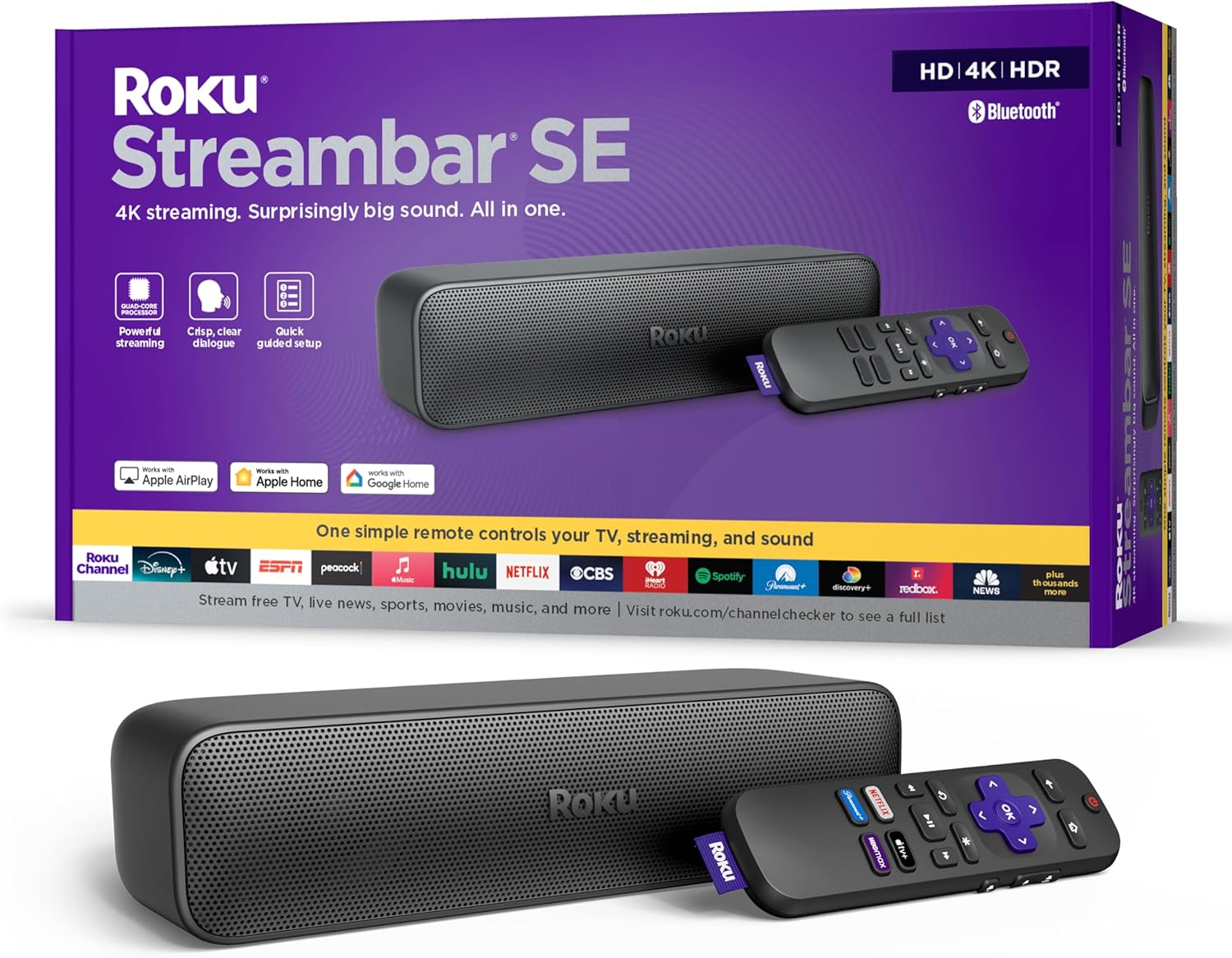

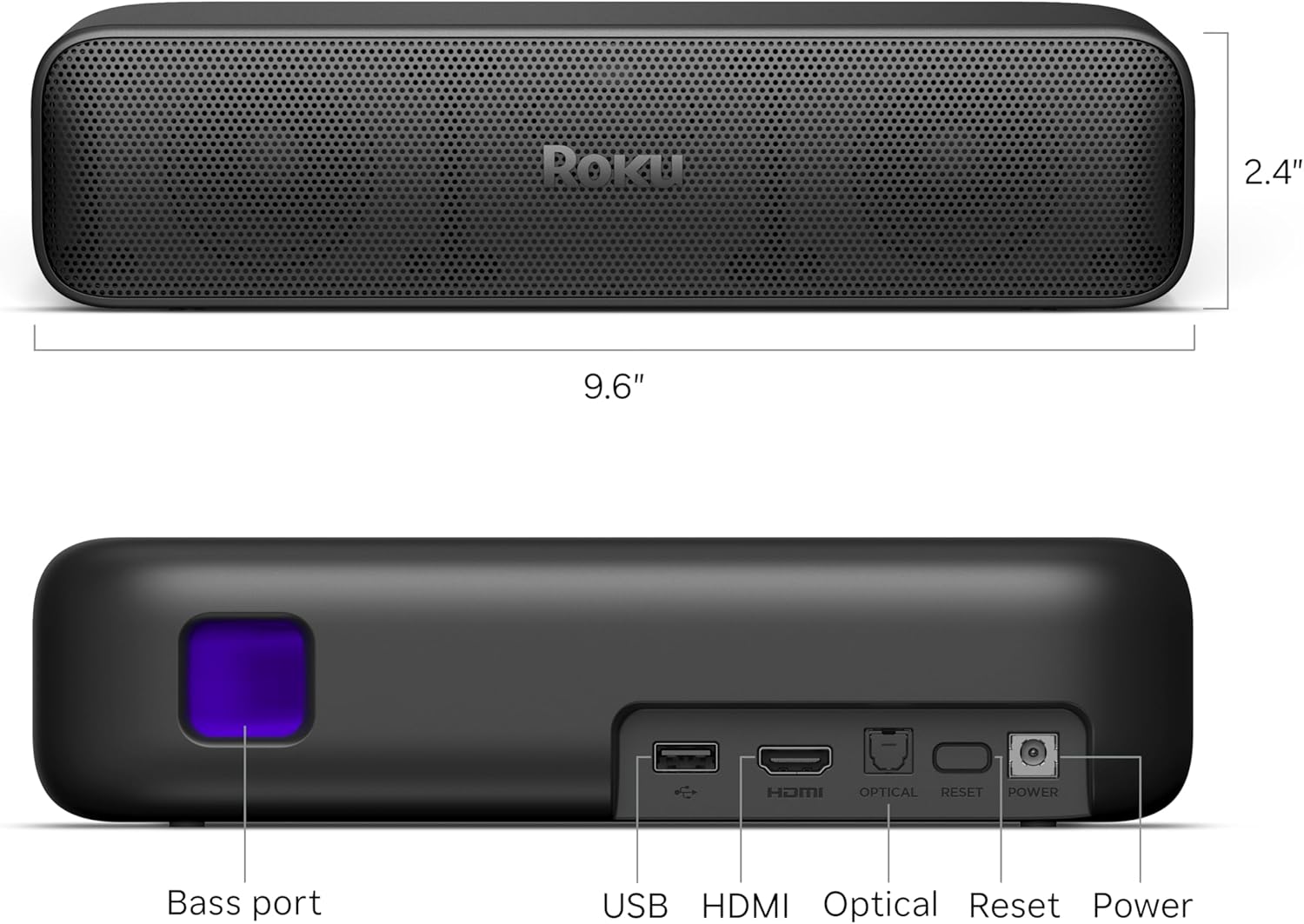

Roku Streambar SE | 2-in-1 TV Soundbar with Built-in 4K/HD/HDR Streaming, Premium Speakers, & Enhanced Speech Clarity for Crisp, Clear Dialogue - Quick Guided Simple Setup
This is an affiliate link. Buyyyah may earn a commission if you buy through it, at no extra cost to you.
Description
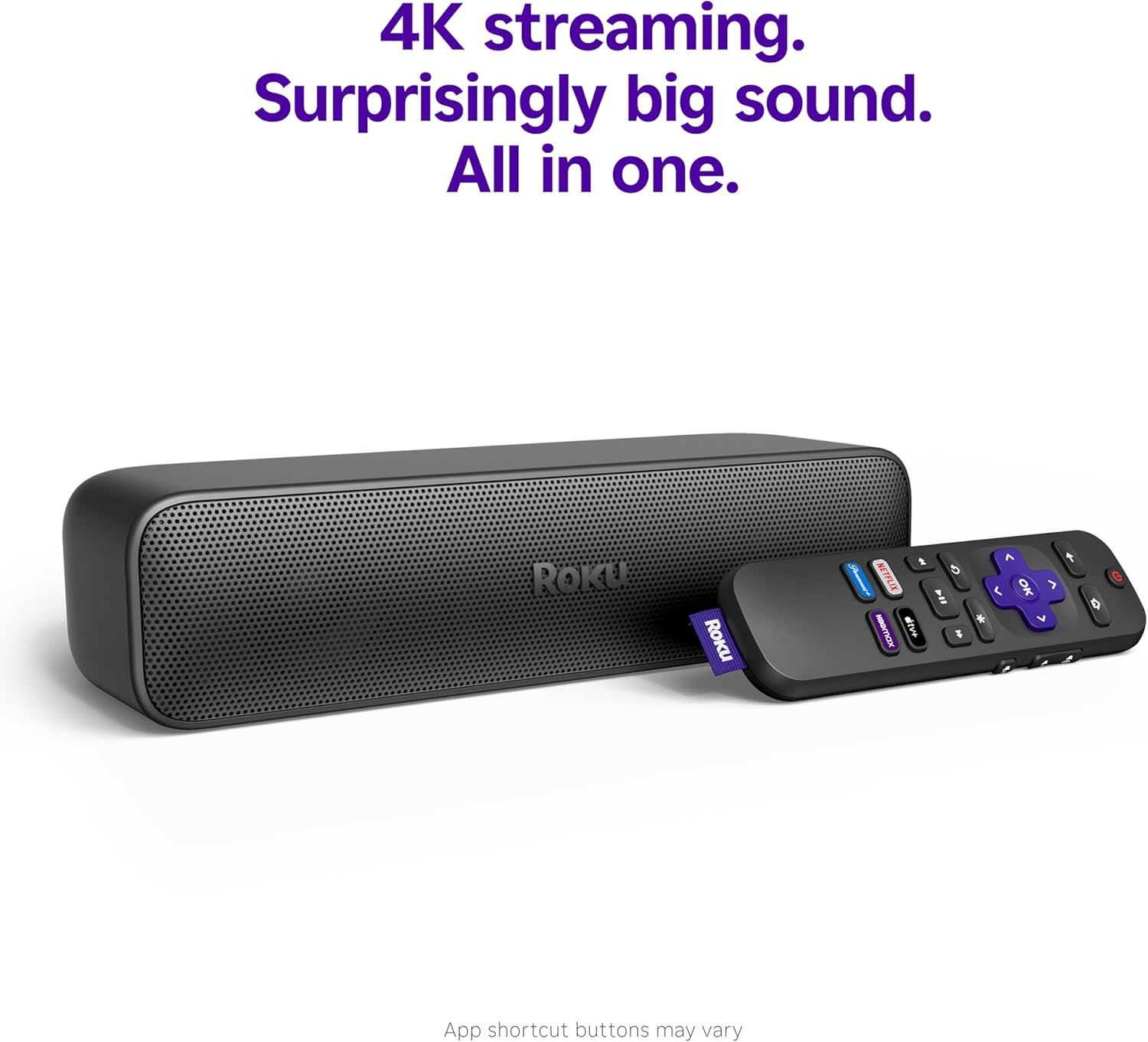
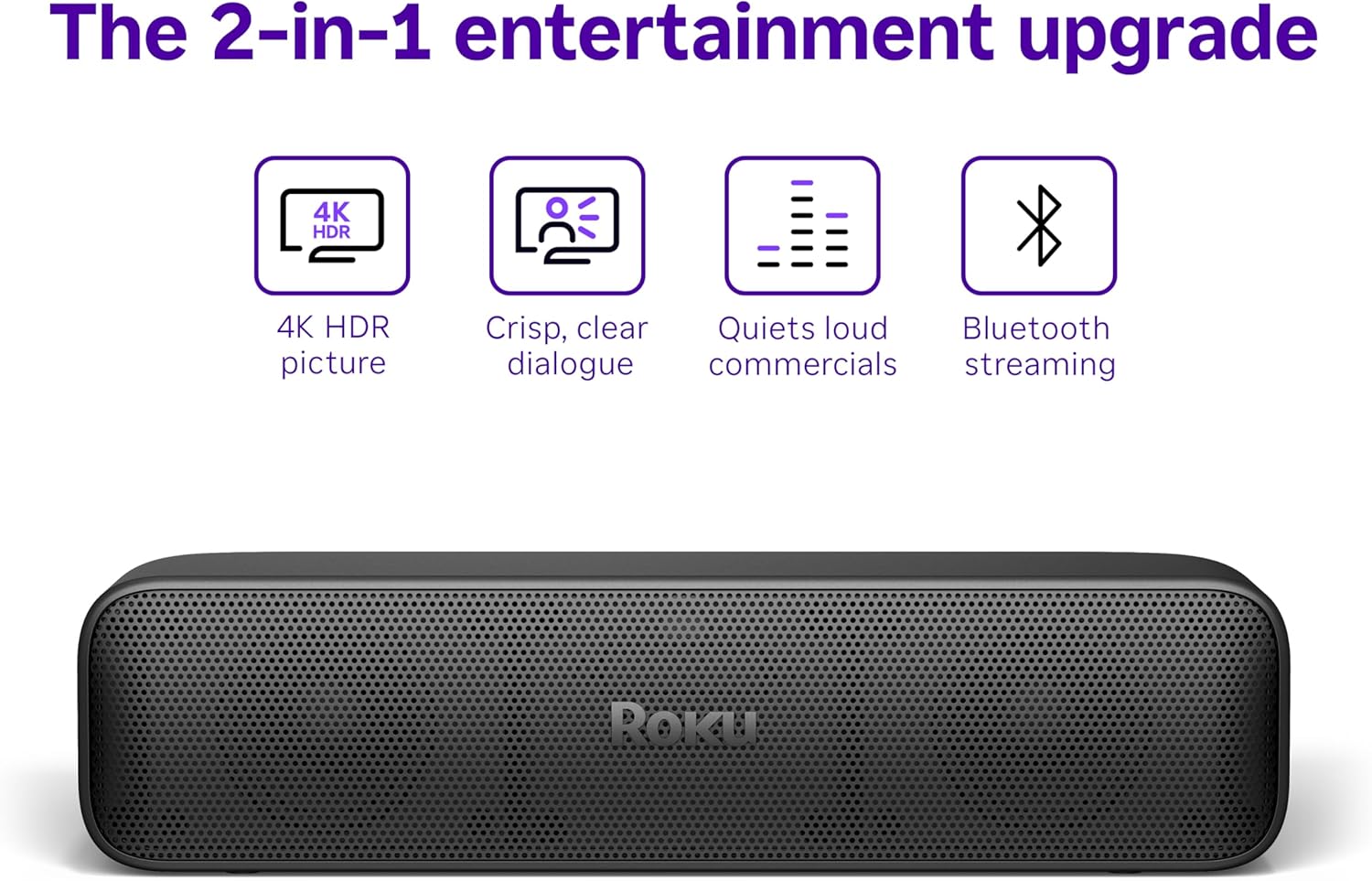
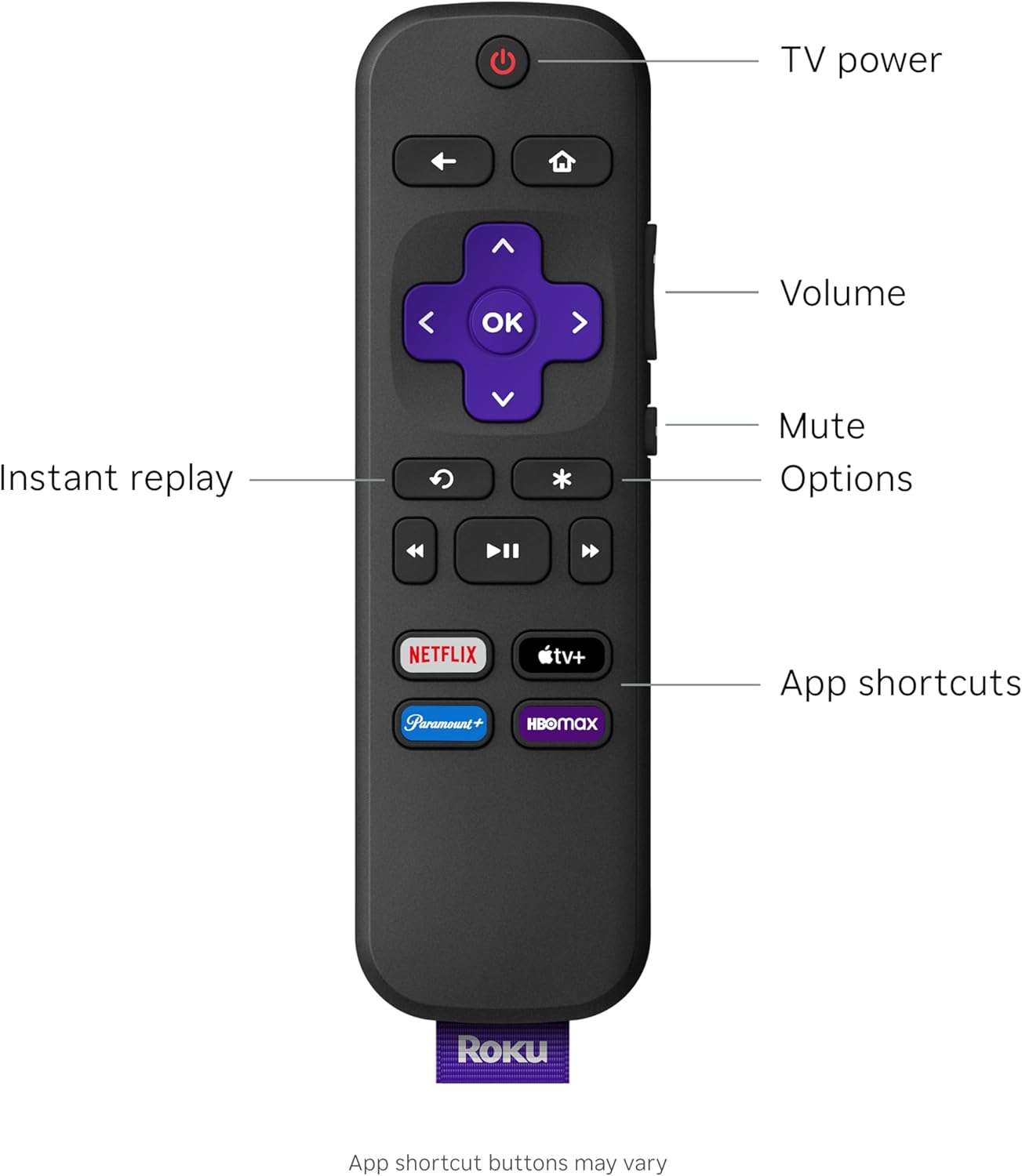
About this item 4K streaming. Surprisingly big sound. All in one. Perfect for smaller TVs: Enhance your bedrooms or cozy spaces with a 2-in-1 streaming and sound upgrade. Seamless streaming built-in: Enjoy an easy interface with apps that launch in a snap—all in brilliant 4K HDR picture optimized for any TV. No closed captions necessary: Hear every word with enhanced speech clarity. Sound upgrade: Elevate your TV’s audio with two premium speakers and a dedicated bass port for dynamic tones. Smarter than your average soundbar: Automatically adjust the volume to hear voices more clearly and lower during loud commercials. Try presets for music, movies, and more. Quick guided setup: Everything you need is included in the box. Just plug it into your TV and connect to the internet. It’s that simple. No more juggling remotes: Power up your TV, adjust the volume, and control your streaming all with one simple remote. Bluetooth your way: Pair headphones for quiet streaming or play music through your TV sound system. Easily expandable: Add rich depth and booming bass with Roku Wireless Bass subwoofer. Not compatible with Roku Wireless Speakers. Show more See more product details
Details
Product information Features & Specs Connectivity Technology Bluetooth, HDMI, Optical, Wi-Fi Connector Type HDMI, Optical cable Other Special Features of the Product 4K HDR/HDR10+ Streaming, Auto Volume Leveler, Compatible with Wireless Headphones, Enhanced Speech Clarity and Automatic Volume Control, Quick Guided Simple Setup Resolution 4k Supported Internet Services Hulu, Netflix, Prime Video, YouTube Controller Type App Control, Button Control, Remote Control Form Factor Soundbar RAM Memory Installed 1 GB Compatible Devices Television Memory Storage Capacity 4 GB Video Output Resolution 4k Pixels Video Codec H.264/AVC, H.265/HEVC, AV1, VP9, HDR10/10+ Smart Home Compatibility Smart Home Compatible Additional details Color Black Warranty & Support Feedback Item details Brand Roku Model Number 9104R Model Name Streambar SE UPC 829610005034 Mfr Part Number 9104R Manufacturer Roku Unit Count 1.0 Count Built-In Media Optical Cable (only for use if your TV doesn't have an HDMI-ARC port), Power Adaptor, Premium High Speed HDMI Cable, Roku Streambar SE, Standard Remote and 2 AAA batteries Warranty Description 1 year manufacturer Best Sellers Rank #1,290 in Electronics ( See Top 100 in Electronics ) #15 in Streaming Media Players ASIN B0CTBF4MKS Customer Reviews 4.4 out of 5 stars Measurements Item Weight 2 Pounds Item Dimensions L x W x H 9.6"L x 3.5"W x 2.4"H
Customer reviews
-

Improved TV sound and functionality in a small package
I want to start by giving this 5 stars but with a caveat. It is a five star device as long as you understand that it's not a 5.1 surround sound system and have the appropriate expectations. The Roku Streambar SE combines the functionality of a compact soundbar with the added function of a Roku streaming device which is two great things to have in one package. First I'll talk about the device itself and some advantages. The device has a compact design that easily blends into any home entertainment setup. It doesnt take up much room below the TV like a 2 foot long sound bar would. It features a couple decent speakers that deliver clear and relatively immersive sound. Compared to just TV speakers, there is a big jump in audio quality of your movies, shows, and music. There is a noticeable amount of bass, mids, and voice clarity. But it's not going to be as good as a larger soundbar with a dedicated subwoofer. I love the Roku functionality and that it has 4K, HD, and HDR streaming capabilities versus some of the lower end Roku sticks. You get crisp and vibrant video playback. And all of the apps associated with a Roku device. Setting up the Streambar SE is straightforward with Roku's guided setup process. It integrates well with any modern TV, offering a user-friendly interface that allows quick access to a wide range of streaming channels and apps. It's much less complicated than a multi-piece soundbar. As a Roku device, the Streambar SE provides access to thousands of channels and streaming services, including popular platforms like Netflix, Hulu, and Disney+. It supports wireless connectivity, allowing you to stream content directly from your smartphone or tablet to the TV screen. This is of course the case for any Roku device. The Price is extremely competitive at netween 80 and a 100 bucks. You get a lot of value for anyone looking for an easy upgrade their TV's sound quality while gaining access to a versatile streaming device. I keep stating this but having both in one device is very beneficial. Overall, The Roku Streambar SE is an ideal choice for anyone seeking to improve their TV's audio performance and streaming. Itbhas a very compact design, decent enough sound quality, and a great Roku interface. it's a great device that caters to someone looking for a simple upgrade, someone with limited space, or someone that just wants better sound and doesn't need theater surround sound, which is probably a large amount of people. A side note. This is a relatively new model. There is a larger model that slots above it if you want to increase the sound quality. You can also add a subwoofer to this for extra cost which would improve the bass response. It's nice to have the flexibility.
I want to start by giving this 5 stars but with a caveat. It is a five star device as long as you understand that it's not a 5.1 surround sound system and have the appropriate expectations. The Roku Streambar SE combines the functionality of a compact soundbar with the added function of a Roku streaming device which is two great things to have in one package. First I'll talk about the device itself and some advantages. The device has a compact design that easily blends into any home entertainment setup. It doesnt take up much room below the TV like a 2 foot long sound bar would. It features a couple decent speakers that deliver clear and relatively immersive sound. Compared to just TV speakers, there is a big jump in audio quality of your movies, shows, and music. There is a noticeable amount of bass, mids, and voice clarity. But it's not going to be as good as a larger soundbar with a dedicated subwoofer. I love the Roku functionality and that it has 4K, HD, and HDR streaming capabilities versus some of the lower end Roku sticks. You get crisp and vibrant video playback. And all of the apps associated with a Roku device. Setting up the Streambar SE is straightforward with Roku's guided setup process. It integrates well with any modern TV, offering a user-friendly interface that allows quick access to a wide range of streaming channels and apps. It's much less complicated than a multi-piece soundbar. As a Roku device, the Streambar SE provides access to thousands of channels and streaming services, including popular platforms like Netflix, Hulu, and Disney+. It supports wireless connectivity, allowing you to stream content directly from your smartphone or tablet to the TV screen. This is of course the case for any Roku device. The Price is extremely competitive at netween 80 and a 100 bucks. You get a lot of value for anyone looking for an easy upgrade their TV's sound quality while gaining access to a versatile streaming device. I keep stating this but having both in one device is very beneficial. Overall, The Roku Streambar SE is an ideal choice for anyone seeking to improve their TV's audio performance and streaming. Itbhas a very compact design, decent enough sound quality, and a great Roku interface. it's a great device that caters to someone looking for a simple upgrade, someone with limited space, or someone that just wants better sound and doesn't need theater surround sound, which is probably a large amount of people. A side note. This is a relatively new model. There is a larger model that slots above it if you want to increase the sound quality. You can also add a subwoofer to this for extra cost which would improve the bass response. It's nice to have the flexibility.
-

All-In-One Done!
Some years ago I decided to kick my bloated cable bill aside and became an early adopter of Roku. It was basically a USB powered HDMI stick and a remote. It took a bit of hair-tearing and spicy language to get it set up and working, but once dialed-in, it's worked very well. That is, until recently.... Time has marched, stomping especially hard on the remote. It maddeningly works when it wants....blipping happily along for a few minutes, and then - let it go, let it go, it's frozen! Slapping it, swapping batteries, yelling at it all seemed to work, or not, depending on its mood. We got by using the phone remote, but that was just "getting by." There was another issue: the sound coming out of my flat screen was...well...flat. I don't know if the speaker is damaged or my bass-heavy settings were making it sound bad, but bad it sounded. Voices especially. Imagine my joy, then, when I spotted this little guy! A new, more up-to-date Roku streaming device built-in to a new, much-needed speaker! Plus a brand new remote, all for much less than a typical sound bar. I snapped it up ASAP, preparing for a fresh round of breaking a sweat and colorful language. But, BONUS: Roku has progressed a long way since I bought that old stick and, for the most part, setup was a breeze! The Roku sound bar is less "bar," but does have stereo high-end speakers in a nice compact cabinet. And yes, the bass is amazing for a speaker of its size. There is a small port in the back that allows it to move enough air to produce a satisfying deep sound. Crisp, not flat! I blocked out two hours to install it. I had it up and running in 20 minutes. Even connecting to the Roku phone remote app took a fraction of the time than with the first unit. All problems fixed quickly, and the picture is stunning! (Was it always this clear, or is it my cleaning during installation?) I really couldn't be happier. Add a + to the stars above and grab one! Oh, and on a side note, if the stellar small-speaker bass isn't enough for you, there's an optional Bluetooth subwoofer that is available according to details in the package. I'm thinkin' about it...
Some years ago I decided to kick my bloated cable bill aside and became an early adopter of Roku. It was basically a USB powered HDMI stick and a remote. It took a bit of hair-tearing and spicy language to get it set up and working, but once dialed-in, it's worked very well. That is, until recently.... Time has marched, stomping especially hard on the remote. It maddeningly works when it wants....blipping happily along for a few minutes, and then - let it go, let it go, it's frozen! Slapping it, swapping batteries, yelling at it all seemed to work, or not, depending on its mood. We got by using the phone remote, but that was just "getting by." There was another issue: the sound coming out of my flat screen was...well...flat. I don't know if the speaker is damaged or my bass-heavy settings were making it sound bad, but bad it sounded. Voices especially. Imagine my joy, then, when I spotted this little guy! A new, more up-to-date Roku streaming device built-in to a new, much-needed speaker! Plus a brand new remote, all for much less than a typical sound bar. I snapped it up ASAP, preparing for a fresh round of breaking a sweat and colorful language. But, BONUS: Roku has progressed a long way since I bought that old stick and, for the most part, setup was a breeze! The Roku sound bar is less "bar," but does have stereo high-end speakers in a nice compact cabinet. And yes, the bass is amazing for a speaker of its size. There is a small port in the back that allows it to move enough air to produce a satisfying deep sound. Crisp, not flat! I blocked out two hours to install it. I had it up and running in 20 minutes. Even connecting to the Roku phone remote app took a fraction of the time than with the first unit. All problems fixed quickly, and the picture is stunning! (Was it always this clear, or is it my cleaning during installation?) I really couldn't be happier. Add a + to the stars above and grab one! Oh, and on a side note, if the stellar small-speaker bass isn't enough for you, there's an optional Bluetooth subwoofer that is available according to details in the package. I'm thinkin' about it...

-

Roku Streambar SE: Where Crystal Clear Sound Meets Streaming Magic
Small but Powerful The Roku Streambar SE is a fantastic upgrade for anyone looking to enhance their TV viewing experience. It provides immersive audio that truly brings movies and music to life. The setup is simple, just plug it in and connect to Wi-Fi for quick access to streaming services like Netflix and Hulu. If you don’t already have a Roku account, you’ll be prompted to create one, but after that, the installation process is seamless. I was pleasantly surprised to discover I was watching 1080P video until the Roku setup informed me that I could upgrade to 4K HDR10. And the setup process instructed me on how to make all the settings - which saved time. All in all it took about 5 minutes tops. For optimal performance, ensure you use an ARC (Audio Return Channel) HDMI port; fortunately, my TV had one. Make sure to enable ARC in your TV settings, as it’s often disabled by default—without it, your Streambar won't play sounds from your TV or connected devices. The Roku setup will guide you through this if your TV supports it. Additionally, enabling HDMI-CEC allows you to control power and volume across devices easily. Finally, change your TV's audio output format to PCM-Stereo, since the Streambar doesn’t support Dolby or DTS audio formats. Overall, the Roku Streambar SE combines exceptional sound quality with convenience, making it a valuable addition to your home entertainment setup! To ensure the Roku Streambar SE works effectively with your TV, it needs to have the following three features: ARC (Audio Return Channel) HDMI Port: This allows for seamless audio transmission from your TV to the soundbar. Make sure to enable ARC in your TV settings, as it is often disabled by default. HDMI-CEC (Consumer Electronics Control): This feature allows you to control basic functions, such as power and volume, across different devices with a single remote, improving convenience and usability. PCM-Stereo Audio Output Format: Since the Roku Streambar does not support Dolby or DTS audio formats, your TV's audio output must be set to PCM-Stereo for optimal performance. Hope this helps.
Small but Powerful The Roku Streambar SE is a fantastic upgrade for anyone looking to enhance their TV viewing experience. It provides immersive audio that truly brings movies and music to life. The setup is simple, just plug it in and connect to Wi-Fi for quick access to streaming services like Netflix and Hulu. If you don’t already have a Roku account, you’ll be prompted to create one, but after that, the installation process is seamless. I was pleasantly surprised to discover I was watching 1080P video until the Roku setup informed me that I could upgrade to 4K HDR10. And the setup process instructed me on how to make all the settings - which saved time. All in all it took about 5 minutes tops. For optimal performance, ensure you use an ARC (Audio Return Channel) HDMI port; fortunately, my TV had one. Make sure to enable ARC in your TV settings, as it’s often disabled by default—without it, your Streambar won't play sounds from your TV or connected devices. The Roku setup will guide you through this if your TV supports it. Additionally, enabling HDMI-CEC allows you to control power and volume across devices easily. Finally, change your TV's audio output format to PCM-Stereo, since the Streambar doesn’t support Dolby or DTS audio formats. Overall, the Roku Streambar SE combines exceptional sound quality with convenience, making it a valuable addition to your home entertainment setup! To ensure the Roku Streambar SE works effectively with your TV, it needs to have the following three features: ARC (Audio Return Channel) HDMI Port: This allows for seamless audio transmission from your TV to the soundbar. Make sure to enable ARC in your TV settings, as it is often disabled by default. HDMI-CEC (Consumer Electronics Control): This feature allows you to control basic functions, such as power and volume, across different devices with a single remote, improving convenience and usability. PCM-Stereo Audio Output Format: Since the Roku Streambar does not support Dolby or DTS audio formats, your TV's audio output must be set to PCM-Stereo for optimal performance. Hope this helps.

-

Buy it, you won’t regret it!!
I got this because my TV’s tiny speakers were slowly failing. They were never great, but they were acceptable for my small space. This streambar has been a total change to watching tv. I was initially looking for a streaming system to replace my TVs reinstalled junky software. I had a ROKU player in the bedroom that was great, so I was looking at ROKU. I had previously looked at other sound bars but hookup to this tv was kinda iffy with good and bad points. I decided on this system after using the compatibility checker - tv maker and model and it tells if it works on your tv. Brilliant. Setup was fast and easy. I haven’t had any problems with it staying connected to my wifi. The sound is absolutely amazing. It’s not audiophile level, but it’s louder, clearer, and perfect if you aren’t all that into absolute perfection with sound. I’m tickled pink with this set up. I’ve run it up to full blast (100), just to see how it performs. Incredibly loud without any crackling, breakup, or other things you get with full volume. Most of the time it’s at 25-30 (or lower) for most viewing. One big thing I’ve noticed with the ROKU streaming is the tv doesn’t ever buffer like it used to on the TVs built in streaming setup. It was almost a constant daily occurrence. And the ROKU remote turns both the tv and ROKU off with one button. I did have to set up the tv separately from the ROKU. Because the tv is IR and the ROKU is radio (?) they are separate systems…but once it’s set up (easy to do) the one button does on/off for both. It’s been a couple of months now, and I’m still in awe of the quality of the sound, picture quality, and ease of use of the ROKU system. Highly recommend this streambar.
I got this because my TV’s tiny speakers were slowly failing. They were never great, but they were acceptable for my small space. This streambar has been a total change to watching tv. I was initially looking for a streaming system to replace my TVs reinstalled junky software. I had a ROKU player in the bedroom that was great, so I was looking at ROKU. I had previously looked at other sound bars but hookup to this tv was kinda iffy with good and bad points. I decided on this system after using the compatibility checker - tv maker and model and it tells if it works on your tv. Brilliant. Setup was fast and easy. I haven’t had any problems with it staying connected to my wifi. The sound is absolutely amazing. It’s not audiophile level, but it’s louder, clearer, and perfect if you aren’t all that into absolute perfection with sound. I’m tickled pink with this set up. I’ve run it up to full blast (100), just to see how it performs. Incredibly loud without any crackling, breakup, or other things you get with full volume. Most of the time it’s at 25-30 (or lower) for most viewing. One big thing I’ve noticed with the ROKU streaming is the tv doesn’t ever buffer like it used to on the TVs built in streaming setup. It was almost a constant daily occurrence. And the ROKU remote turns both the tv and ROKU off with one button. I did have to set up the tv separately from the ROKU. Because the tv is IR and the ROKU is radio (?) they are separate systems…but once it’s set up (easy to do) the one button does on/off for both. It’s been a couple of months now, and I’m still in awe of the quality of the sound, picture quality, and ease of use of the ROKU system. Highly recommend this streambar.


