


Skylight Calendar Max: 27-Inch Smart Digital Calendar & Chore Chart, Family Organizer with Interactive Touchscreen Display – Wall Mountable in Portrait or Landscape, Classic White Frame
This is an affiliate link. Buyyyah may earn a commission if you buy through it, at no extra cost to you.
Description
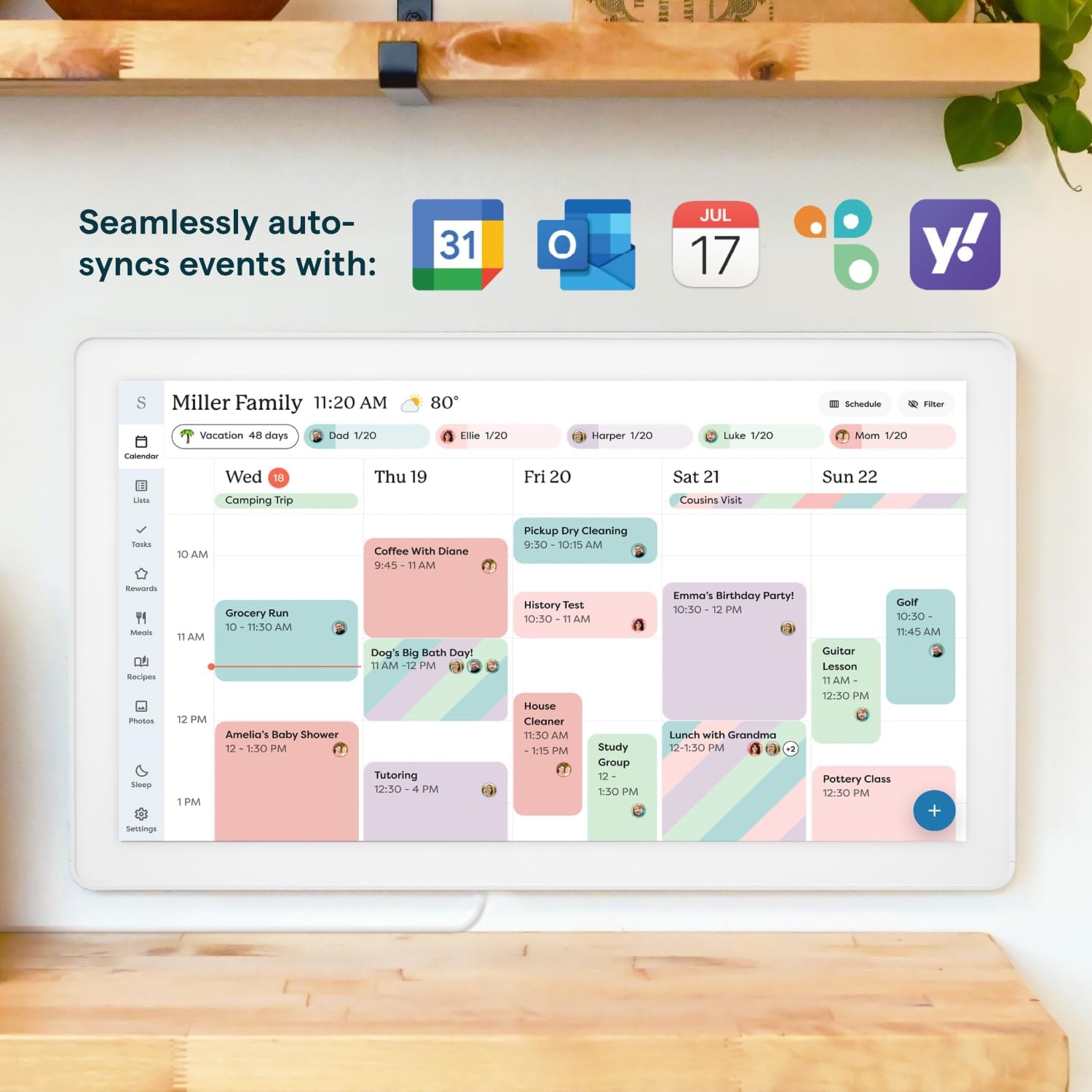
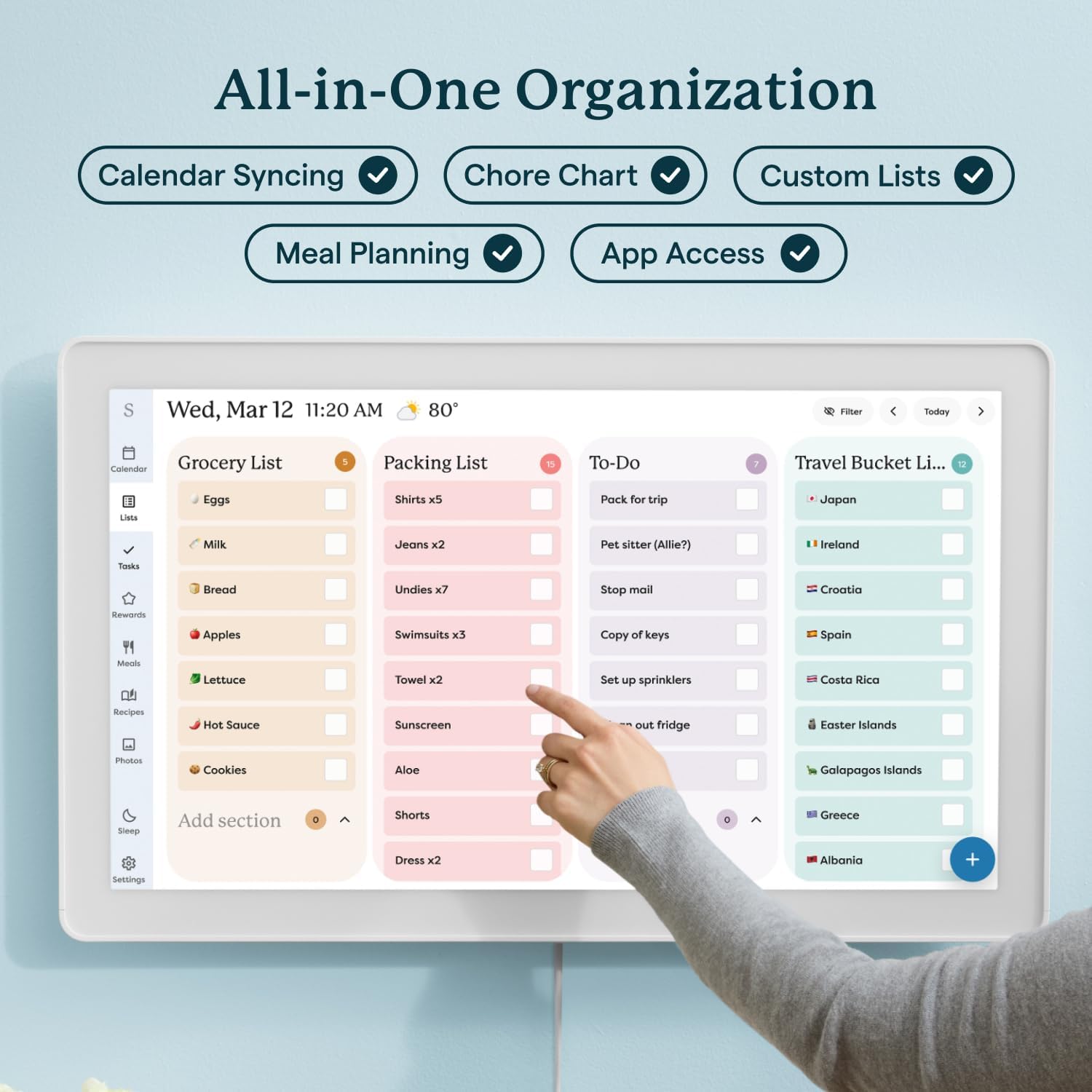
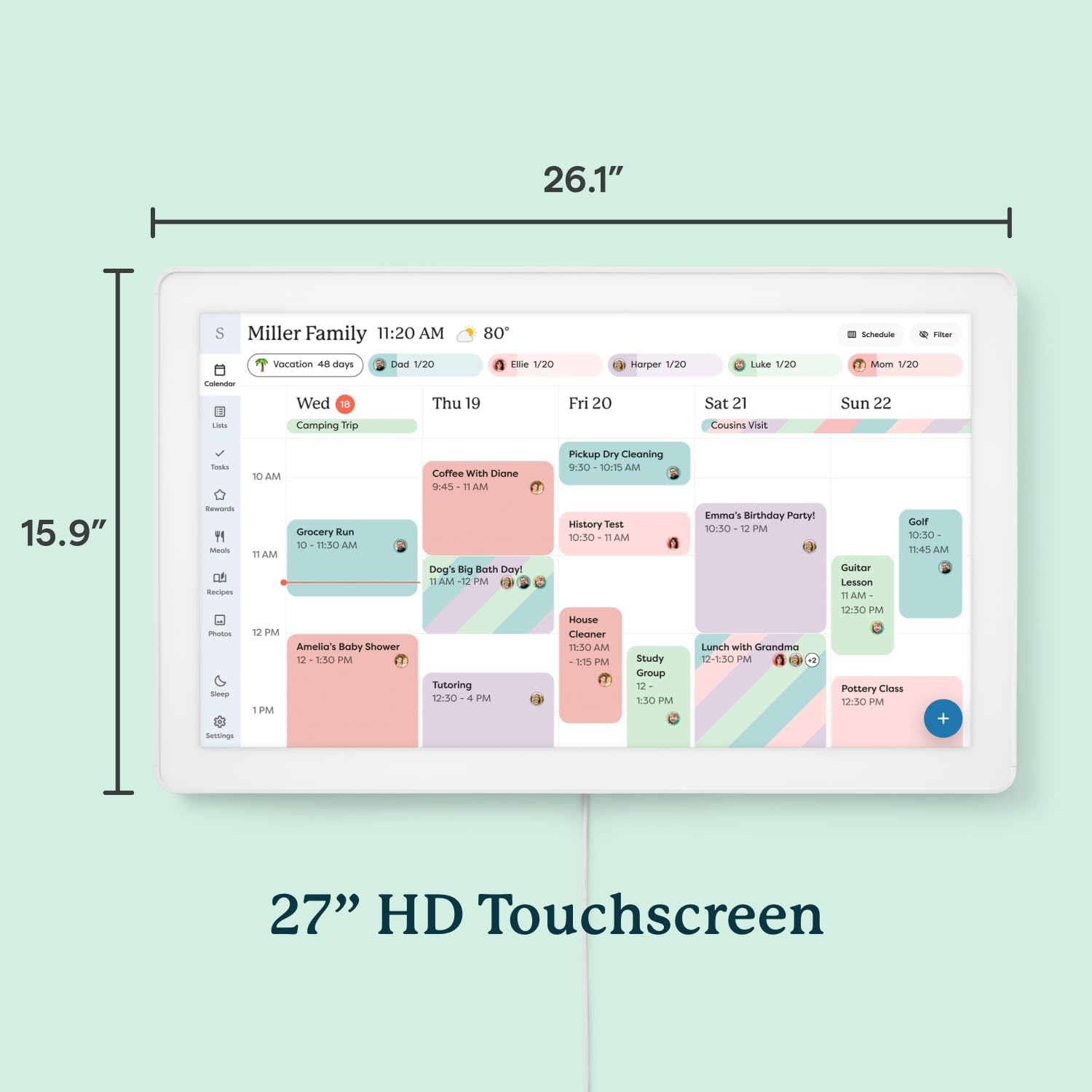
• 27" TOUCHSCREEN FAMILY CALENDAR: Meet the Skylight Calendar Max—our largest and most vibrant smart calendar yet. This stunning 27-inch HD touchscreen display auto-adjusts in portrait or landscape, keeping your family’s schedule front and center in any space. • EFFORTLESS SYNCING WITH ALL CALENDARS: Connect to Wi-Fi and sync instantly with Google, Apple, Outlook, Yahoo, and Cozi. This digital wall calendar auto-syncs events from all your devices—no manual updates needed. • CHORE CHART & DAILY PLANNER IN ONE: Assign chores, track tasks, and organize routines with a built-in digital planner designed to support independence and shared responsibility. Great for kids and parents alike. • UPDATE ANYTIME, FROM ANYWHERE: Use the free Skylight mobile app to edit your calendar on the go. With the optional Plus Plan, unlock premium features like Magic Import, photo screensaver, meal planning, and stars & rewards. • MODERN DESIGN, EASY TO INSTALL: Mounts in portrait or landscape with an included guide. Swappable frame styles let you match your home’s decor—perfect for kitchens, entryways, or command centers.
Details
General
- Brand Name
- Skylight
- Manufacturer
- Skylight
- Part Number
- 270GBa
- Model Number
- 270GBa
Physical
- Item Weight
- 362.6 Ounces
- Format
- Wall Calendar
- Material
- Plastic
Frequently asked questions
- What is the screen size of the Skylight Calendar Max?
- 27-inch HD touchscreen display.
- Does it sync with my existing calendar apps?
- Yes, it syncs with Google, Apple, Outlook, Yahoo, and Cozi via Wi-Fi.
- Can it be mounted on the wall?
- Yes, it mounts in portrait or landscape with an included guide.
Customer reviews

A must have for a busy family!!!
Ok, long post alert but definitely an honest review: I read about the Skylight Calendar Max in the New York Times and wanted to give it a try. I am a super busy, working mom of 2 young kids, who is in full-time grad school and trying to organize their school schedules, play dates, activities, and more. I also have to juggle MY busy schedule and synch it with my husband’s so we are always on the same page. This is an IMPOSSIBLE task (as any caregiver or parent will know) and I was desperate to find an easier solution. $619 is a lot to spend but I figured it would be well worth the money if it gave me extra time and peace of mind. All I can say is: it is well worth it! First off, the packaging and interface are beautiful and very well thought out. It provides everything a busy working mom could want: calendar for all family members, easy list making, meal planning and a recipe box (that will import any recipe!!!), photos, reminders, and chore charts. It was extremely easy to set up; very intuitive and user-friendly. I barely had to look at the instructions. I hooked it up first and started using it to make sure I loved it before mounting it to the wall. I do love it and absolutely will be mounting it as soon as I get a free moment. The Skylight app is really helpful, as you can upload literally everything to your device from the app (even external calendars from iCal or Google so you don’t have to manually transfer them). You can take pictures of things you want to import and it will magically upload it to the device and integrate it into the proper place! The app really makes it easy to use the Skylight. It also allows you to send pictures directly to the device that immediately show up for a custom slide show. I appreciate its functionality and really like that you can use it horizontally or vertically depending on your available space. I also love that it negates the need for choosing special photos to get printed and mount because you can just have a continuous slideshow going at all times of all your special moments. It is actually a really great conversation starter for friends and family. I also like that the text on the calendar is so colorful and prominent. It makes it nice to look at and also makes it easier to point out tasks and chores for my kids. It looks really beautiful on the wall and has a very slim profile so it’s not bulky or sticking out from the wall. The ONLY fault I can find in the device is that sometimes when you send a picture to the Skylight from the app, it will show up in the app but not in thr “pictures” tab on the device itself. However, once it’s in slide show mode, the picture always comes up anyway, so it’s really not that big of a deal. Overall, I’d say that I absolutely love the Skylight Calendar Max and would recommend it wholeheartedly to any busy family to make life just a little bit easier.
Ok, long post alert but definitely an honest review: I read about the Skylight Calendar Max in the New York Times and wanted to give it a try. I am a super busy, working mom of 2 young kids, who is in full-time grad school and trying to organize their school schedules, play dates, activities, and more. I also have to juggle MY busy schedule and synch it with my husband’s so we are always on the same page. This is an IMPOSSIBLE task (as any caregiver or parent will know) and I was desperate to find an easier solution. $619 is a lot to spend but I figured it would be well worth the money if it gave me extra time and peace of mind. All I can say is: it is well worth it! First off, the packaging and interface are beautiful and very well thought out. It provides everything a busy working mom could want: calendar for all family members, easy list making, meal planning and a recipe box (that will import any recipe!!!), photos, reminders, and chore charts. It was extremely easy to set up; very intuitive and user-friendly. I barely had to look at the instructions. I hooked it up first and started using it to make sure I loved it before mounting it to the wall. I do love it and absolutely will be mounting it as soon as I get a free moment. The Skylight app is really helpful, as you can upload literally everything to your device from the app (even external calendars from iCal or Google so you don’t have to manually transfer them). You can take pictures of things you want to import and it will magically upload it to the device and integrate it into the proper place! The app really makes it easy to use the Skylight. It also allows you to send pictures directly to the device that immediately show up for a custom slide show. I appreciate its functionality and really like that you can use it horizontally or vertically depending on your available space. I also love that it negates the need for choosing special photos to get printed and mount because you can just have a continuous slideshow going at all times of all your special moments. It is actually a really great conversation starter for friends and family. I also like that the text on the calendar is so colorful and prominent. It makes it nice to look at and also makes it easier to point out tasks and chores for my kids. It looks really beautiful on the wall and has a very slim profile so it’s not bulky or sticking out from the wall. The ONLY fault I can find in the device is that sometimes when you send a picture to the Skylight from the app, it will show up in the app but not in thr “pictures” tab on the device itself. However, once it’s in slide show mode, the picture always comes up anyway, so it’s really not that big of a deal. Overall, I’d say that I absolutely love the Skylight Calendar Max and would recommend it wholeheartedly to any busy family to make life just a little bit easier.



Game changer!
We are a family of 4 with 2 kids. We were using a dry erase calendar board on our refrigerator as our means of keeping track of everyone’s schedules - daily life, work, school, planning our weekends and big events like trips. We were also using a small dry erase board for routine things like chores for our kids and other to do’s like oil changes for our car. We were hesitant to try this product at first and decided to try a digital calendar on our phones that we shared so that we could keep track of things. We learned quickly that it required a lot of discipline and communication between us (parents) to coordinate everything and then update it on our phone only to forget things regularly. It also did not solve the issue of routine related items, for example forgetting to return books at the library. We needed a way to stay organized and stop being forgetful, so we tried the Skylight Calendar MAX. We went for the max because we wanted it to be CLEAR and easy to see who was doing WHAT with just a glance at the calendar on the wall. Speaking of on the wall. Installing everything was a breeze. They included everything you need to install and mount your Skylight - a template a drill bit and a mount with a level so you really can’t mess it up. All you need is a power outlet close by, a screwdriver and a drill. You download the app for your phone and turn it on and off you go. My wife and I were shocked at how easy and intuitive everything was to use. You can plan things in the app on your phone or on the Skylight itself. We quickly became proficient with adding events on our calendar, creating to do lists, chores for the kids with a rewards program, and so on. There’s even a countdown at the top of the calendar so you can keep tabs on when important events are happening. Each person has a different color so you can quickly see who is doing what on the calendar without having to go into details or clicking into anything. We have ours mounted in the kitchen so every morning when we get up and have breakfast we gather around and naturally have our huddle before it’s game time for the day/week. One of my favorite features is the “SideKick” magic family assistant. You can take a photo of something like a school schedule on paper and it’ll make it digital - putting it on the calendar or making it into a list so you don’t have to waste time trying to copy all that information manually. On a side note, the unit itself looks great and super clean on the wall too. To sum it up - This is a game changer for our household. We can’t live without our Skylight now. If you value your time and you have a family I recommend giving it a try. You won’t look back. TLDR - Easy to install and easy to use; very intuitive. Saves you a lot of time and keeps you extremely organized. If you value your time and have kids it’s a no brainer.
We are a family of 4 with 2 kids. We were using a dry erase calendar board on our refrigerator as our means of keeping track of everyone’s schedules - daily life, work, school, planning our weekends and big events like trips. We were also using a small dry erase board for routine things like chores for our kids and other to do’s like oil changes for our car. We were hesitant to try this product at first and decided to try a digital calendar on our phones that we shared so that we could keep track of things. We learned quickly that it required a lot of discipline and communication between us (parents) to coordinate everything and then update it on our phone only to forget things regularly. It also did not solve the issue of routine related items, for example forgetting to return books at the library. We needed a way to stay organized and stop being forgetful, so we tried the Skylight Calendar MAX. We went for the max because we wanted it to be CLEAR and easy to see who was doing WHAT with just a glance at the calendar on the wall. Speaking of on the wall. Installing everything was a breeze. They included everything you need to install and mount your Skylight - a template a drill bit and a mount with a level so you really can’t mess it up. All you need is a power outlet close by, a screwdriver and a drill. You download the app for your phone and turn it on and off you go. My wife and I were shocked at how easy and intuitive everything was to use. You can plan things in the app on your phone or on the Skylight itself. We quickly became proficient with adding events on our calendar, creating to do lists, chores for the kids with a rewards program, and so on. There’s even a countdown at the top of the calendar so you can keep tabs on when important events are happening. Each person has a different color so you can quickly see who is doing what on the calendar without having to go into details or clicking into anything. We have ours mounted in the kitchen so every morning when we get up and have breakfast we gather around and naturally have our huddle before it’s game time for the day/week. One of my favorite features is the “SideKick” magic family assistant. You can take a photo of something like a school schedule on paper and it’ll make it digital - putting it on the calendar or making it into a list so you don’t have to waste time trying to copy all that information manually. On a side note, the unit itself looks great and super clean on the wall too. To sum it up - This is a game changer for our household. We can’t live without our Skylight now. If you value your time and you have a family I recommend giving it a try. You won’t look back. TLDR - Easy to install and easy to use; very intuitive. Saves you a lot of time and keeps you extremely organized. If you value your time and have kids it’s a no brainer.


this calendar is WORTH IT!!!
10/10 recommend!!! This calendar has not only elevated our space (it's very sleek) but it really has streamlined our daily life. I mainly work freelance (and am undiagnosed ADHD), so not only is my schedule inconsistent but I often feel overwhelmed managing it all. I would use a: - physical calendar notebook. - glass calendar on the wall. - whiteboard on the refrigerator. - whiteboard in my office. - notes all over the house of my task lists. - oh, and the reminders app on my phone was filled with different lists as well. okay so let's talk process: 1. the way this was packaged was SO SATISFYING!! all the components were incredibly organized in the box, and seriously by far the EASIEST thing I have ever installed. 2. I love that the border is magnetic so I can have it on or off (right now I have it off). 3. the calendar and app sync which it amaze. 4. I really enjoy the task and list features, and the event countdowns on the calendar itself. 5. It is really easy to make profiles and assign things to them (we made a profile for our cat to make her feel included). I was initially more excited about this purchase than my husband, but after I set it up and got him logged onto the calendar, he was shook - ESPECIALLY with the grocery list aspect. We were keeping track of our groceries on the whiteboard on the fridge (and a reminder list I had on my phone but it would NOT link to his reminders) so it felt like a nuisance to keep our grocery list organized, but with the device/app syncing it has made it SO much convenient. I asked my husband his thoughts and he said: "It's sleek/modern, doesn't take up much space, it adds convenience while not being in the way while being easily accessible, and it's synced to your phone so if you need to change things on the fly it's really easy to do so. Obviously this would be really helpful in a home with kids (which we don't have yet) but even in a house with just adults it's super helpful." It's nice to look at and actually FUN to interact with, it even gives you a little dopamine rush when you complete a task (little fireworks and such) and you can even do routines (like our cats monthly shot, and washing the bedding consistently which I ALWAYS forget). I also felt like I didn't need this because we didn't have kids, but that's not true, life can be chaotic at any stage of life, and it's nice to have support where you can get it. I don't have post it notes all over my house anymore, and I feel secure in knowing that all my work days, meetings, tasks and grocery lists are all in one convenient place that lays it out on such a stunning device <3
10/10 recommend!!! This calendar has not only elevated our space (it's very sleek) but it really has streamlined our daily life. I mainly work freelance (and am undiagnosed ADHD), so not only is my schedule inconsistent but I often feel overwhelmed managing it all. I would use a: - physical calendar notebook. - glass calendar on the wall. - whiteboard on the refrigerator. - whiteboard in my office. - notes all over the house of my task lists. - oh, and the reminders app on my phone was filled with different lists as well. okay so let's talk process: 1. the way this was packaged was SO SATISFYING!! all the components were incredibly organized in the box, and seriously by far the EASIEST thing I have ever installed. 2. I love that the border is magnetic so I can have it on or off (right now I have it off). 3. the calendar and app sync which it amaze. 4. I really enjoy the task and list features, and the event countdowns on the calendar itself. 5. It is really easy to make profiles and assign things to them (we made a profile for our cat to make her feel included). I was initially more excited about this purchase than my husband, but after I set it up and got him logged onto the calendar, he was shook - ESPECIALLY with the grocery list aspect. We were keeping track of our groceries on the whiteboard on the fridge (and a reminder list I had on my phone but it would NOT link to his reminders) so it felt like a nuisance to keep our grocery list organized, but with the device/app syncing it has made it SO much convenient. I asked my husband his thoughts and he said: "It's sleek/modern, doesn't take up much space, it adds convenience while not being in the way while being easily accessible, and it's synced to your phone so if you need to change things on the fly it's really easy to do so. Obviously this would be really helpful in a home with kids (which we don't have yet) but even in a house with just adults it's super helpful." It's nice to look at and actually FUN to interact with, it even gives you a little dopamine rush when you complete a task (little fireworks and such) and you can even do routines (like our cats monthly shot, and washing the bedding consistently which I ALWAYS forget). I also felt like I didn't need this because we didn't have kids, but that's not true, life can be chaotic at any stage of life, and it's nice to have support where you can get it. I don't have post it notes all over my house anymore, and I feel secure in knowing that all my work days, meetings, tasks and grocery lists are all in one convenient place that lays it out on such a stunning device <3


10/10 recommend - read full review for details
Went back and forth on this calendar for months trying to see if it was worth the price tag. I am someone who plans everything to the T and sticks to routines and schedules like it's my job. I have had this for a week now. 1st, let me say I was under the impression that I would receive the one month free trial to the plus subscription. Upon opening, I couldn't find anything anywhere implying that was true. I messaged skylight support to see what could be done as I wanted to try out the features before committing to $79 per year for the subscription. Was in a chat with a real human within 2 minutes. Gave me a one month free trial, activated it instantly on their side and had me up and running within 5 minutes of chatting. Their customer service alone is worth it. 2nd, The Packaging is very straight forward. You get a big box, you open to your 27 inch calendar. under that, you have two square boxes with the power supply in one and the mounting hardware in the other. there and two skinny boxes on the upper and lower side of the square boxes with your snap on frames in them. everything was very easy to figure out. 3rd, the mounting box included high quality, lipped drywall anchors, (if you know, you know), a drywall drill bit to predrill your holes, an extra screw and anchor as well. Very straight forward mounting bracket with a paper template. a level built into the mount and only 4 holes to hang. The calendar slides effortlessly into the mount and stays put with no wiggling. Frames snap right on. lastly, it may be a high price tag but for those who live for a central hub and something to take off some mental load, this is it. Family hub, meal calendar (I plan a month at a time), different profiles for the family, very customizable. Plus includes rewards for your tasks. 27 inch picture frame when not in use. Husband has app on his phone so doesn't ask what plans or dinner are as often. Plus gives you the AI sidekick that I have tested and helps input events and appointments easily. can control every from your phone. 10/10 would recommend.
Went back and forth on this calendar for months trying to see if it was worth the price tag. I am someone who plans everything to the T and sticks to routines and schedules like it's my job. I have had this for a week now. 1st, let me say I was under the impression that I would receive the one month free trial to the plus subscription. Upon opening, I couldn't find anything anywhere implying that was true. I messaged skylight support to see what could be done as I wanted to try out the features before committing to $79 per year for the subscription. Was in a chat with a real human within 2 minutes. Gave me a one month free trial, activated it instantly on their side and had me up and running within 5 minutes of chatting. Their customer service alone is worth it. 2nd, The Packaging is very straight forward. You get a big box, you open to your 27 inch calendar. under that, you have two square boxes with the power supply in one and the mounting hardware in the other. there and two skinny boxes on the upper and lower side of the square boxes with your snap on frames in them. everything was very easy to figure out. 3rd, the mounting box included high quality, lipped drywall anchors, (if you know, you know), a drywall drill bit to predrill your holes, an extra screw and anchor as well. Very straight forward mounting bracket with a paper template. a level built into the mount and only 4 holes to hang. The calendar slides effortlessly into the mount and stays put with no wiggling. Frames snap right on. lastly, it may be a high price tag but for those who live for a central hub and something to take off some mental load, this is it. Family hub, meal calendar (I plan a month at a time), different profiles for the family, very customizable. Plus includes rewards for your tasks. 27 inch picture frame when not in use. Husband has app on his phone so doesn't ask what plans or dinner are as often. Plus gives you the AI sidekick that I have tested and helps input events and appointments easily. can control every from your phone. 10/10 would recommend.





![Ailun 3 Pack Screen Protector for iPhone 16 [6.1 inch] + 3 Pack Camera Lens Protector with Installation Frame,Case Friendly Tempered Glass Film,[9H Hardness][Not for iPhone 16e/16 Pro/Plus/Pro Max]](https://m.media-amazon.com/images/I/71z4XevAN2L._AC_SY300_SX300_QL70_FMwebp_.jpg)